Services
Maintain the services executives can offer during visits.
Open Settings → Services. Managing services requires an administrator account and the services permission.
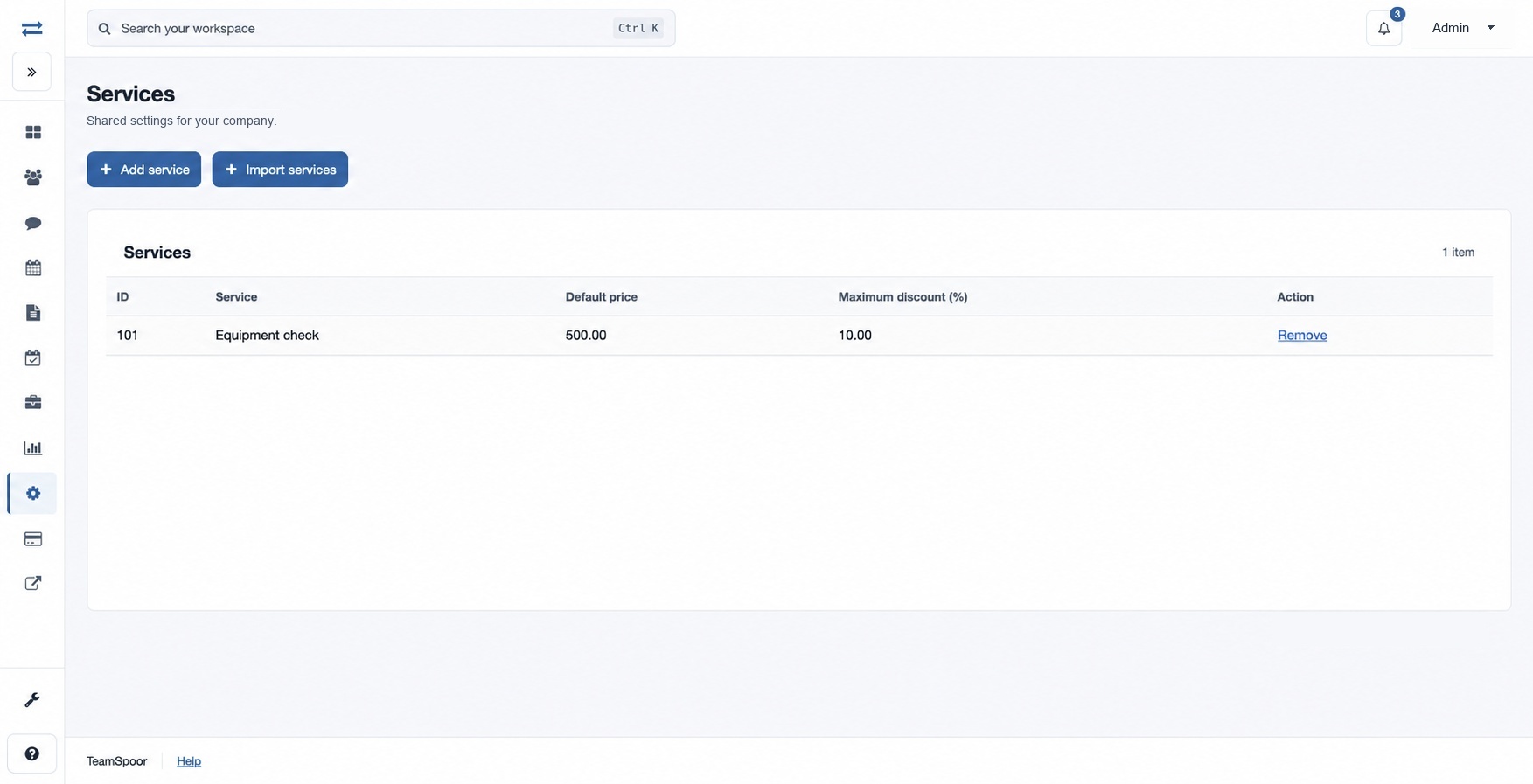
How to use this page
- Choose Add service. Enter Name, Default price and Maximum discount (%); the discount ranges from 0 to 100. For example, a fictional “Equipment check” could have a default price of 500 and a maximum discount of 10%.
- Select Add service and check the catalog.
- For multiple services, choose Import services and download the CSV template. Supply columns
Service Name, Default Price, Max Discount Percentage, choose the CSV or XLSX File, and import. The limit is 1,000 rows and 5 MB. All rows are checked before anything is saved. - To remove an item, expand Remove, type DELETE and select Remove item.
If an import fails, correct the reported rows or headers and retry. Check the catalog before retrying an interrupted submission.
Service fields
Name identifies the service (maximum 45 characters; letters, numbers and spaces only). Default price is the catalog’s starting price, from 0 to 9,999,999,999.99; Maximum discount (%) is the maximum percentage, from 0 to 100. Both accept increments of 0.01. The directory shows ID and these values. Use the CSV template’s exact three column headers for an import and check all reported errors before resubmitting.
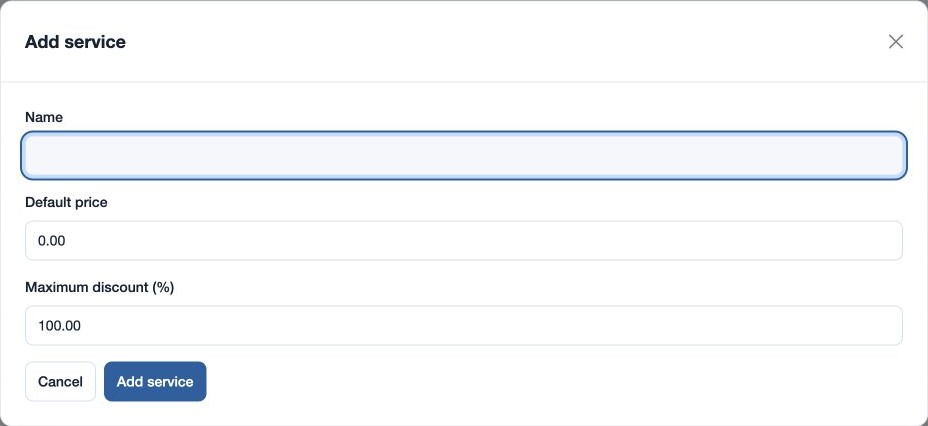
For import, a blank price defaults to 0.00 and a blank maximum discount defaults to 100.00. Duplicate names within the file or an existing catalog name prevent the import; correct the file and try again. The table’s Remove action opens a confirmation requiring DELETE.