Employee loan policies
Set eligibility, interest, limits and top-up rules for employee loans.
Before you begin
Open Payroll → Setup & policies → Loan Policies. A payroll-enabled plan and payroll-settings management permission are required. Decide the eligible employees and approved lending terms first.
Create a policy
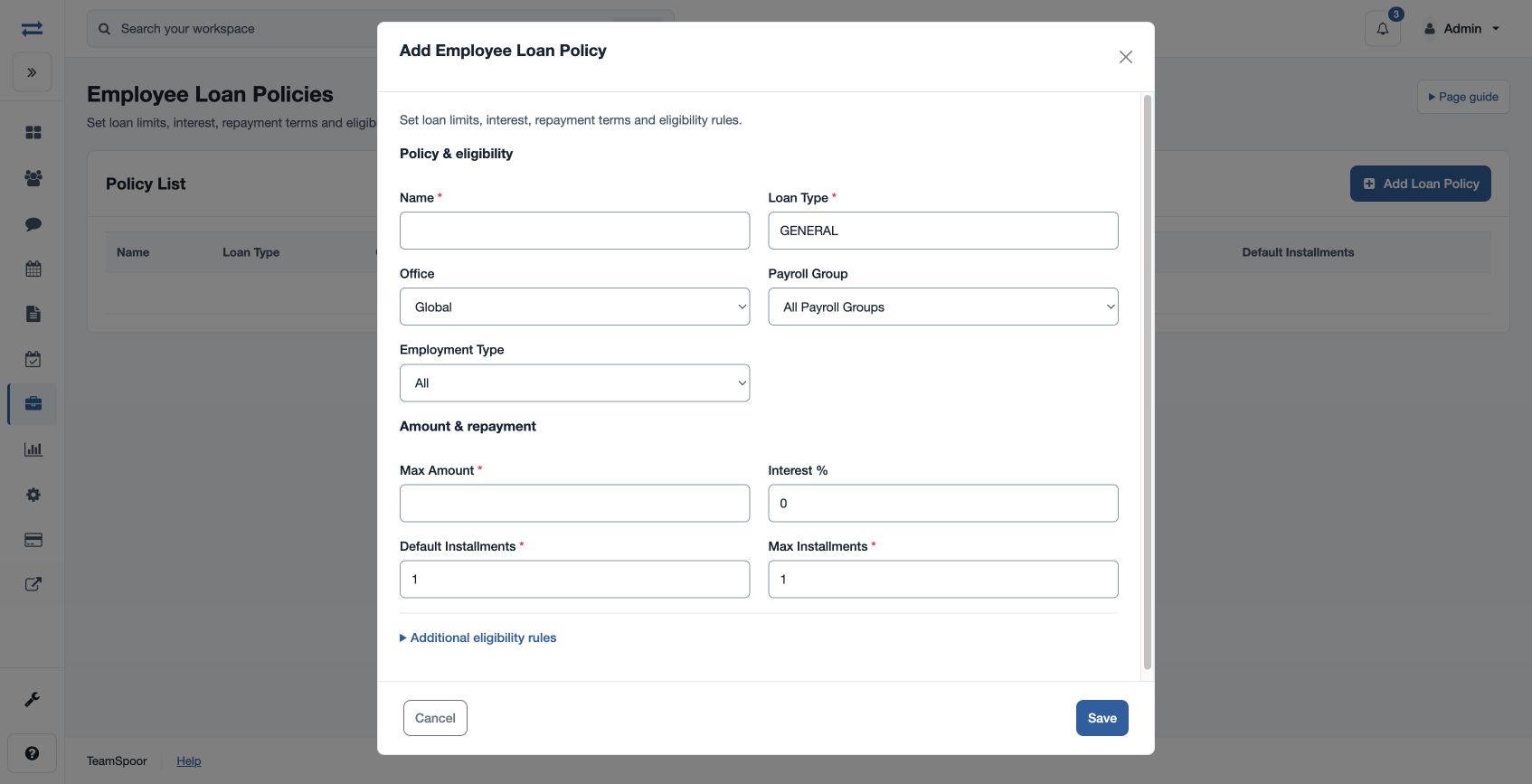
- Choose Add Loan Policy. Enter required Name and Loan Type; the form starts Loan Type as GENERAL.
- Choose Office, Payroll Group and Employment Type. Enter Max Amount, Interest %, Default Installments, Max Installments, Minimum Tenure (Months) and Cooldown (Days).
- Choose Yes or No for Parallel Loans and Allow Top-ups, then save. Use the applicable policy when requesting a loan.
Field reference
Office can be Global or a selected office; Payroll Group can be all groups or a selected group. Employment Type can be All, Full Time, Part Time, Contract or Intern. Set Max Amount to a positive policy limit. Name must have 3–80 characters and Loan Type 3–40 characters. Default Installments is at least one; Max Installments is raised to at least the default when the policy is saved. Minimum Tenure (Months) and Cooldown (Days) record non-negative values. Tenure is checked when the loan is requested.
Interest % is a non-negative policy rate. Parallel Loans controls whether concurrent loans are permitted; Allow Top-ups controls whether a new loan may reference an eligible existing one. The request separately records Principal, Interest %, repayment mode, number of installments and recovery start.
Example and troubleshooting
For example, allow an eligible employee up to 12,000 over six installments. Check the actual policy’s interest and whether top-ups and concurrent loans are allowed. If the request is rejected, review its amount, dates, employee scope, tenure and installment limits.