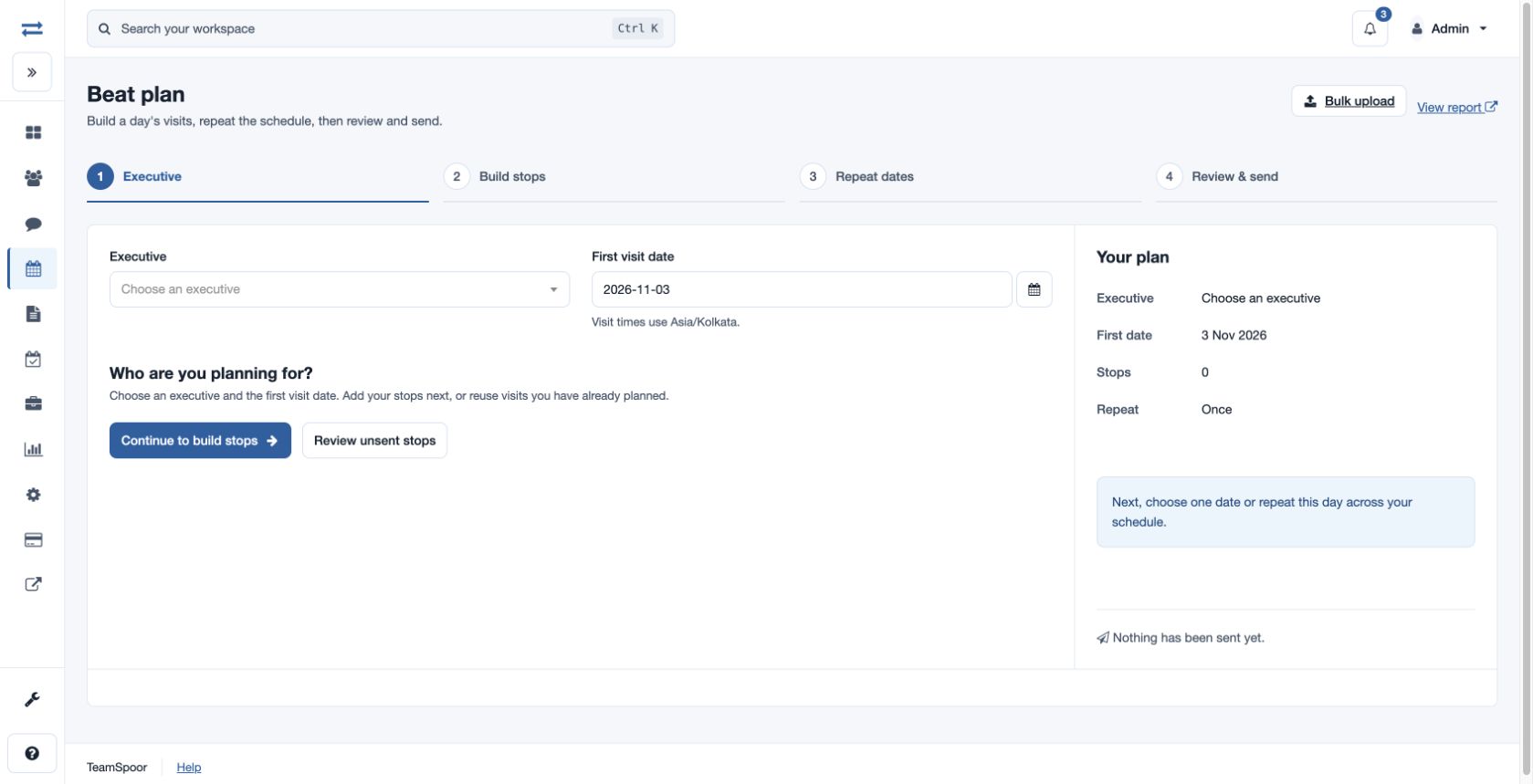
Build a beat plan
Create and repeat a day of planned visits.
Open Beat Plan → Build beat plan. The company plan must include Beat Plan and a non-executive needs create permission.
Build a plan
- Select Build beat plan. Choose the Executive and First visit date; visit times use Asia/Kolkata. Continue to build stops.
- Search saved accounts or select Add manually. Enter Company name, Contact name, Visit type, Date and Time. Contact phone, Address, Remarks and coordinates are optional; enter both Latitude and Longitude or neither. Select Use this stop. Times determine order; moving a stop adjusts its time. You can copy stops from an executive and date range, or duplicate a day.
- Choose Once, Selected dates, Daily, Weekly or Monthly. Set interval, weekdays, end date, included or skipped dates as applicable. Monthly patterns support day of month, weekday of month and last day; choose whether to skip a missing day or use the last day. Review the dates: at most 366 days and 1,000 stops.
- Review the stops, duplicates and dates. Save unsent stops or send the reviewed selection. If sending cannot be confirmed, inspect saved stops and status before retrying.
Confirm the outcome
Saving keeps selected stops unsent; sending assigns the reviewed selection. Review saved stops before retrying an uncertain result. Use Review unsent stops to resume.
Repeat, copy and review stops
New visit times must be in the future. Daily repeat intervals range from 1 to 31; weekly and monthly intervals range from 1 to 12. Weekly schedules select weekdays. Monthly schedules can use day 1–31, first through fifth or last weekday, or the last day. Included and skipped dates change the generated selection; review the resulting dates before saving. Repeat a new day one at a time; duplicate saved stops before repeating them.
To copy, choose Copy from a day, a source executive and From and Through dates, then Find stops. Choose the new first date, select stops and Copy selected stops; relative times and gaps are retained. Individual stops can be edited, duplicated, moved earlier or later, or removed; Undo reorder reverses a reorder. Review stops lets you select stops and review same-time or duplicate warnings; use Create anyway only when the duplicate is intentional.
Save without sending saves the selection unsent. Save & send assigns the selected stops. Review saved stops shows the result; Build another day starts another plan. Review unsent stops finds saved unsent stops in a date range and lets you select or remove them. Assigned stops cannot be edited or removed there. A notification request is not proof of device receipt: use Refresh download status and inspect the result before retrying an uncertain assignment.