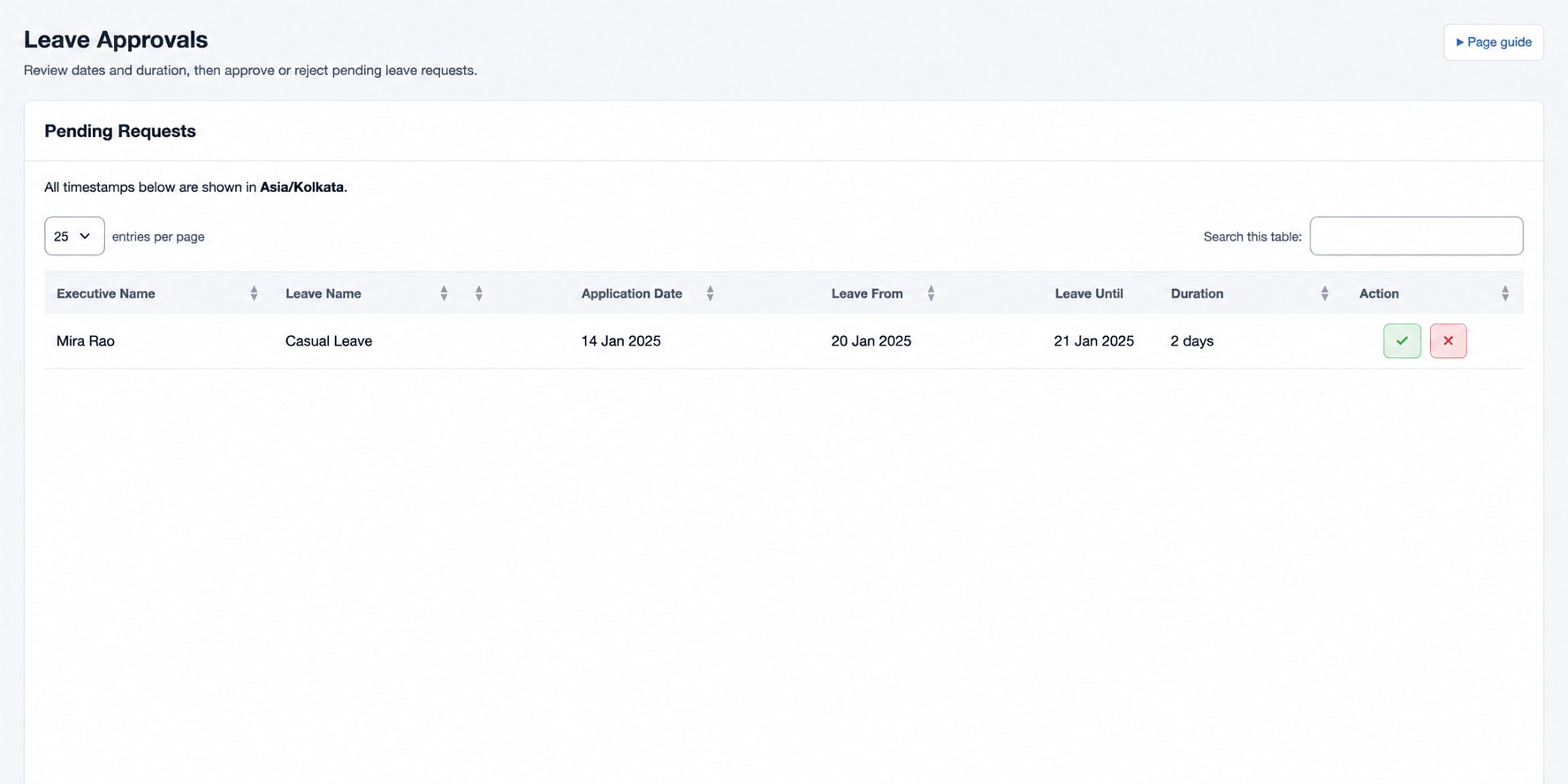
Leave Approvals
Review pending leave requests in your scope.
Review pending requests
Open HR & attendance → Leave → Leave Approvals with leave-approval permission. The Pending Requests queue shows Executive Name, Leave Name, Application Date, Leave From, Leave Until, Duration and available Action. The page displays the queue timezone.
- Find a request and compare its dates, duration and leave type with the employee’s plan.
- Use the offered approve or reject action. Reject a request that needs correction so the employee can resubmit it.
- Check the refreshed queue and Leave Transactions or Leave history for the recorded decision.
For example, review fictional Mira Rao’s two-day Casual Leave request against the correct dates before deciding. If an expected request is missing, check your office/team scope, approver role, workflow step, status and date range in history.
The checkmark is Approve leave and the cross is Reject leave. The page asks for confirmation before sending either decision. A completed approval or rejection is removed from the pending queue; review history to see its final status. For a multi-step workflow, check whether another approval remains.