Approval and variance controls
Review maker-checker exceptions and approval-blocking variance thresholds.
Access company controls
Open Payroll → Setup & policies → Approval & variance controls. This company-wide page requires a top-level administrator with payroll-settings permission.
Configure approval and variance rules
Maker-Checker Exception Policy has separate checkboxes to allow the payroll preparer to approve the same run version and the attendance preparer to approve the same batch. An exception reason is required when enabled. Approval-Blocking Payroll Variance Policy provides Amount threshold, Percentage threshold and Change reason. Review the consequences and save only the intended policy. Existing payroll versions retain their recorded evidence.
If an approver cannot approve a run, check the current version’s reviewer eligibility, blocking checks and configured policy. Ask a different authorized reviewer where required.
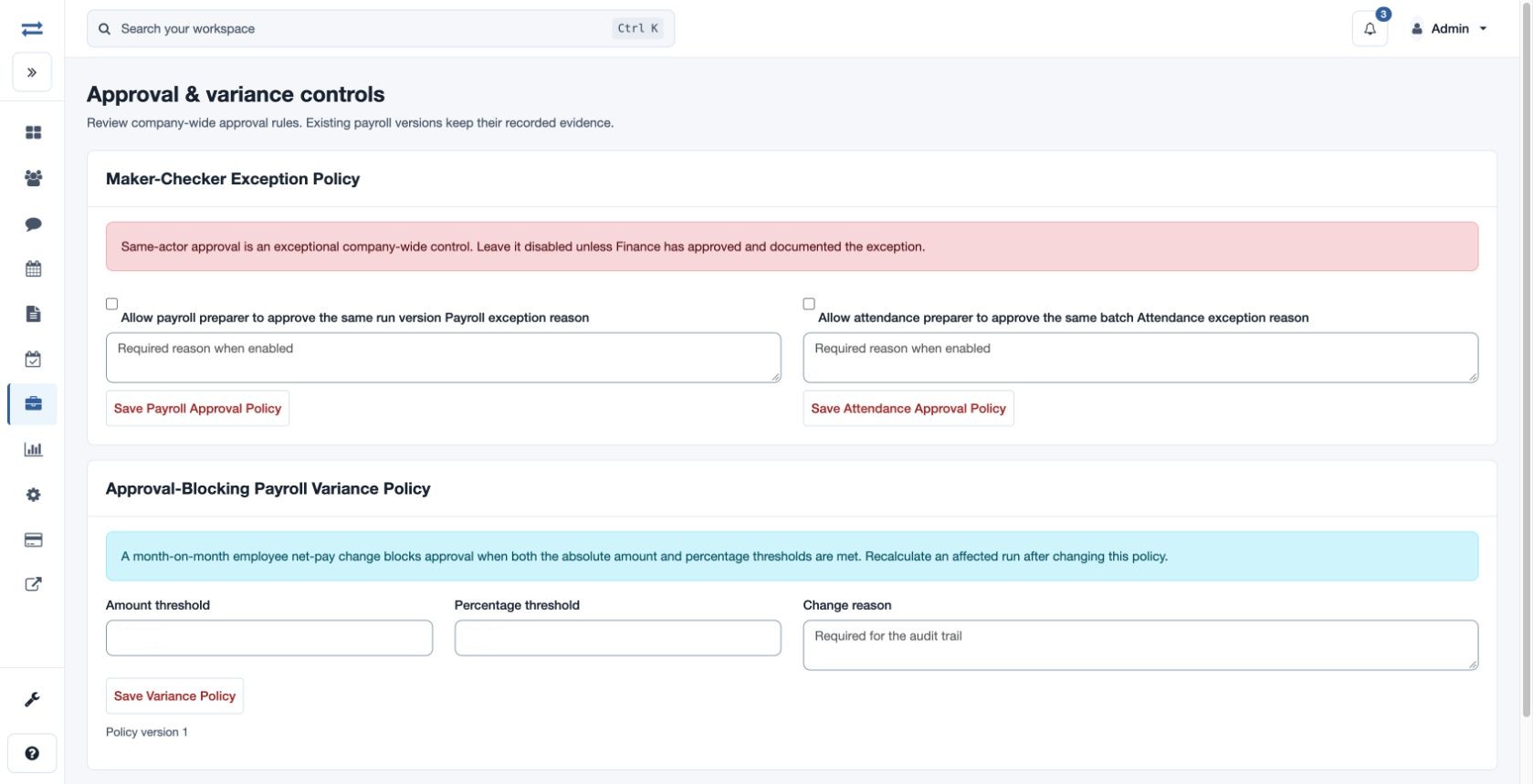
A month-on-month employee net-pay change blocks approval when both the configured absolute amount and percentage thresholds are met. Recalculate an affected run after changing the policy. Save each approval policy separately, and use the variance policy’s Change reason for its audit trail.