Payroll Audit Trail
Trace payroll actions and recorded evidence.
Inspect activity and alerts
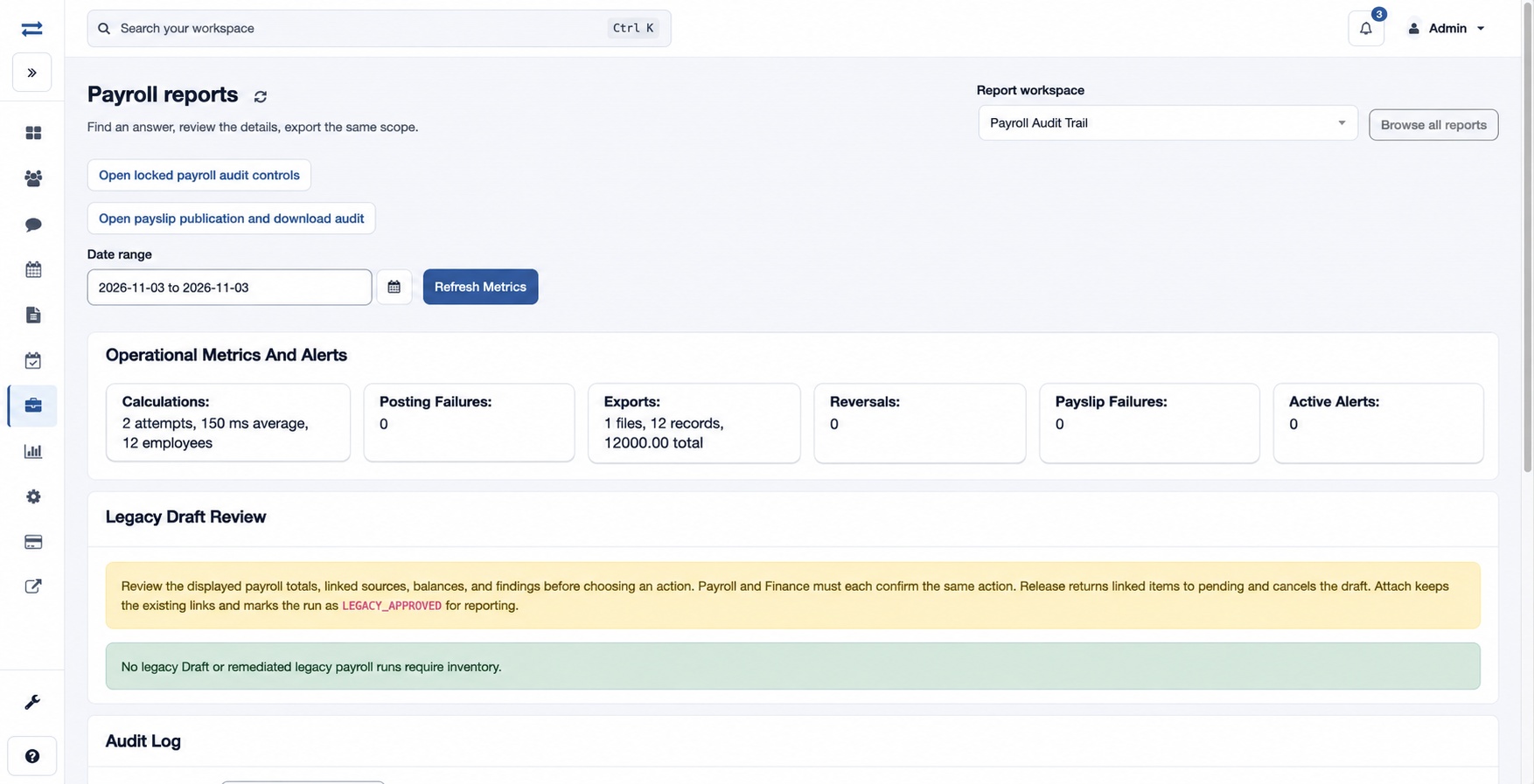
Open Payroll → Reports → Payroll Audit Trail, set the date range and choose Refresh Metrics. Operational Metrics And Alerts summarizes calculation attempts, average duration and population, posting failures, exports and their counts/control totals, reversals, payslip failures and active alerts. Runs By State, Open Validation Failures By Rule and Operational Alerts give supporting detail. The Audit Log records date, entity, action, change summary, employee and manager.
Review legacy drafts
Legacy Draft Review displays payroll totals, source reconciliation, findings and signed decisions when applicable. Payroll and Finance must each sign the same decision before an authorized user applies it. Release returns linked items to pending and cancels the draft; Attach retains the links and marks the run LEGACY_APPROVED for reporting. Each signoff or application asks for a reconciliation reason. Review all evidence before acting.
Use the links for locked payroll audit controls or payslip publication and download audit. If metrics are unavailable, use Retry operational metrics or contact support.
Access and scope
The payroll feature and payroll audit permission are required. Results are limited to your permitted scope. If a report exceeds 2,000 entries, narrow the selected period or scope and run it again.
Read the audit evidence
The Audit Log columns are Date, Entity, Action, Summary, User and Manager; use them together to locate a change and the recorded actor. Runs By State shows State and Runs. Validation failures show Rule, Severity, Findings and Runs. Operational Alerts show Severity, Alert, Details, Count, Run/Entity, Correlation and Detected.
For example, review a fictional posting failure’s alert, related run and correlation reference, then examine the log and run before deciding what needs correction. Legacy Draft Review identifies run and period, classification, payroll controls, source reconciliation, findings, signed decision and available actions. Signoffs and application require their respective permissions; matching signoffs do not themselves apply the decision.