Salary advances
Request, approve and track recovery of salary advances.
Before you begin
Open Payroll → Inputs & adjustments → Salary Advances. A payroll-enabled plan, the relevant request or review permissions and an applicable advance policy are needed. The Advance Register shows requests and their recovery status.
Request and recover an advance
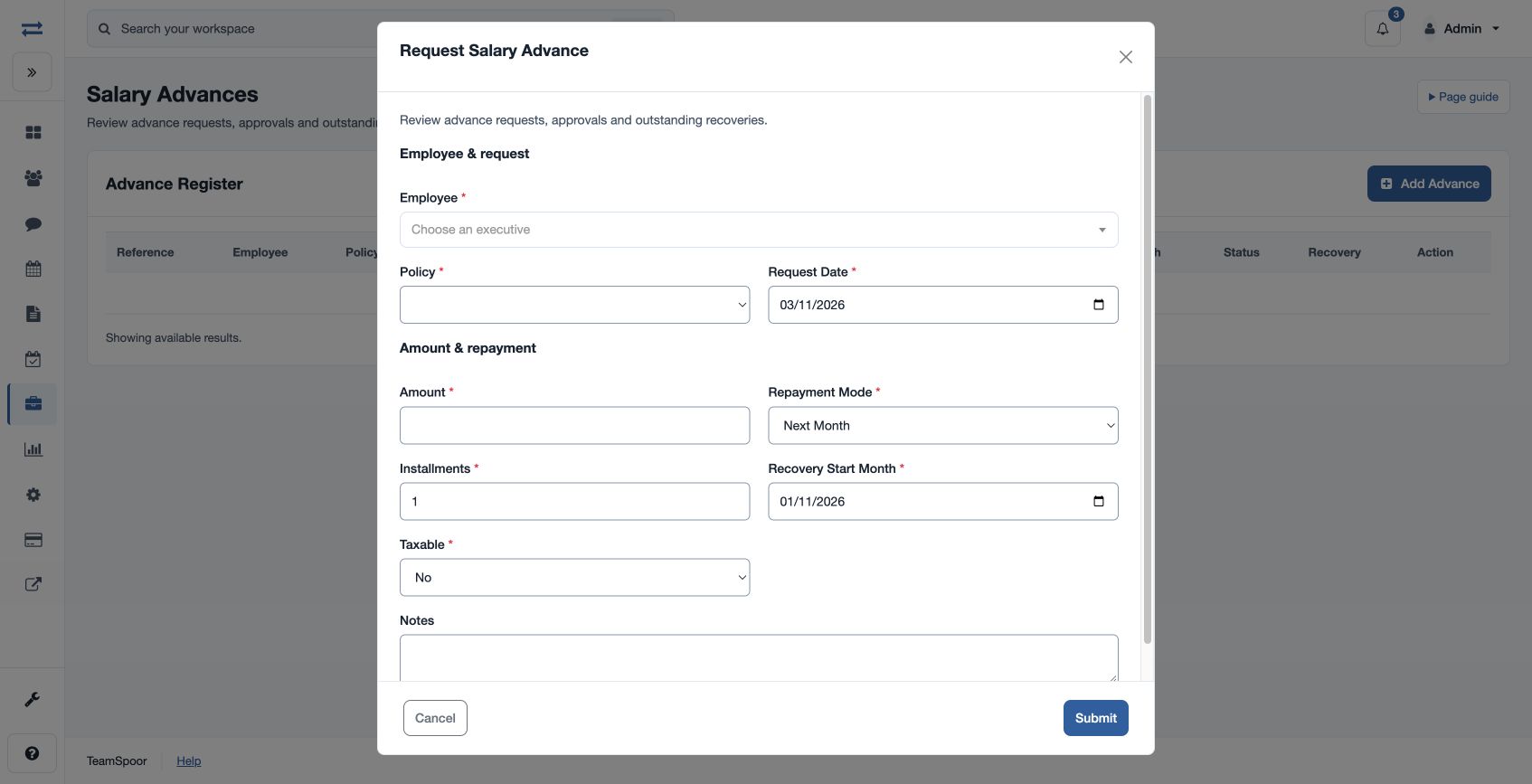
- Choose the plus button in Advance Register and select Employee and Policy. Enter Request Date, Amount, Repayment Mode (Next Month, Installments, Manual or Final Settlement), Installments, Recovery Start Month, Taxable and optional Notes. Amount must be positive and installments at least one.
- Submit the request. An authorized reviewer can select Approve or Reject, enter Approved Amount and Notes, or later Pause Recovery, Resume Recovery or Close with notes.
- Use the repayment action to record a Repayment Date, positive Amount and optional Notes. Review the balance and the recovery schedule.
For example, an advance of 6,000 with three installments can be scheduled from the chosen month if the policy permits it. If a request is rejected by validation, check the employee’s policy eligibility, maximum, tenure, cooldown, parallel-advance and installment limits.
Recovery and closing
A new request starts Pending with Active recovery. Approval creates the recovery schedule. Next Month schedules one recovery in the selected Recovery Start Month; Installments spreads the approved amount across the chosen number of months, with rounding in the final installment. Manual and Final Settlement do not create a payroll schedule. The recovery month is normalized to the first of the chosen month.
Record an outside repayment only once: its amount must be positive and no more than the outstanding balance. It reduces the balance and closes the advance when the balance reaches zero. Close sets the outstanding balance to zero, so reconcile the amount before using it.
Register actions
The register lists Reference, Employee, Policy, Request Date, Approved Amount, Outstanding, Mode, Installments, Start Month, Status, Recovery and Action. Authorized reviewers use Update for the approval or recovery status and notes; authorized managers use Repay for an outside repayment. Approving again resets the outstanding amount to the approved amount and rebuilds the schedule, so review the existing repayment history before updating an approval.