Buy RDC credits and Instatrack licenses
Review add-on capacity, quantities, pricing and the period covered by a purchase.
Before you begin
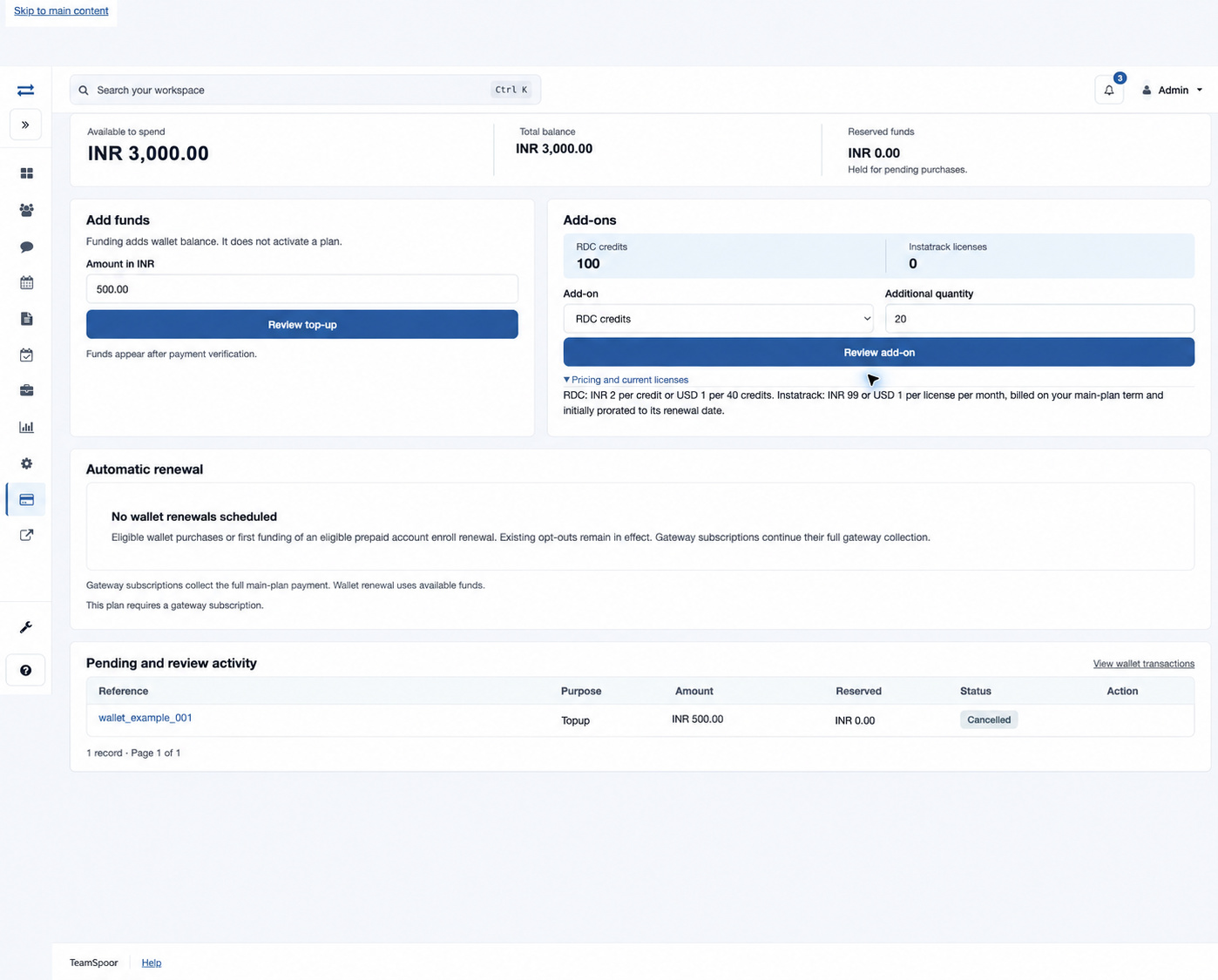
Open Billing → Add Funds → Add-ons. Review your current RDC credit balance and Instatrack license count. You need billing access and an eligible account. Add-on availability and pricing are checked again when you review the purchase.
Purchase additional capacity
- Choose RDC credits or Instatrack licenses from Add-on.
- Enter Additional quantity as a whole positive number. This field adds capacity; it is not a replacement total.
- Expand Pricing and current licenses to read prices and any existing license periods.
- Select Review add-on. Check Add-on, Quantity, Billing term when shown, Wallet contribution, Gateway shortfall and Total payable. Read any separate future-renewal amount and date.
- For a prorated Instatrack purchase, expand How this amount is calculated and check the main-plan period and capacity start date.
- Select Confirm with the displayed currency and amount only after reviewing it. A review expires after 30 minutes; reopen it if the period or price has changed. Complete checkout if a gateway contribution is needed.
- Return to Wallet and verify the new credit or license balance and the operation’s applied status.
Choose the correct add-on
| Add-on | Quantity and charging |
|---|---|
| RDC credits | Credits for the route-distance calculator. The wallet displays INR 2 per credit or USD 1 per 40 credits. The accepted quote determines the charge. Enter 1–1,000,000 credits for INR. USD purchases must be in multiples of 40 credits, up to 1,000,000: for example, 40, 80 or 120. A USD quantity of 50 is not accepted. |
| Instatrack licenses | Additional executive capacity for Instatrack. The displayed unit rate is INR 99 or USD 1 per license per month. Billing follows the main-plan term; an initial purchase is prorated to its renewal date. Self-service quantity validation supports up to 10,000 licenses. |
Read proration and renewal details
The review can show the monthly unit rate, full-term amount, main period, service start and proration fraction. Use this quoted amount rather than rounding a monthly estimate yourself. Instatrack requires a verified current main-plan period. The charge follows the remaining fraction of that period, calculated in seconds and rounded for the quote. A separate Instatrack renewal may be scheduled at the main-plan boundary at the full-term rate. Existing legacy licenses can be listed separately without a new expiry; paid licenses show the date through which they apply in UTC.
Example
If the company has 10 Instatrack licenses and needs capacity for three additional executives, enter 3 in Additional quantity. Review the resulting service period and later renewal quantity before confirming.
Eligibility and combined renewal quantity
RDC requires the current plan to include route tracking and the account to use a supported route-distance map provider. Instatrack requires the current plan to include vehicle tracking and a verified current main-plan period. If the requested add-on is unavailable, review these account settings with the billing administrator.
The 10,000-license limit also applies to the combined scheduled Instatrack renewal quantity when an existing renewal has the same due date. For example, if 9,995 licenses are already scheduled for that date, an additional purchase of six would exceed that combined limit, even though six is within the per-purchase limit. Review the scheduled quantity and the resulting renewal amount before confirming.
If an add-on cannot be bought
Check the main plan’s validity and eligibility, the quantity, currency and any unresolved billing operation. Reopen the review if pricing or availability changed. For missing new capacity after payment, inspect the operation’s status and posted entries before trying another purchase.