Individual employee reports
Find an employee and review daily or monthly activity.
Find an employee
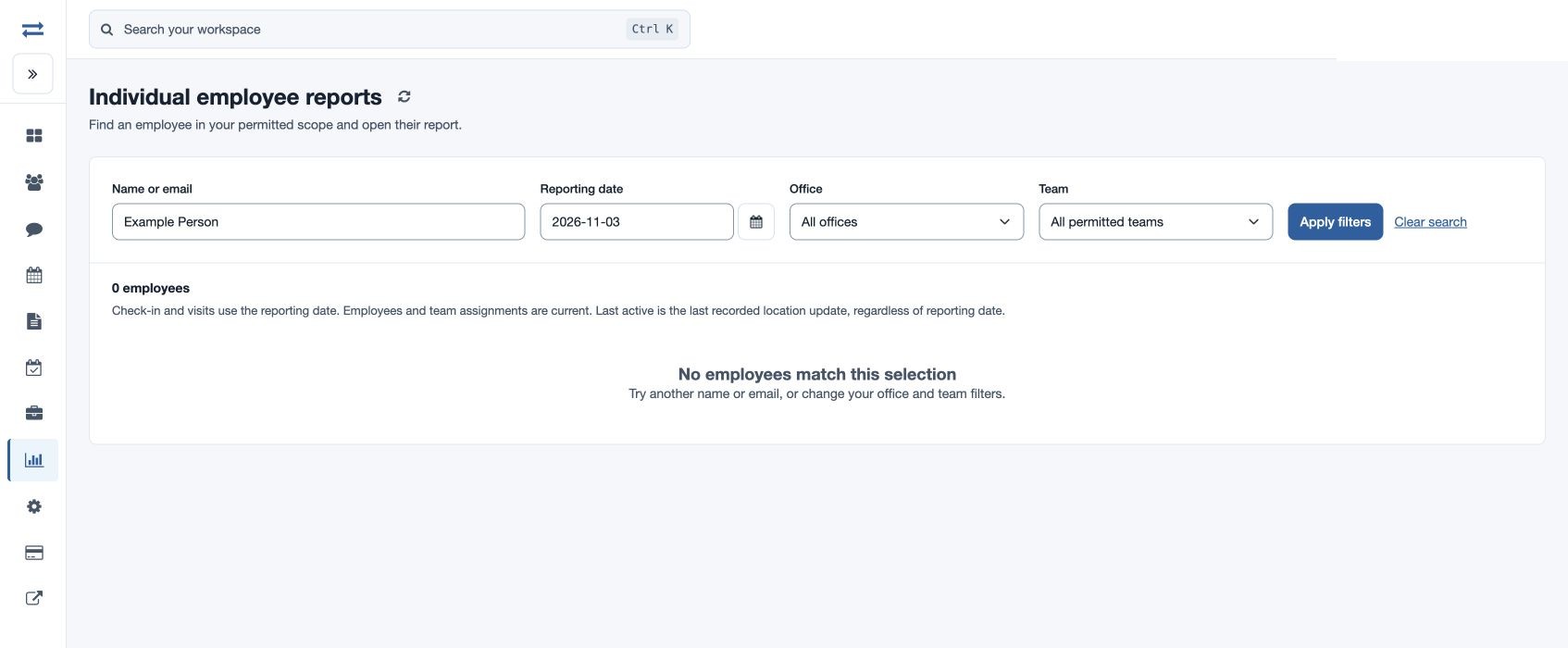
Open Reports → Individual employee reports. This directory is available to administrators and managers with employee-report access; the information inside each report follows the permissions for its component reports.
Review an individual report
- Enter Name or email, set Reporting date, and choose the available Office and Team. Select Apply filters.
- Choose the employee to open their report. Use the day or month view and date controls to inspect the period.
- Review the period summary, chronological activity and available map, attendance, distance, visits, beat plan, expenses and exception panels. Open a visit for full details or follow the Beat Plan link.
Interpret the results
Distance and conveyance distinguishes verified and unverified distance. The conveyance figure is an estimate at the displayed rate, not an approved reimbursement. For example, find fictional executive Maya Rao, inspect a day with visits, and open one customer visit to check its verification. If a panel is missing, check the relevant permission or company plan; if a map is empty, check the selected period and recorded location evidence.
Read the directory
The directory shows Employee and email, Team / office, and, when permitted, Check-in, Visits and Last active, plus Open report. Sort by a heading and use the page controls when present. Check-in and visits use the reporting date; employee and team assignments are current. Last active is the last recorded location update, regardless of reporting date. No check-in means none is recorded, not necessarily an absence. Use Clear search to remove the name filter.
Day and month details
The day view summarizes the selected date; the month view covers the full selected month. Profile details can include status, shift and latest reported location, battery and GPS information. Attendance working time is calculated from valid closed punches; an open punch is not a completed working interval. Depending on access, period summaries include attendance, working time, recorded distance, visits, productive visits and expenses.
Expand Full records & report links to review daily visits and monthly attendance or follow the available reports. Attendance rows show Date, Clock-in and Clock-out; select a date to open that day. Visit rows show date and time, customer, visit type, verification and details; open Details for the visit. Employee, office and team assignments shown in the directory are current assignments. An executive can open their own individual report when available; the employee directory itself is for permitted non-executives.