Payroll bank accounts
Maintain effective-dated employee payment details.
Add or import a bank record
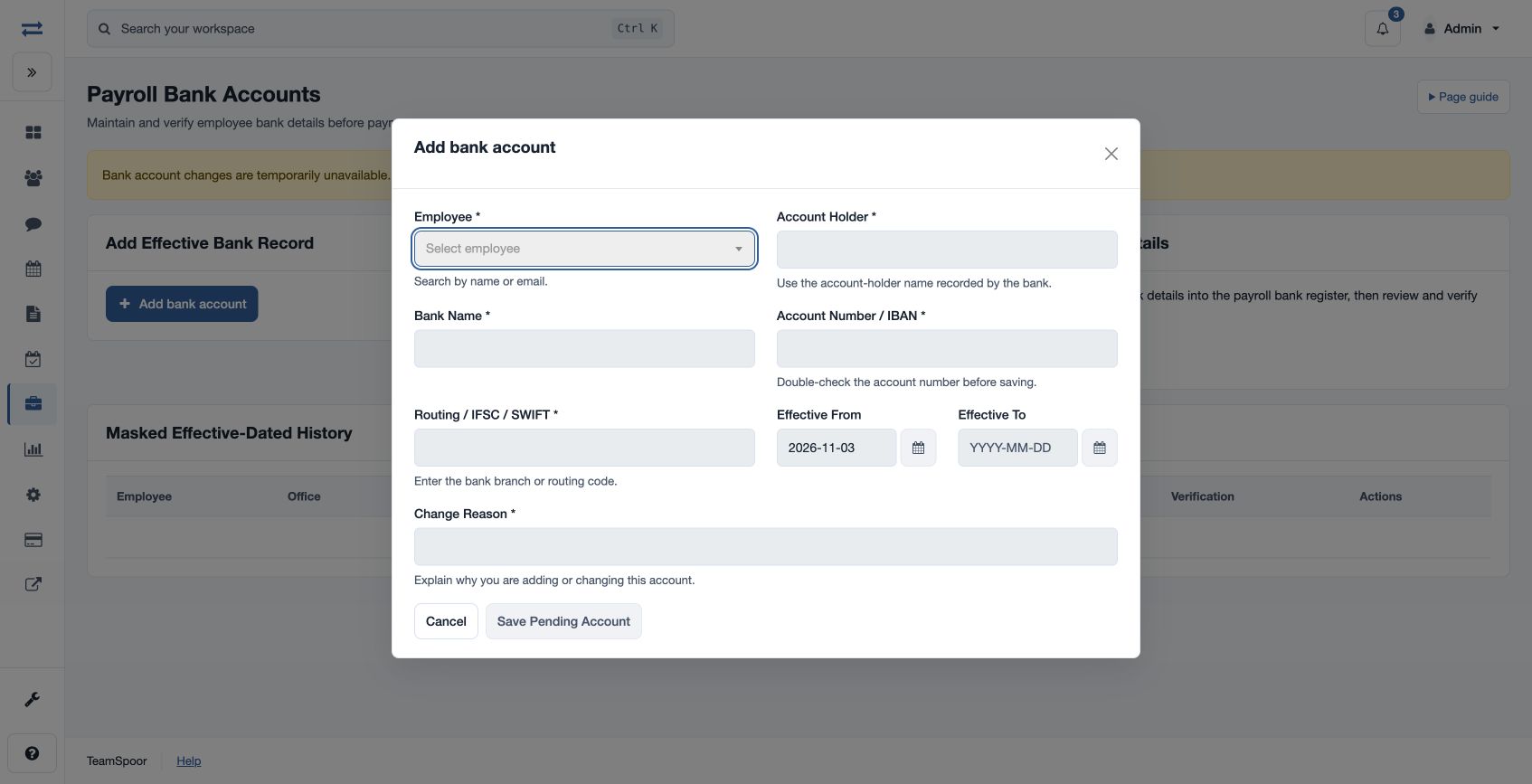
Open Payroll → Setup & policies → Payroll Bank Accounts. Authorized users can select an employee and enter Account Holder, Bank Name, Account Number / IBAN, Routing / IFSC / SWIFT, Effective From, optional Effective To and Change Reason. The page also offers Import Existing Bank Details for an employee, with effective dates and an import reason.
Verify and maintain the account
Save Pending Account or Import Pending Account, then review Masked Effective-Dated History and verify the applicable account before preparing a payroll payment export. Revealing full details is audited and separately controlled. Closing an entry uses Effective To and a reason. If payment export reports missing or unsuitable bank details, check the employee, dates, account status and permissions; contact your administrator when required.
A different authorized Finance user verifies a pending account and supplies a verification reason. Revealing unmasked details requires a reason, is audited, and the values disappear when the dialog closes. The add and import actions create pending records; verification is a separate step.