Leave Policies and approval workflows
Set quotas, accrual and approval steps by leave type.
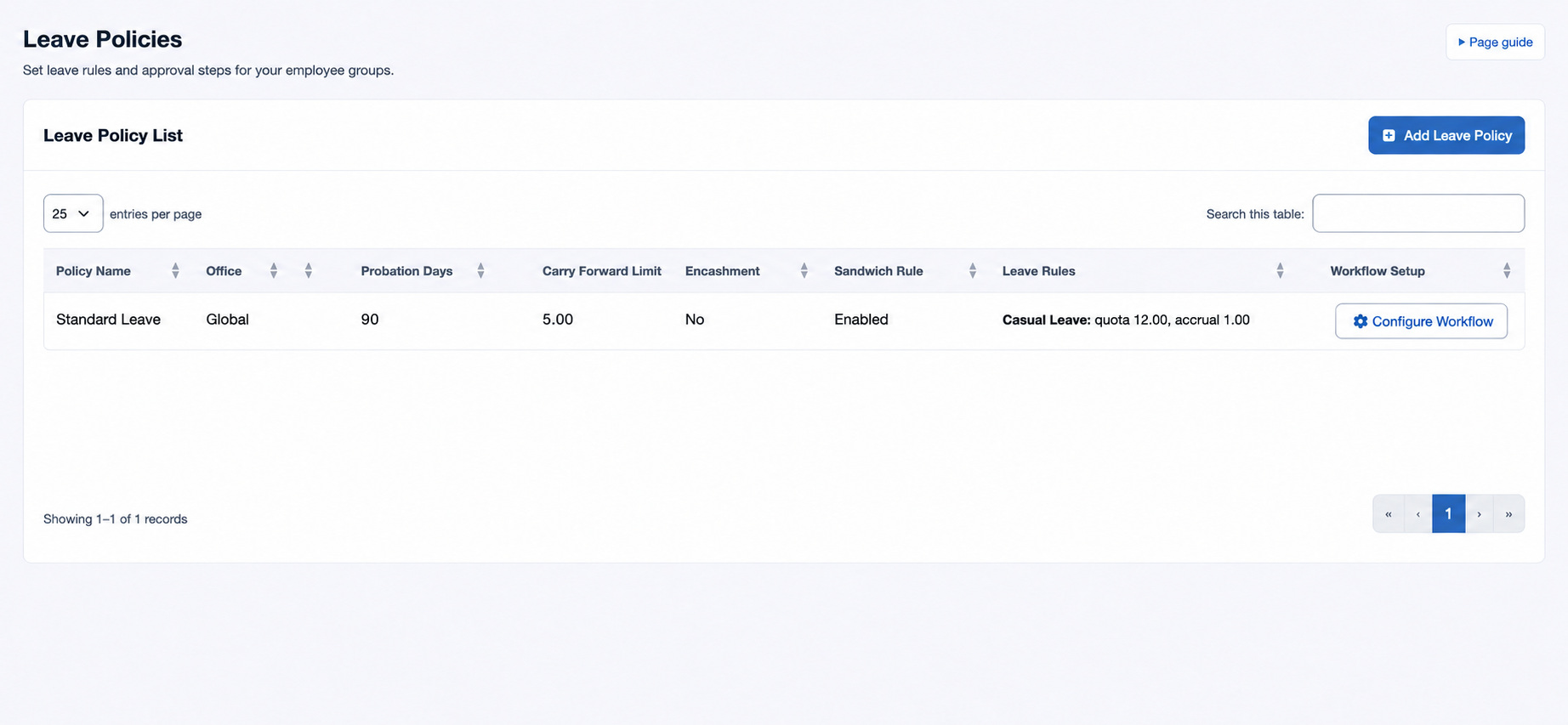
Create leave types first, then open HR & attendance → Leave → Leave Policies as an administrator with leave-policy management permission. A global policy can serve offices sharing the same program; select an office for a local policy.
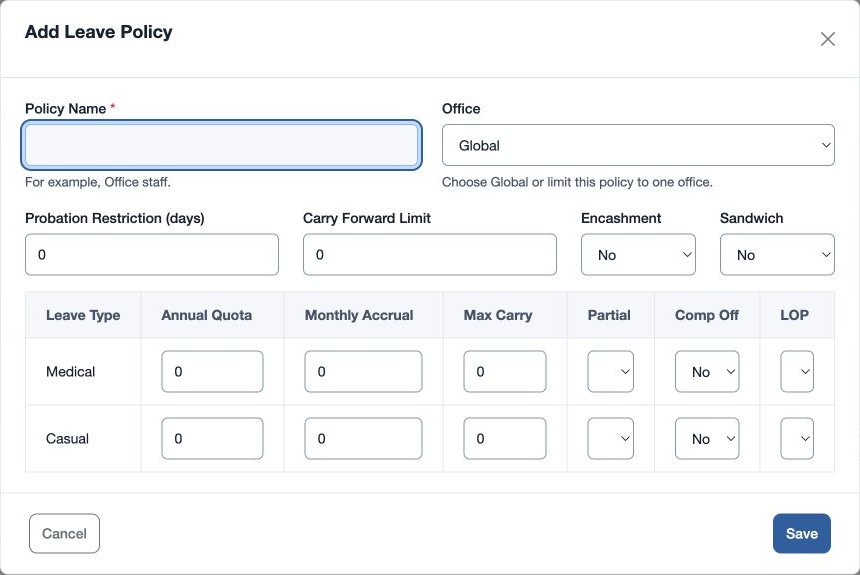
- Choose the add control and enter required Policy Name, Office, Probation Restriction (days), Carry Forward Limit, Encashment and Sandwich (Yes or No).
- For each listed Leave Type, set Annual Quota, Monthly Accrual, Max Carry, and Partial, Comp Off and LOP Yes/No as applicable. Save and review Leave Rules.
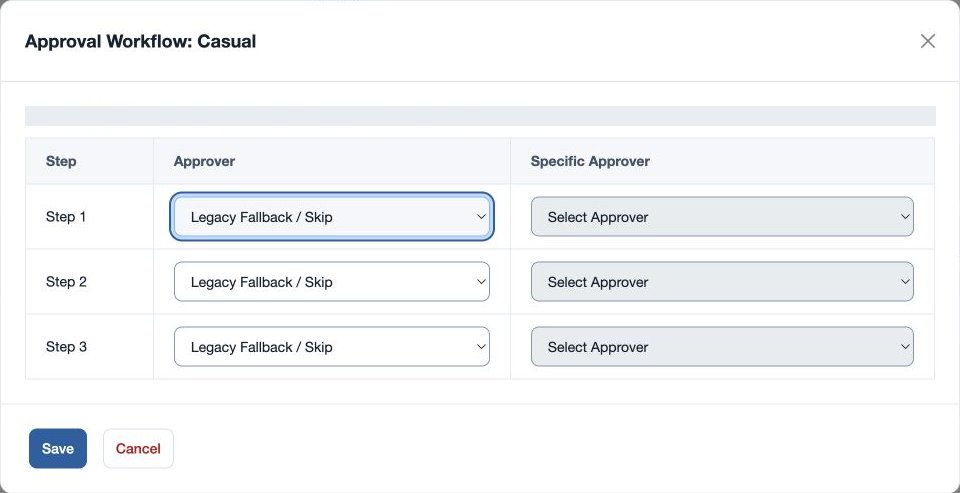
- In Workflow Setup for a policy and leave type, choose approvers for the steps: Legacy Fallback / Skip, Reporting Manager, Any Admin or Specific Approver. For Specific Approver, select the person. Save the workflow. Leave all steps blank to retain the existing admin/manager approval path.
- Assign the policy to employees in Employee HR Setup.
For example, create “North standard” for the North office and configure the organization’s approved annual quota and accrual for Casual Leave. If requests route unexpectedly, check the employee’s policy, the leave type’s workflow and reporting manager; verify balances separately before making adjustments.
Rules and routing details
Annual Quota is the annual allowance, Monthly Accrual the amount accrued per month, and Max Carry the maximum carried forward for that leave type. Partial controls part-day requests, Comp Off identifies compensatory time, and LOP controls loss of pay. Enter the values in half-day increments where needed. A leave-type rule is saved when at least one of its quota, accrual or max-carry values is positive; check the resulting Leave Rules column after saving.
The workflow has up to three ordered steps. Legacy Fallback / Skip leaves that row unused; choose a person in Specific Approver when that type is selected. A missing specific person prevents saving. A policy and leave type with all steps blank retains the existing admin/manager approval route. Verify the reporting manager and office scope before expecting a request in an approver’s queue.
Policy Name must be 3–80 characters. Probation Restriction accepts 0–3,650 days and Carry Forward Limit 0–365 days. At least one leave-type row must have a positive Annual Quota, Monthly Accrual or Max Carry; otherwise the policy cannot be saved. A duplicate name in the same scope is rejected. Check the saved rules and configure the workflow for each applicable type.