Run payroll
Create, calculate, review and approve a payroll run.
Open Payroll → Run payroll. Access and actions depend on your payroll plan, office scope and separate create, approve, finalize, cancel and reverse permissions. Attendance-dependent payroll requires an approved Attendance For Payroll batch for the same office and exact period before a draft is saved.
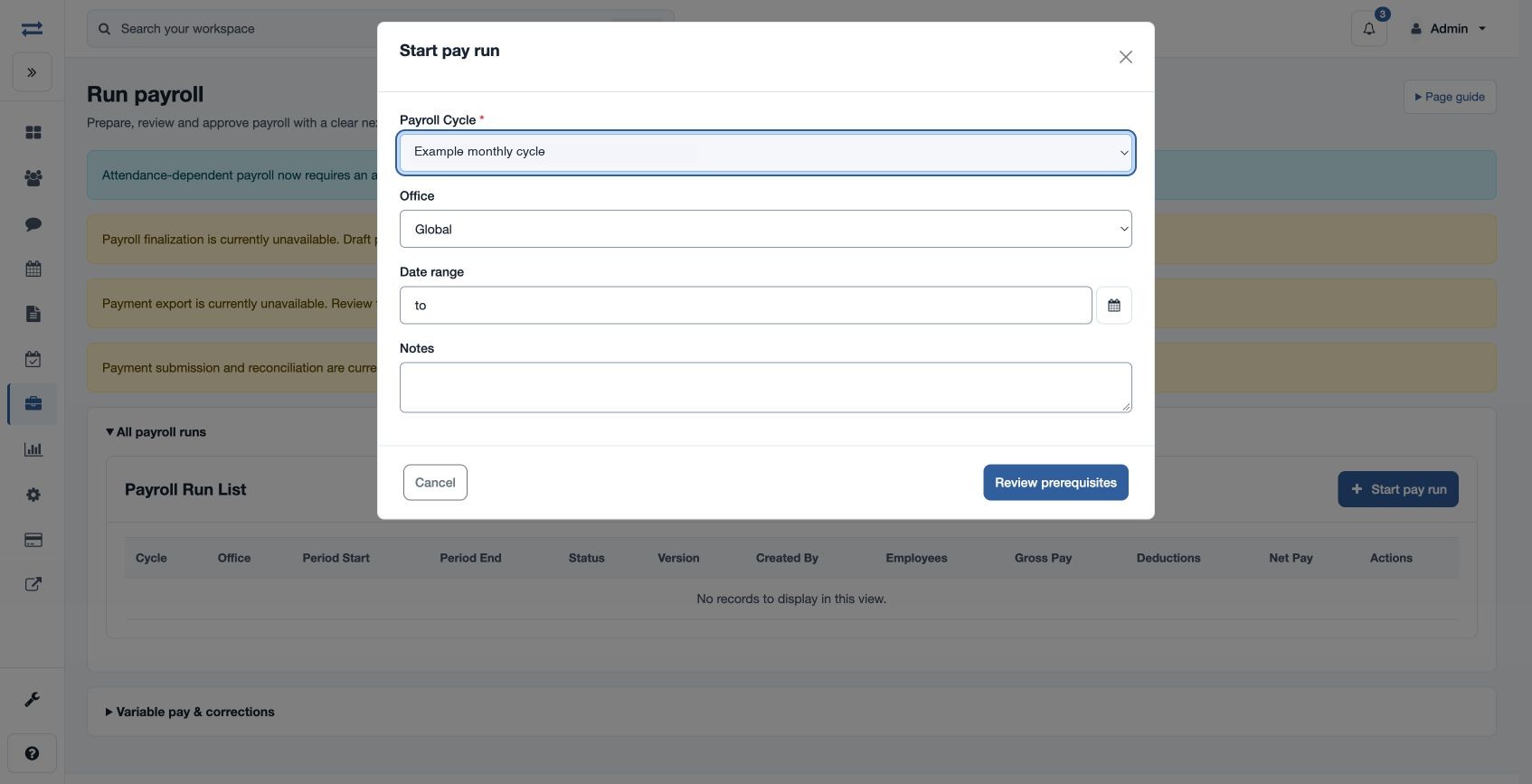
- Choose Start pay run. Select Payroll Cycle and Office, enter Period Start and Period End, and optionally Notes. Choose Review prerequisites, resolve any issues, then create the draft.
- Open the run and choose Calculate. Review employee gross, deductions, net and result, plus calculation evidence. Select an employee’s details for the breakdown.
- Choose Validate and review the Checks tab. Resolve blocking checks before Submit. Recalculate when corrections require a new result, and review the new version.
- An authorized reviewer approves or rejects the submitted version; ordinarily the preparer and approver must be different people unless an authorized company exception applies. Rejection requires a reason. An authorized finalizer then finalizes the approved run.
- Generate and publish payslips, prepare the payment export, and record payment as separate actions.
The run workspace shows Employees, Checks and History, current stage, version and totals. Cancellation and reversal require reasons and appropriate permissions; reversal and supplemental correction are available only in eligible states. If another person changed the run, refresh and review the current version before retrying. Company controls or an emergency stop can make actions unavailable.
Read the run workspace
The header identifies the cycle, office, period, state, version and run kind. The stage selector links to preparation, employee review, approval, publication and payment where available. The totals strip shows employee count, gross pay, deductions and net pay; check each salary currency before comparing totals.
- Employees: review gross, deductions, net and reconciliation result for each person. View details opens that employee’s calculation explanation for the selected version.
- Checks: review current-version checks. Address blocking issues and use an authorized exception action with its required reason where appropriate.
- History: inspect prior run events and audit evidence. Calculation evidence gives additional explanation. Payment exports & reconciliation shows the payment trail where your permissions permit it.
A calculated or validation-failed run can be validated again; a rejected run can be recalculated. Cancel is available before finalization in eligible states. A finalized, published, exported or paid run may offer Reverse to an authorized user, with a required reason; an eligible reversed run may offer a supplemental correction. Review the page’s current status and controls before any action.