Leave Balance Report
Review leave balances and the ledger behind them.
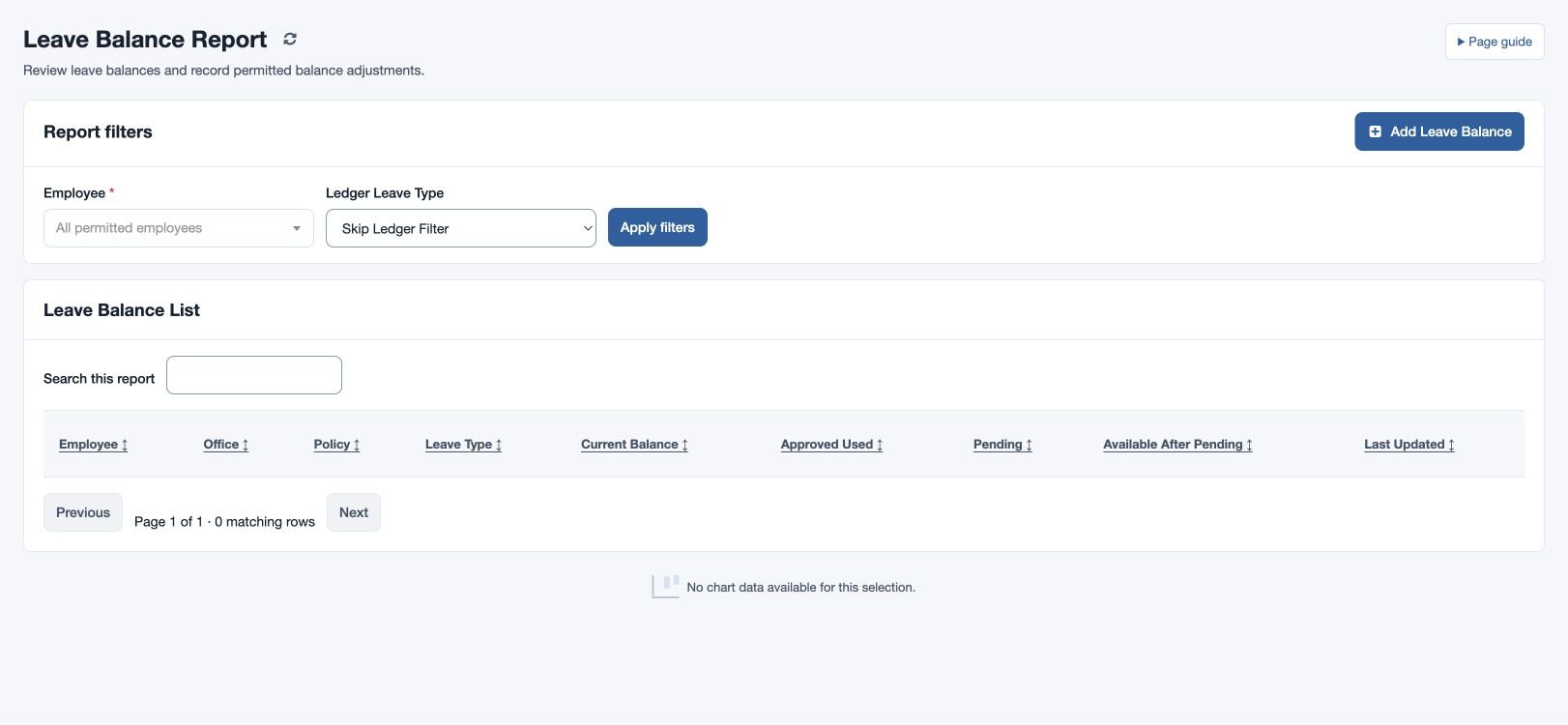
Open HR & attendance → Leave → Leave Balance with leave-balance report access. Select an employee or all permitted employees and optionally select a Ledger Leave Type; use Skip Ledger Filter to omit the ledger filter. Choose Apply filters and review the current balance, approved consumption, pending impact and policy.
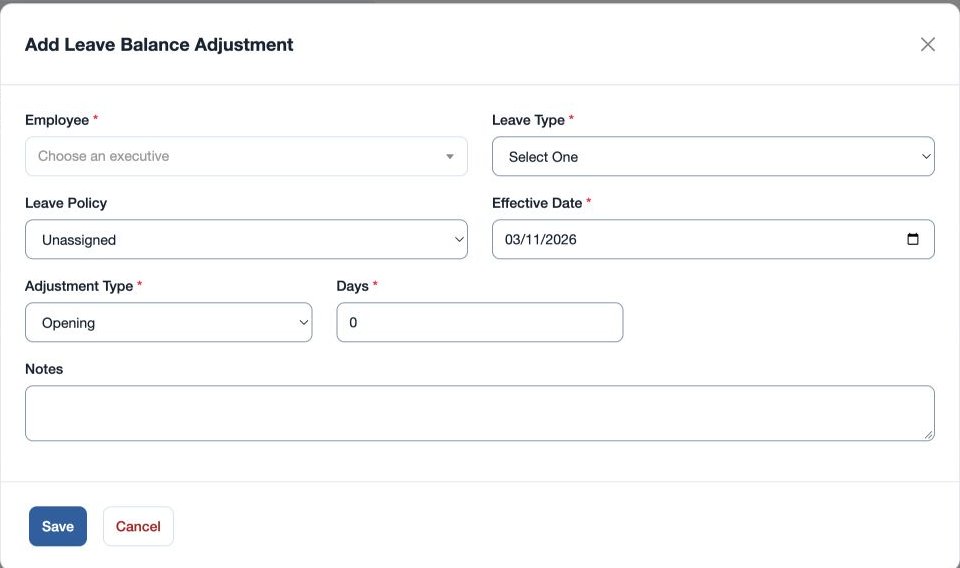
To correct an authorized balance, use the adjustment control: choose required Employee, Leave Type, Effective Date, Adjustment Type and Days; select a Leave Policy or Unassigned and add Notes. Adjustment Type options are Opening, Accrual, Adjustment, Carry Forward and Encashment. Save and check the ledger and updated balance.
For example, add an approved opening balance for fictional Mira Rao using the correct effective date and policy. If the balance differs from expectations, inspect ledger entries, approved and pending requests, type, policy and report timezone before adding a correction.
Read the result
Leave Balance List shows Employee, Office, Policy, Leave Type, Current Balance, Approved Used, Pending, Available After Pending and Last Updated. Select both one employee and a Ledger Leave Type to see the Balance Ledger, which lists Effective Date, Adjustment Type, Days, Notes and Updated By. A ledger filter is different from choosing an adjustment type: it helps explain entries already recorded.
Only users with the adjustment permission see the add control. Days accepts half-day increments. Record a meaningful note and effective date so later reviewers can understand the entry.
An administrator or manager with leave-policy management permission can add adjustments. Days can be positive or negative within −365 to 365, in half-day increments, and Notes is limited to 255 characters. An Opening entry establishes a starting balance; Accrual, Adjustment, Carry Forward and Encashment describe the reason for a subsequent entry. Review the sign and effective date before saving.