Attendance for payroll
Prepare and approve attendance for the exact payroll period.
Before you begin
Open Payroll → Inputs & adjustments → Attendance For Payroll. Attendance-dependent payroll needs an approved preparation batch for the same office and exact period before a draft run is saved. Separate preparation and approval permissions apply.
Prepare and approve a batch
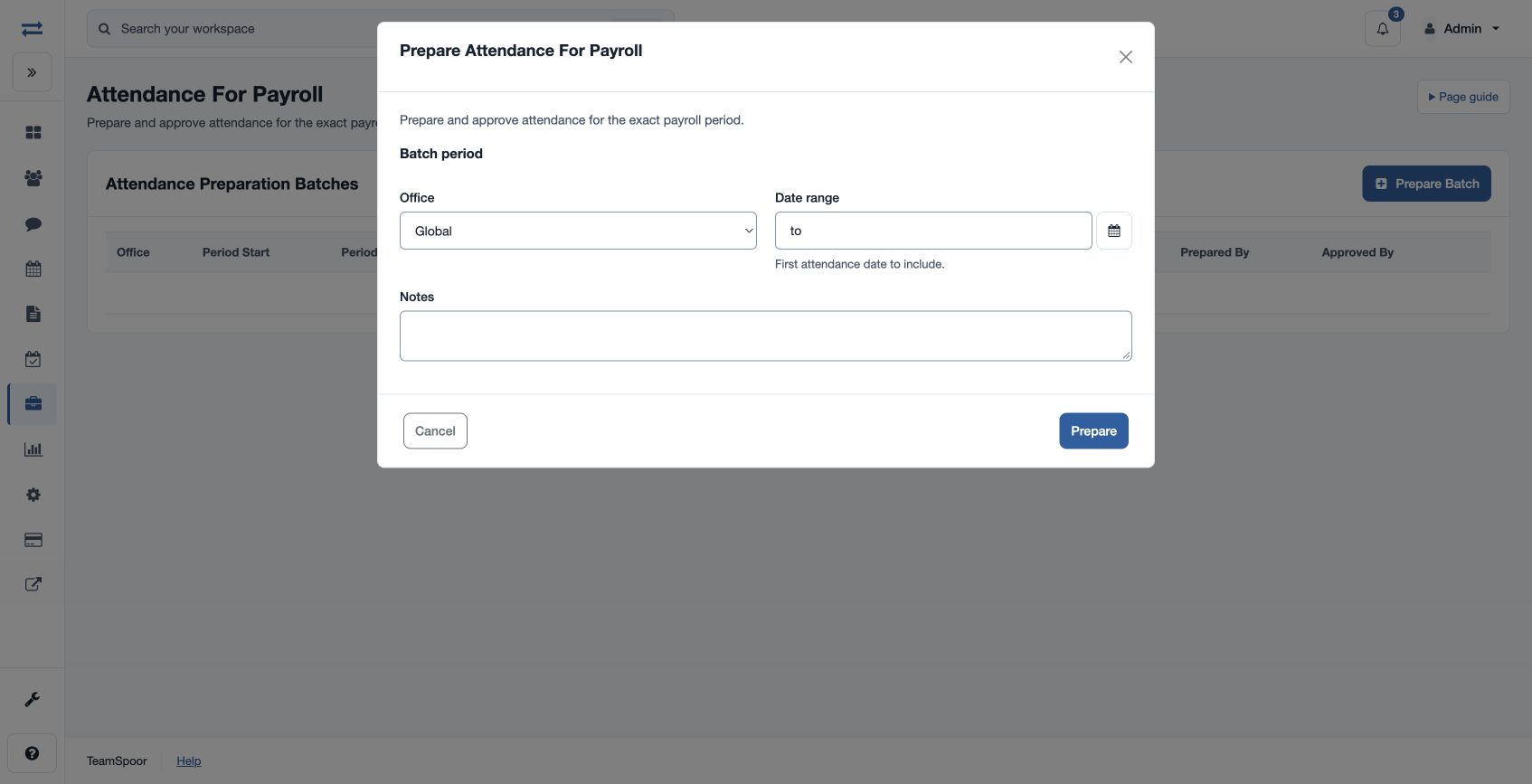
- In Attendance Preparation Batches, choose the plus button. Select Office, Period Start and Period End, add optional Notes and prepare the batch.
- Review Prepared Employee Summary and day details. Authorized preparers can correct applicable draft values, with Override Notes. Day details include Status, Expected Day Type, Holiday, Weekly Off, Payable Value, LOP Value, Leave Value, Leave Paid, Worked Hours, Late By Minutes, Early By Minutes, Overtime Hours, Login Time, Logout Time and Count Late Mark. Values for payable, LOP and leave range from 0 to 1 in quarter-day steps.
- Summary adjustments include Payable Days, Payable Working Days, Half Days, Absent Days, Paid Leave, Unpaid Leave, Sandwich Days, LOP Days, Late Marks, Overtime Hours and Override Notes. Review the underlying records before changing a value.
- An authorized reviewer approves the draft batch. Then return to Run payroll and select the matching office and period. A different reviewer is normally required unless an authorized exception applies.
For example, prepare the first through last day of a month for the intended office, review a disputed half day, and approve the corrected batch before starting that exact period’s pay run. If the run cannot find a batch, compare both dates, office and approval status.
Day status options
Status choices are Unmarked, Present, Present With Paid Leave, Present With Unpaid Leave, Half Day, Half Day With Paid Leave, Half Day With Unpaid Leave, Absent, Paid Leave, Paid Leave Half, Unpaid Leave, Unpaid Leave Half, Holiday, Weekly Off, Sandwich Holiday and Sandwich Weekly Off. Expected Day Type can be Working Day, Holiday or Weekly Off. Login and logout time use YYYY-MM-DD HH:MM:SS. Day and summary changes are available on an editable draft batch; review them before approval.