Salary advance policies
Set eligibility, limits and recovery terms for salary advances.
Before you begin
Open Payroll → Setup & policies → Advance Policies. A payroll-enabled plan and payroll-settings management permission are required. Create a policy that matches the people and terms for which it will be used.
Create a policy
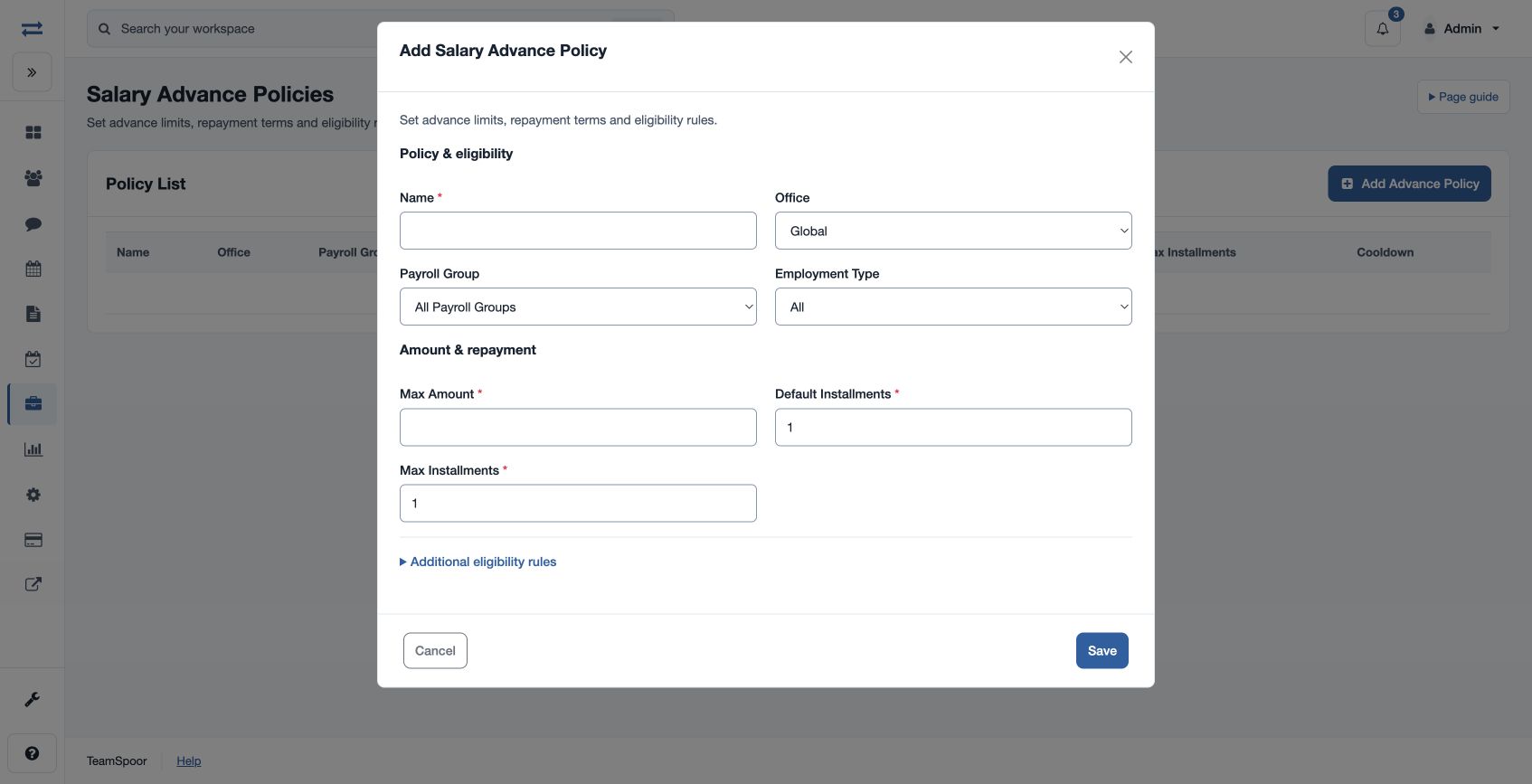
- Choose Add Advance Policy and enter the required Name.
- Choose Office, Payroll Group and Employment Type to define the policy’s scope.
- Enter Max Amount, Default Installments and Max Installments; optionally set Minimum Tenure (Months) and Cooldown (Days).
- Choose Yes or No for Parallel Advances, Only One Active and Taxable Treatment. Save, then select the policy when requesting an advance.
Field reference
Office can be Global or a selected office; Payroll Group can be all groups or a selected group. Employment Type can be All, Full Time, Part Time, Contract or Intern. Set Max Amount to a positive policy limit. A policy name must have 3–80 characters. Default Installments is at least one; Max Installments is raised to at least the default when the policy is saved. Minimum Tenure (Months) and Cooldown (Days) set non-negative eligibility constraints.
Parallel Advances controls whether overlapping advances are allowed; Only One Active controls the active-advance limit. Taxable Treatment records the policy’s taxable setting. Review the combination of these choices with the approved policy.
Example and troubleshooting
For example, limit an eligible group to an advance of 6,000 with no more than three installments. A request can still be rejected if the employee fails tenure, cooldown, active-advance, amount or installment checks. Review the scope and settings before changing the request.