Employee loans
Request a loan, manage its recovery and record repayments.
Before you begin
Open Payroll → Inputs & adjustments → Employee Loans. The payroll feature, relevant request/review permissions and an applicable loan policy are required.
Request and recover a loan
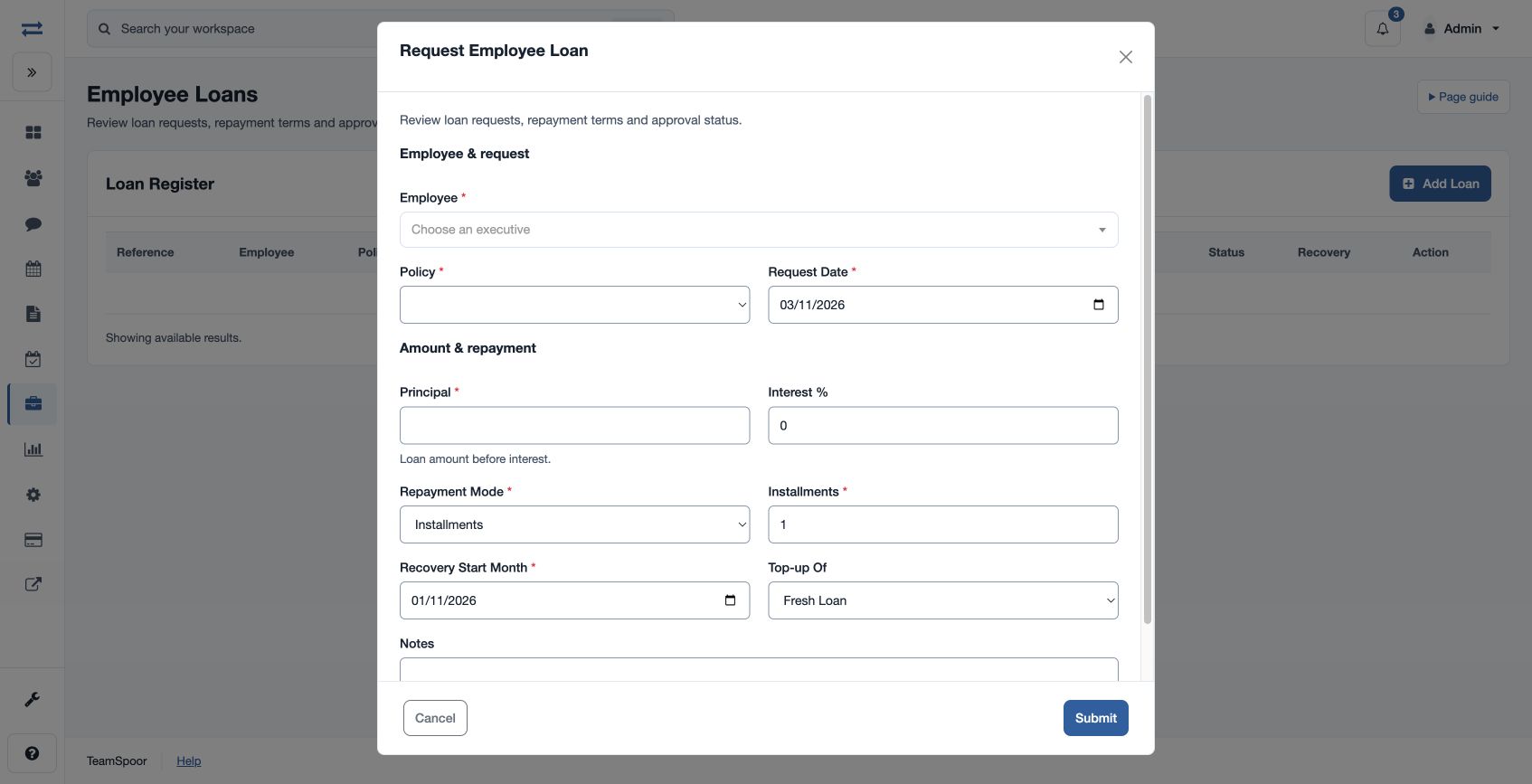
- Choose the plus button in Loan Register. Select Employee and Policy; enter Request Date, positive Principal, Interest %, Repayment Mode (Installments, Next Month, Manual or Final Settlement), Installments, Recovery Start Month and optional Notes. Select Fresh Loan or an eligible existing loan under Top-up Of.
- Submit the request. An authorized reviewer can Approve or Reject and, when applicable, Pause Recovery, Resume Recovery or Close with notes.
- Record an external repayment using Repayment Date, positive Amount and Notes, then review the outstanding balance and recovery schedule.
For example, a 12,000 principal over six installments must fit the policy’s amount, tenure, installment and top-up rules. If an action is unavailable, check permissions, status and policy eligibility.
Amounts and recovery
A new loan starts Pending with Active recovery. Total repayable is principal plus principal multiplied by Interest % divided by 100; for example, 12,000 at 5% is 12,600. Interest must be non-negative and principal must be positive and within the policy maximum.
On approval, Next Month schedules one recovery in the selected Recovery Start Month; Installments spreads the total over the selected months. Manual and Final Settlement do not create a payroll schedule. The selected recovery month is normalized to its first day.
A recorded outside repayment must be positive and cannot exceed the outstanding balance. It reduces the balance and closes the loan at zero. Close sets the balance to zero; reconcile the amount before using it. Parallel loans and top-ups are subject to the selected policy.
Register actions
Use Update to record an approval or recovery status and notes, and Repay to record an outside repayment. These actions depend on the respective review and management permissions. The register shows Reference, Employee, Policy, Loan Type, Principal, Total Repayable, Outstanding, Mode, Installments, Status, Recovery and Action. Review the amounts and status before acting.