Payroll structures and employee overrides
Combine components into salary structures and manage effective employee exceptions.
Build a salary structure
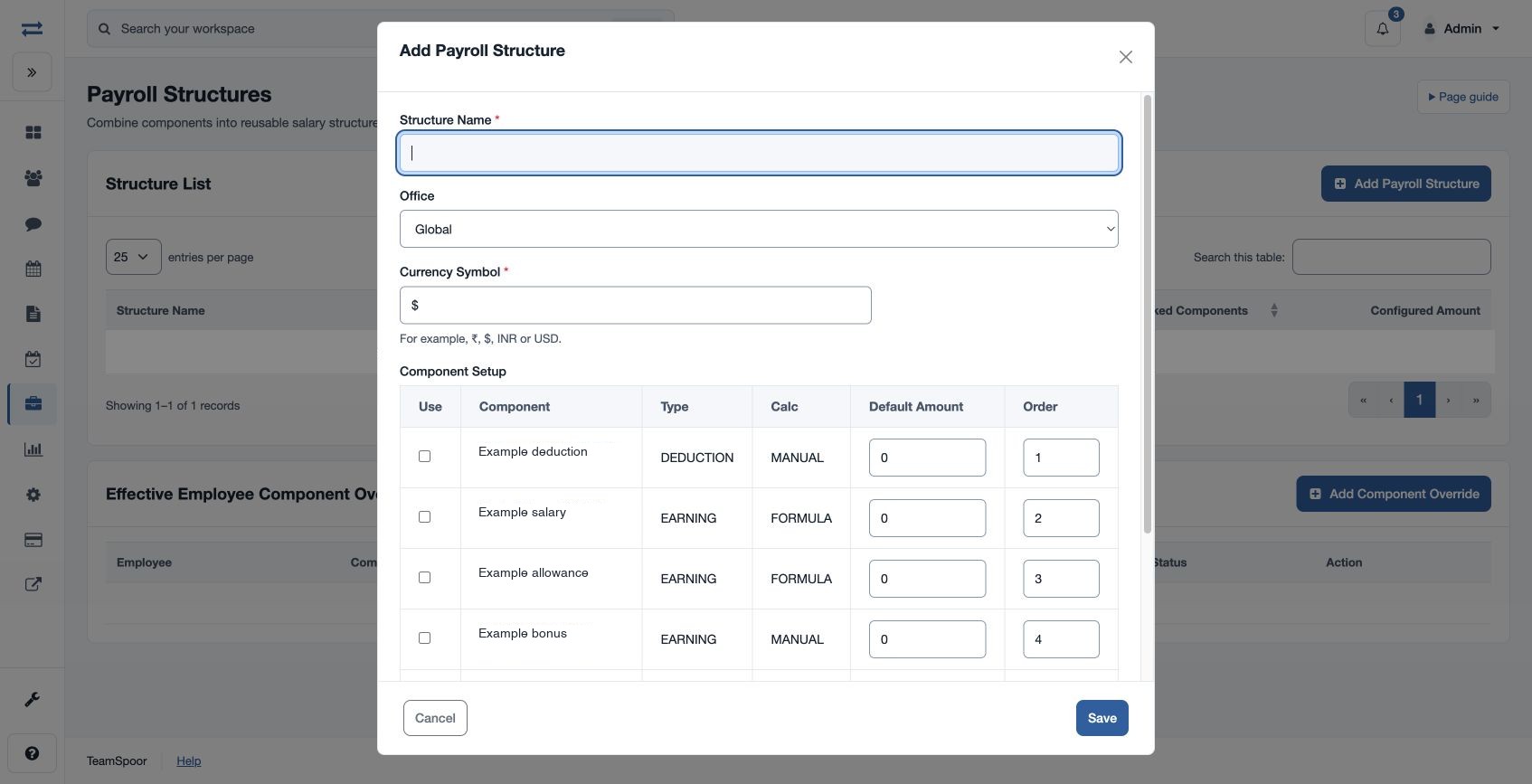
Open Payroll → Setup & policies → Payroll Structures. A salary-structure manager can enter Structure Name, Global or Office, Currency Symbol and Currency Precision (2 decimals or Whole units). In Component Setup, select Use for each component and set Default Amount and Order. Save the structure and assign it through employee payroll setup.
Create an employee override
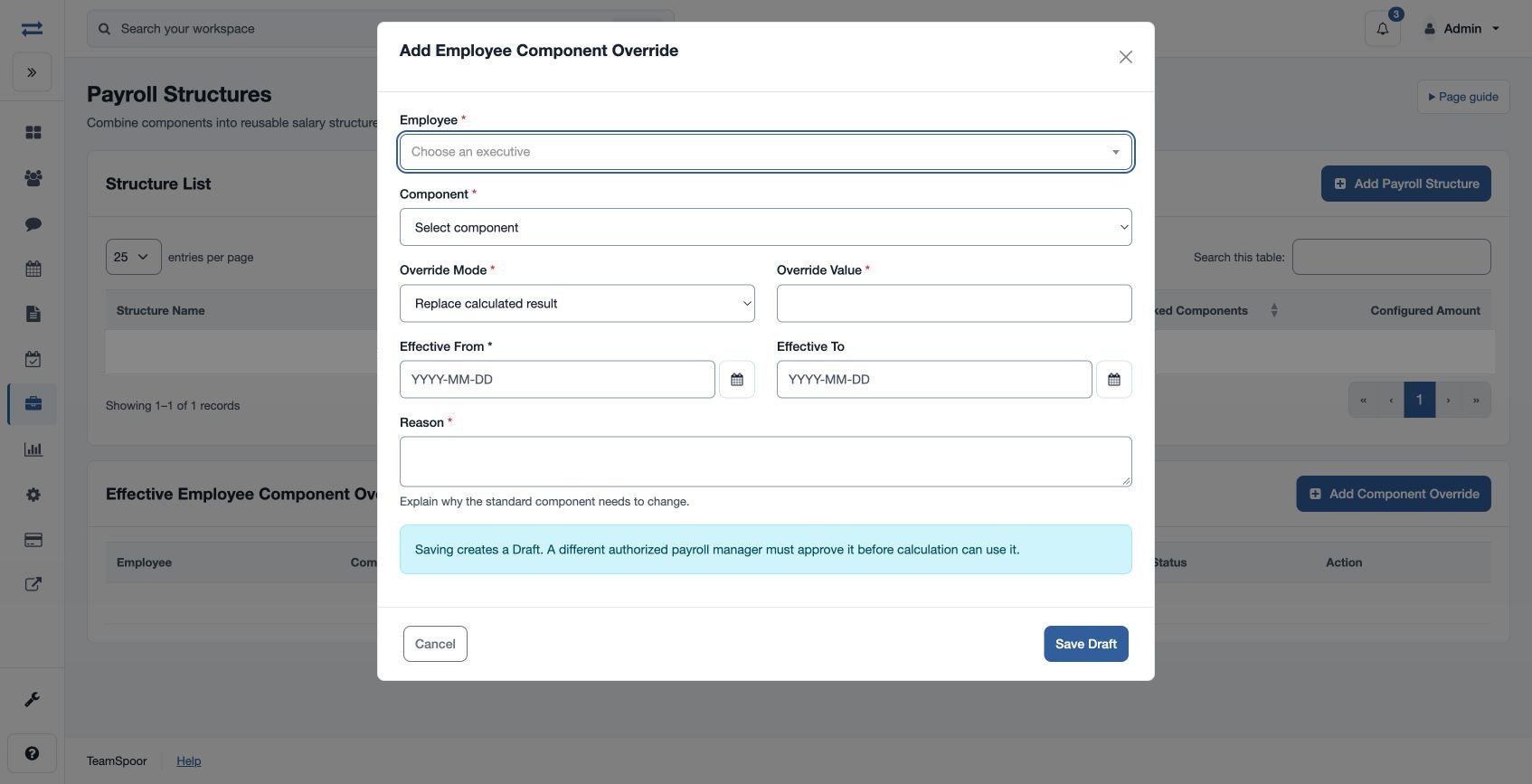
Under Effective Employee Component Overrides, select Employee and Component, then choose Replace calculated result or Replace default amount/percentage. Enter Override Value, Effective From, optional Effective To and required Reason. Saving creates a Draft; a different authorized payroll manager must approve it before calculation can use it. For example, record a temporary component exception with a clear end date and review it in the run calculation after approval.
If the component is absent, first set it up and check scope. If an override is not reflected, check its dates, approval and the run version.
Review an override
The register shows employee, component, mode, value, effective dates and status. For a Draft, an authorized manager other than the creator can choose Approve and confirm. The Reason field accepts up to 255 characters. Replace calculated result substitutes the component result; Replace default amount/percentage substitutes the default used in the calculation.