CTC Versus Actual Payout
Review ctc versus actual payout for a selected payroll scope.
Purpose and access
Open Payroll → Reports → CTC Versus Actual Payout. The payroll feature and payroll cost report permission are required; CSV export requires report-download permission.
Run the report
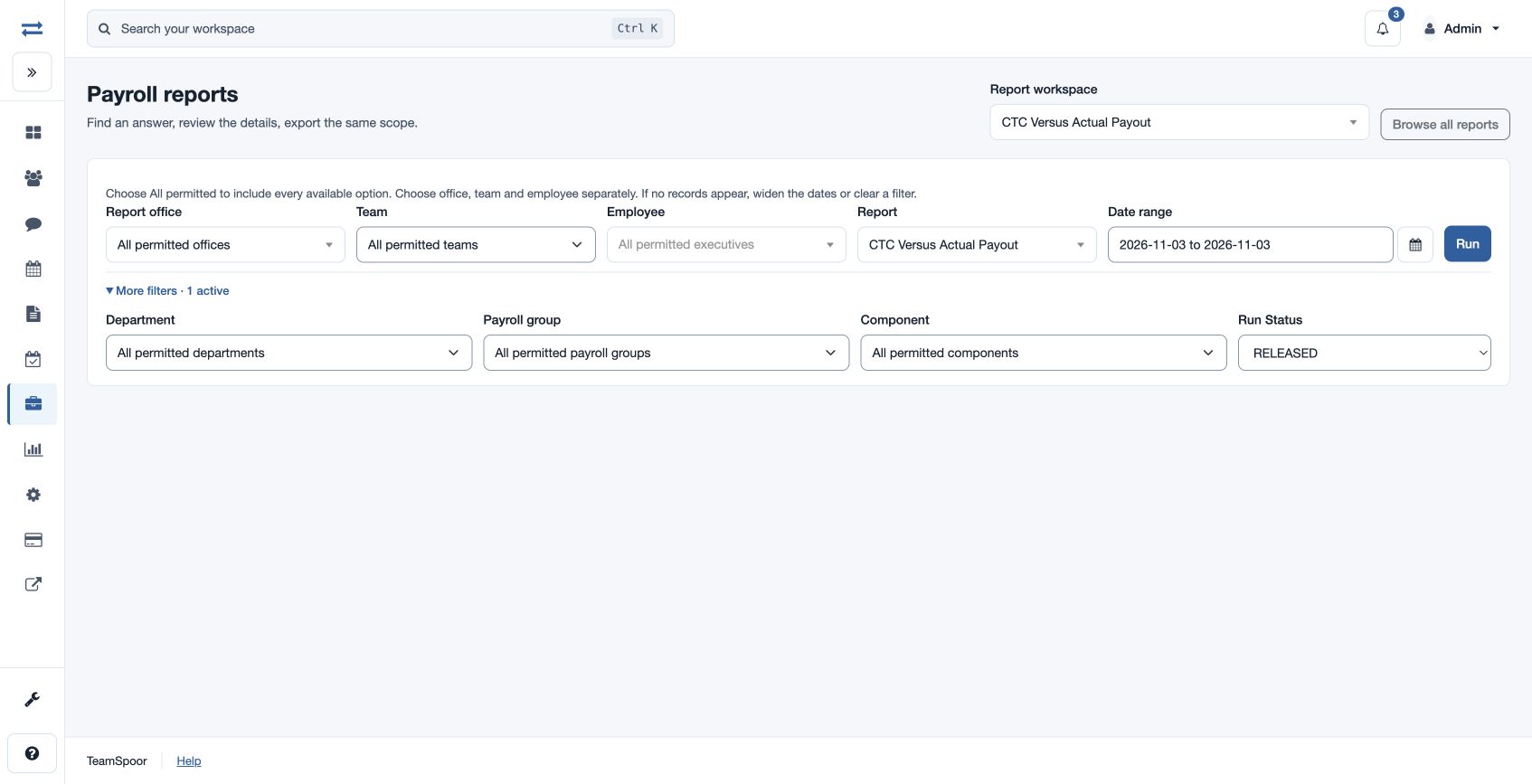
- Select the report in the report picker, then set the office and Date range for the period to review. Open More filters and choose Run Status: ALL, DRAFT or RELEASED.
- Choose Team and Employee as needed; use More filters to set the available Department, Payroll group and Component. Choose All permitted to include all available choices.
- Choose Run, inspect the results and use Export CSV if available. The export uses the selected permitted scope.
What the results show
The report includes: Run ID, Run Version, Run Status, Employee, Office, Period Start, Period End, Monthly CTC, Gross Pay, Employer Contributions, Actual Employer Cost, Net Pay, CTC Variance.
Example and troubleshooting
Compare monthly CTC, gross, employer contributions and actual employer cost for a selected employee; investigate the CTC variance in the salary and run details. If no rows appear, check the date range and scope, then confirm report access. Choose Report office, Team and Employee separately; clear a filter or widen the dates if a valid selection has no records.
Results and limits
Review the summary above the sortable result table and any available charts. Dates are inclusive in the viewer timezone; From must not follow To, and the range cannot exceed two years. If more than 2,000 results match, narrow the range or scope. Export CSV uses the selected scope and requires download permission. The default Run Status is RELEASED.
Interpret the result
Actual Employer Cost is gross pay plus employer contributions. CTC Variance is actual employer cost less monthly CTC; it is not the employee’s net pay.