Employee HR Setup
Assign employment details and HR policies to employees.
Assign employee details and policies
Open HR & attendance → People → Employee HR Setup after creating employees and the relevant designations, departments and policies. Access and salary fields depend on your permissions and plan.
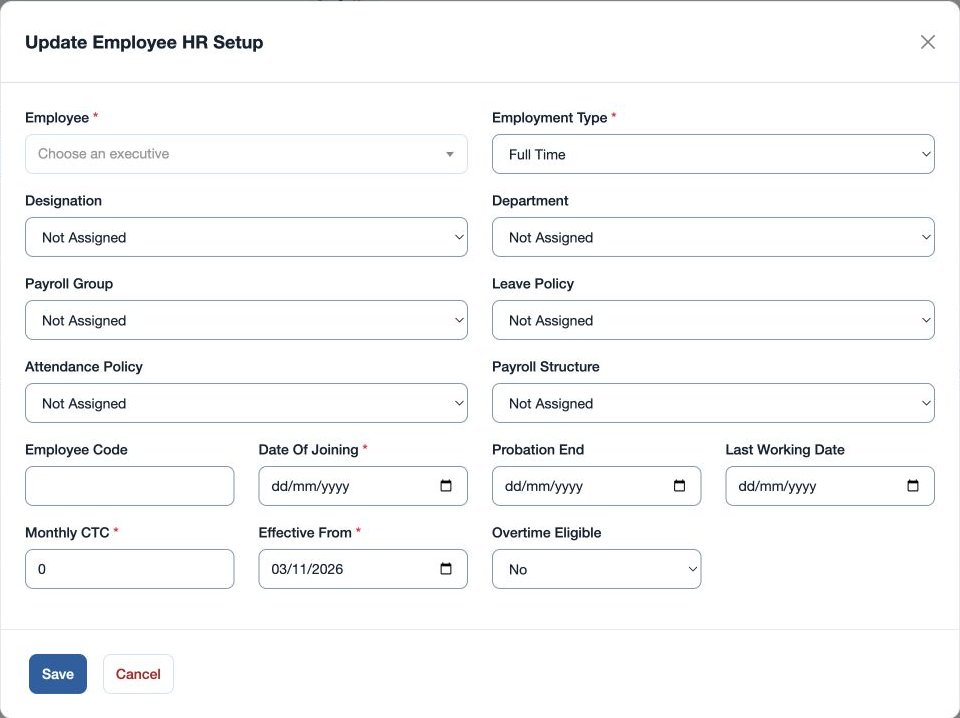
- Use the add control or an employee’s edit action. Choose Employee and Employment Type: Full Time, Part Time, Contract or Intern.
- Select a Designation, Department, Leave Policy and Attendance Policy, or leave each Not Assigned. Enter Employee Code, required Date Of Joining, optional Probation End and Last Working Date, and Overtime Eligible Yes or No.
- Where salary setup is permitted, additional payroll group, structure, CTC and effective-date fields appear. Save and verify the employee’s row.
Example: assign fictional Mira Rao to Sales, Sales Executive and the North office leave and attendance policies. Use Last Working Date for an exit when known. Identity, team and manager are maintained in the employee and organization screens.
If a policy is absent from the selection, create it first and check office scope. Review the effective date when recording changes so the correct period is represented.
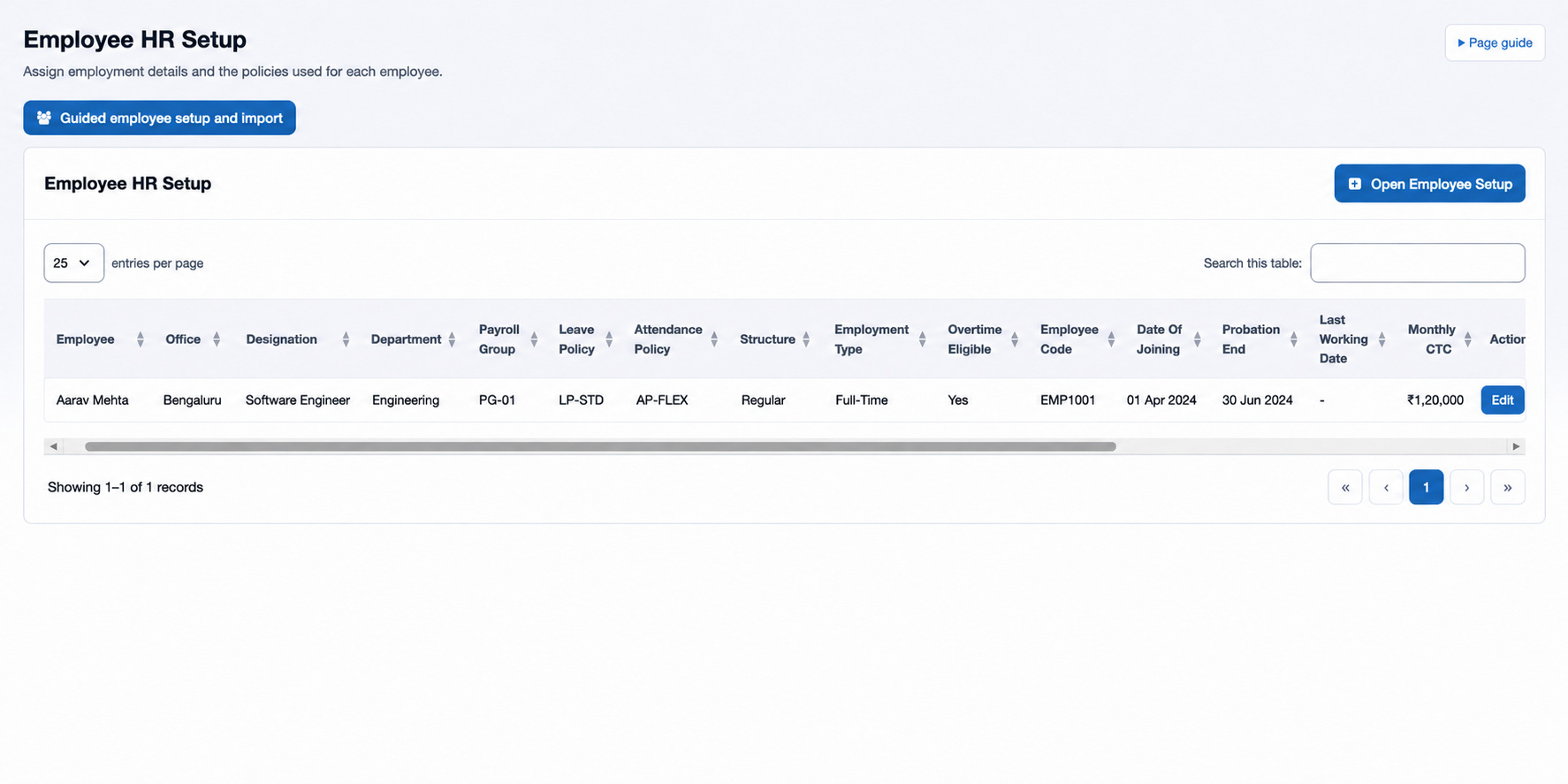
The setup table also shows Employee, Office, the assigned Designation, Department, Leave Policy and Attendance Policy, Employment Type, Overtime Eligible, Employee Code, Date Of Joining, Probation End and Last Working Date. The Open Employee Setup button starts an assignment; Edit opens the selected employee’s setup. Check the updated row after saving. Salary and effective-dated pay fields require the relevant payroll access.
Check dates and assignments
Employee Code is optional; when supplied it must contain 2–45 characters. Probation End and Last Working Date cannot precede Date Of Joining. When payroll fields are available, choose Payroll Group and Payroll Structure or Not Assigned, enter required Monthly CTC and Effective From, and review those values with the salary administrator. For a failed save, check the dates, selected office-scoped masters and required fields. This page shows the current assignment; use the effective date carefully when changing salary or structure.