Manage subscription licenses and renewal
Increase a subscription’s license total, review plan changes or stop future renewal.
Before you begin
Open Billing → Overview → Manage subscription. A verified active gateway subscription is required for subscription controls. You need administrator billing access. A pending change, pending quantity or scheduled cancellation can prevent another change until the current state is resolved.
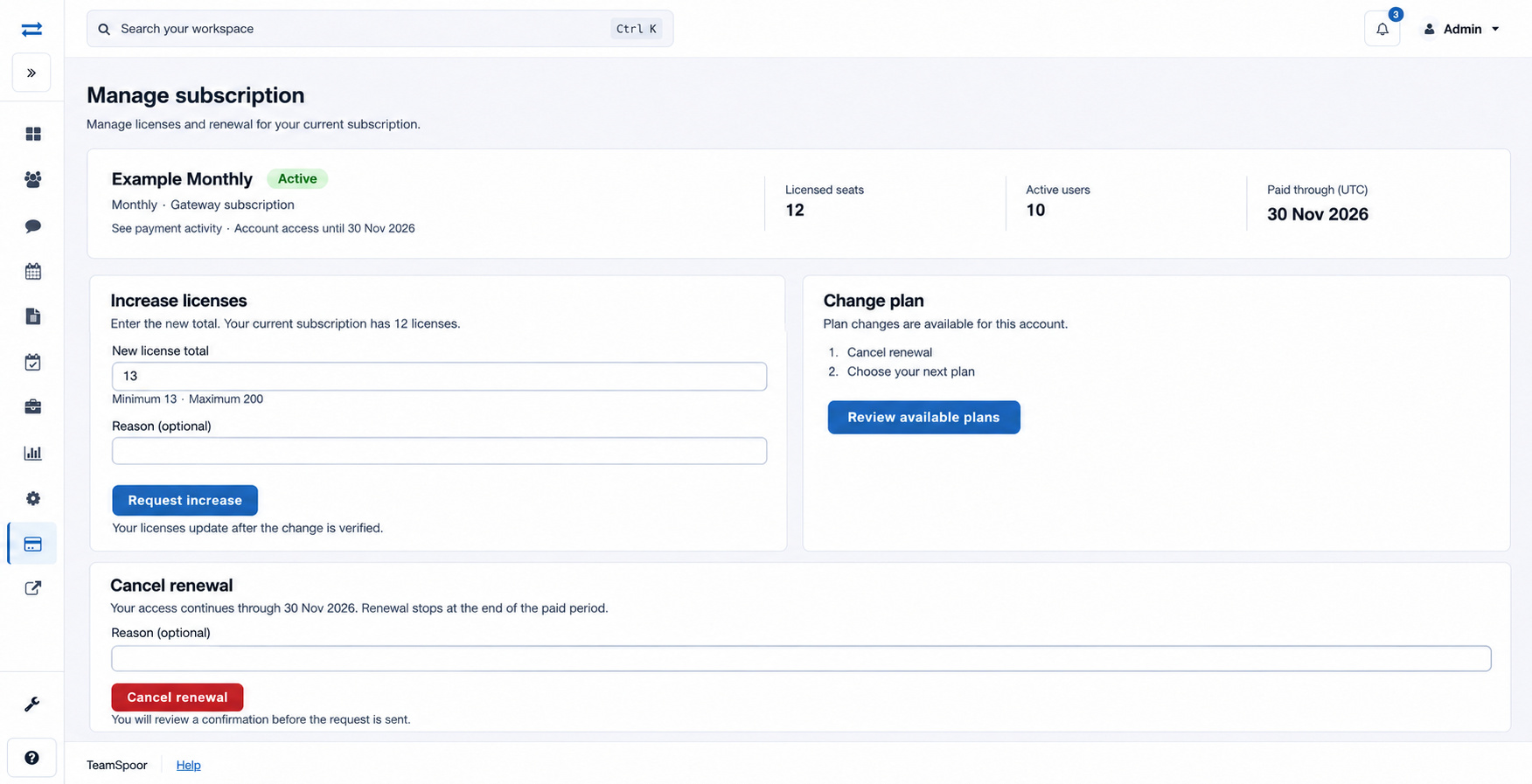
Increase the license total
- Review the current license total and active-user count.
- Under Increase licenses, enter New license total. This is the complete number of licenses after the change, not the number to add.
- Enter an optional Reason, up to 200 characters, such as “Five additional field executives”.
- Select Request increase.
- Read the request result. Request received confirms that the request was accepted for processing; it does not confirm the new license count. Subscription change was not queued means the change was not accepted: resolve the displayed reason before trying again. If a change is pending, wait for confirmation before requesting another change.
- Check the licensed-seat count after verification. Submitting a request does not immediately prove that the new quantity has taken effect.
| Rule | How to apply it |
|---|---|
| Minimum quantity | At least the larger of the active-user count and current subscription quantity plus one. |
| Maximum quantity | 200 licenses for self-service changes. Contact support for a higher total. |
| Unlimited plan | An increase is unnecessary because users are already unlimited. |
| Pending state | Resolve or wait for the current subscription change before another request. |
Cancel automatic renewal
- Read the Cancel renewal section and the date through which access continues.
- Enter an optional reason of up to 200 characters.
- Select Cancel renewal and review the confirmation before submitting the request.
- Check for the Scheduled state and cancellation date after verification. A scheduled cancellation prevents another license-increase request through this screen.
Move to another plan
Read the eligibility message under Change plan. When eligible, cancel the current renewal, retain access through the paid period, and return to Plans after the current subscription closes. Review available plans opens the comparison. This screen does not offer a direct decrease of an active subscription’s license quantity.
Example
If the subscription has 20 licenses and you need five more, enter 25, not 5. Wait until the updated count is verified before relying on the additional capacity.
Resolve unavailable controls
If no verified subscription is available, open Payment activity. If a change is already pending, allow it to finish and refresh. Partner-managed accounts require the billing partner. For an unresolved verification or eligibility message, contact billing support with the account’s displayed billing reference and status.