Field executive directory
Find executives and open their account profiles.
Use the directory to find accounts within your permitted scope. Viewing it requires user-report access. Account management controls depend on administrator permissions.
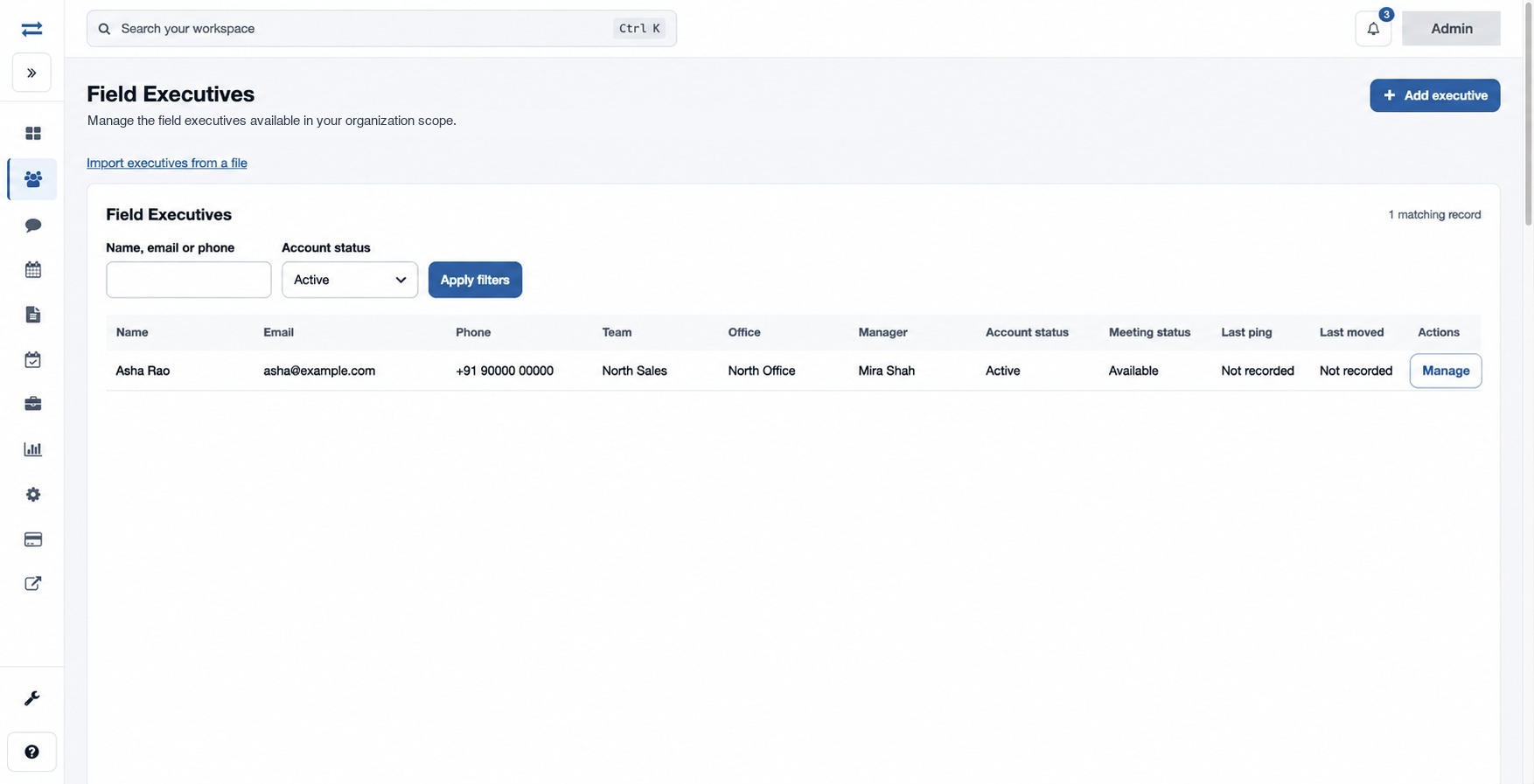
How to use this page
- Open Organization → Field Executives.
- Enter Name, email or phone, choose Account status (Active, Suspended, Deleted or All accounts), and select Apply filters. Use Previous and Next when shown.
- Review team, office, manager and account and meeting status. Location and risk columns appear when the relevant access and feature are available.
- Select Manage for an eligible account to open its profile. To create one, choose Add executive; to add many, choose Import executives from a file.
If a person is missing, broaden the status filter and check spelling and office scope. Deleted accounts do not have a Manage link in this directory.
Last ping and Last moved are shown only with location-report access; Risk appears when fraud management is enabled. A directory status is not a payroll or attendance decision. For example, search for a fictional Asha Rao, choose All accounts if needed, then open Manage for an eligible record.