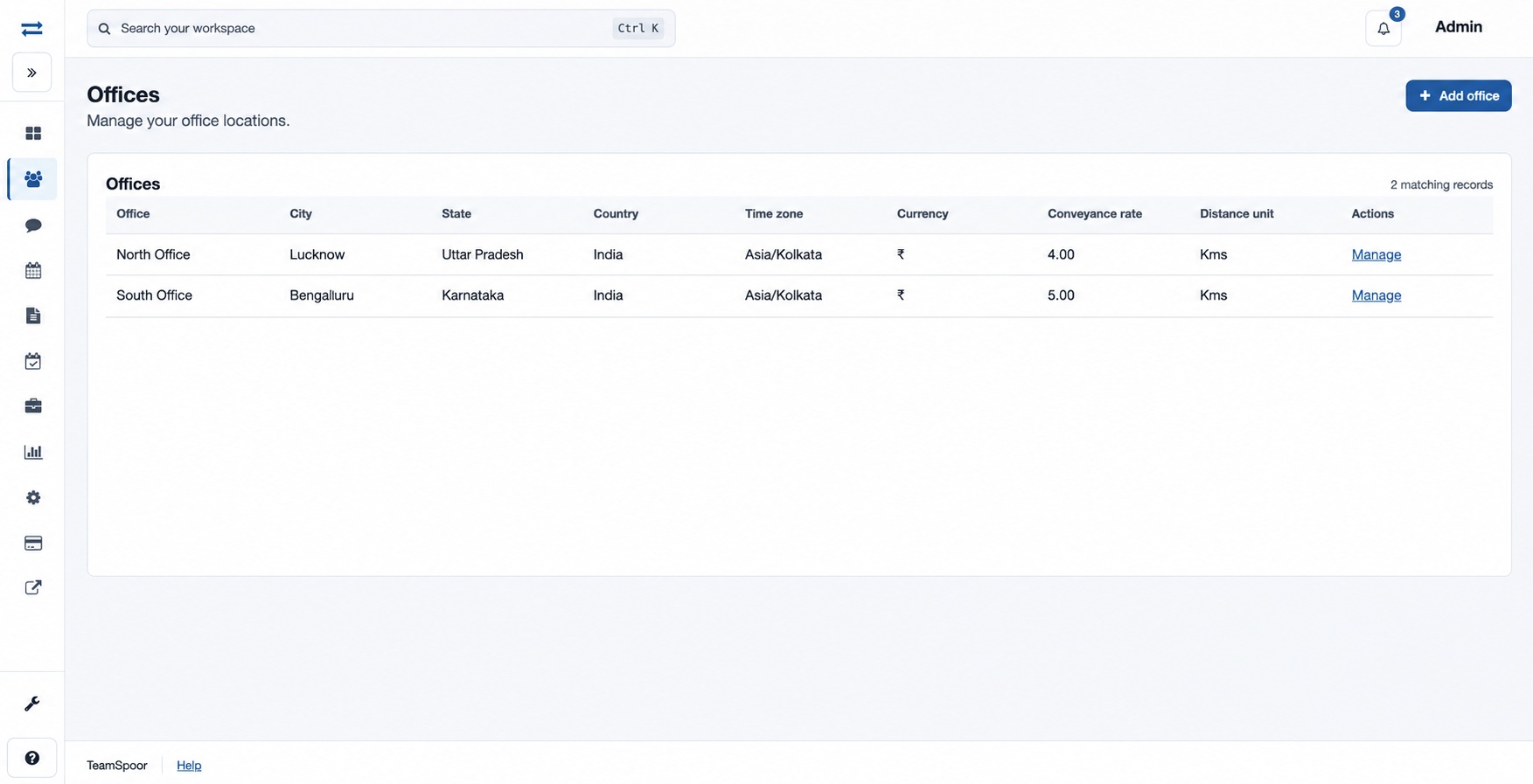
Offices
Create offices and maintain their conveyance and visit reply settings.
Offices group teams and establish location settings. The Offices page is for administrators; adding and editing require the corresponding permissions.
How to use this page
- Open Organization → Offices, then Add office.
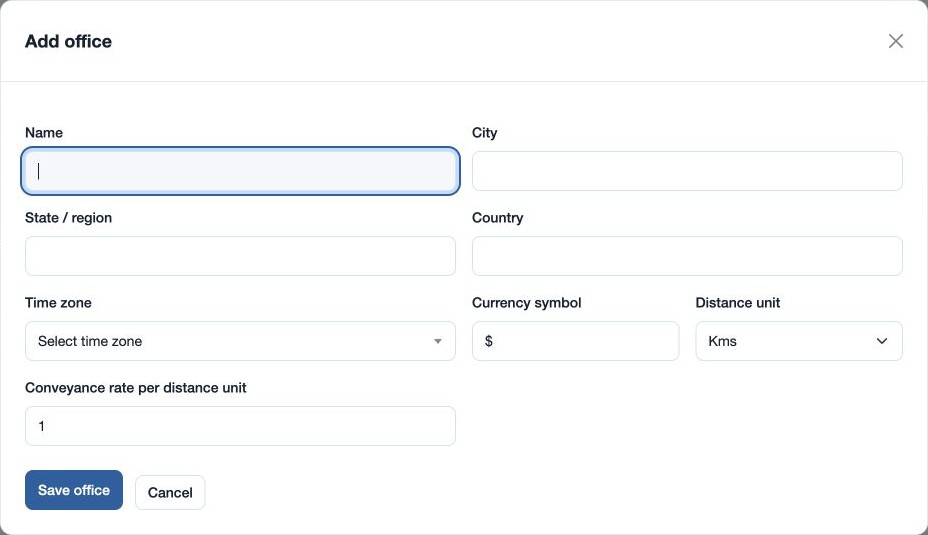
- Enter Name, City, State / region and Country. For example, use “North Office” in a fictional city.
- Select Time zone, enter the Currency symbol, choose Distance unit (Kms or Miles), and enter the Conveyance rate per distance unit.
- Select Save office. The office appears in the directory and can be selected when creating a team.
- To change an office, choose Manage. Edit its name, rate or Visit reply email template and save. The creation form contains the geographic, time zone, currency and distance unit fields.
If the office or save action is unavailable, check your administrator role and permissions. On a failed or expired form, reload and check the directory before retrying.
Office fields and editing
| Field | Purpose and rules |
|---|---|
| Name | The office label used in lists and team selection. Required, 2–45 characters. |
| City, State / region, Country | Identify the office location; required when creating the office. |
| Time zone | Choose the office’s time zone from the list at creation; for an office in India, for example, choose Asia/Kolkata. |
| Currency symbol | Office currency display symbol, up to three characters, selected at creation. |
| Distance unit | Kms or Miles. Select at creation so the conveyance rate is understood per chosen unit. |
| Conveyance rate per distance unit | Rate used for conveyance per selected unit; 0–100 when creating, greater than zero and up to 100 when editing, in increments of 0.01. |
| Visit reply email template | On edit, select an existing company template for visit replies. “Keep current template” leaves the current choice unchanged. |
The edit form exposes name, conveyance rate and template; location, time zone, currency and distance unit are creation fields on this page. If saving fails, check required fields, choose a listed time zone, and check the rate. If a save cannot be confirmed, inspect the current directory before trying again.