HRMS workspace
Find employee, leave and attendance work in the HRMS workspace.
Open HRMS from the main navigation to find the tasks available to your role. HR & attendance brings employee records, policies, requests and reports together. Your plan, permission and office or team scope determine what appears.
- Set up offices, teams and managers, then create employees in Employee Master.
- Create leave types, holidays, designations and departments. Define leave and attendance policies and assign them in Employee HR Setup.
- Review pending leave and attendance regularization requests. Use reports to investigate exceptions and balances.
For example, onboard fictional employee Mira Rao into the North team, assign her policies, and check her record in Employee Master. If a task or person is missing, check your access and permitted scope with an administrator.
Read the overview
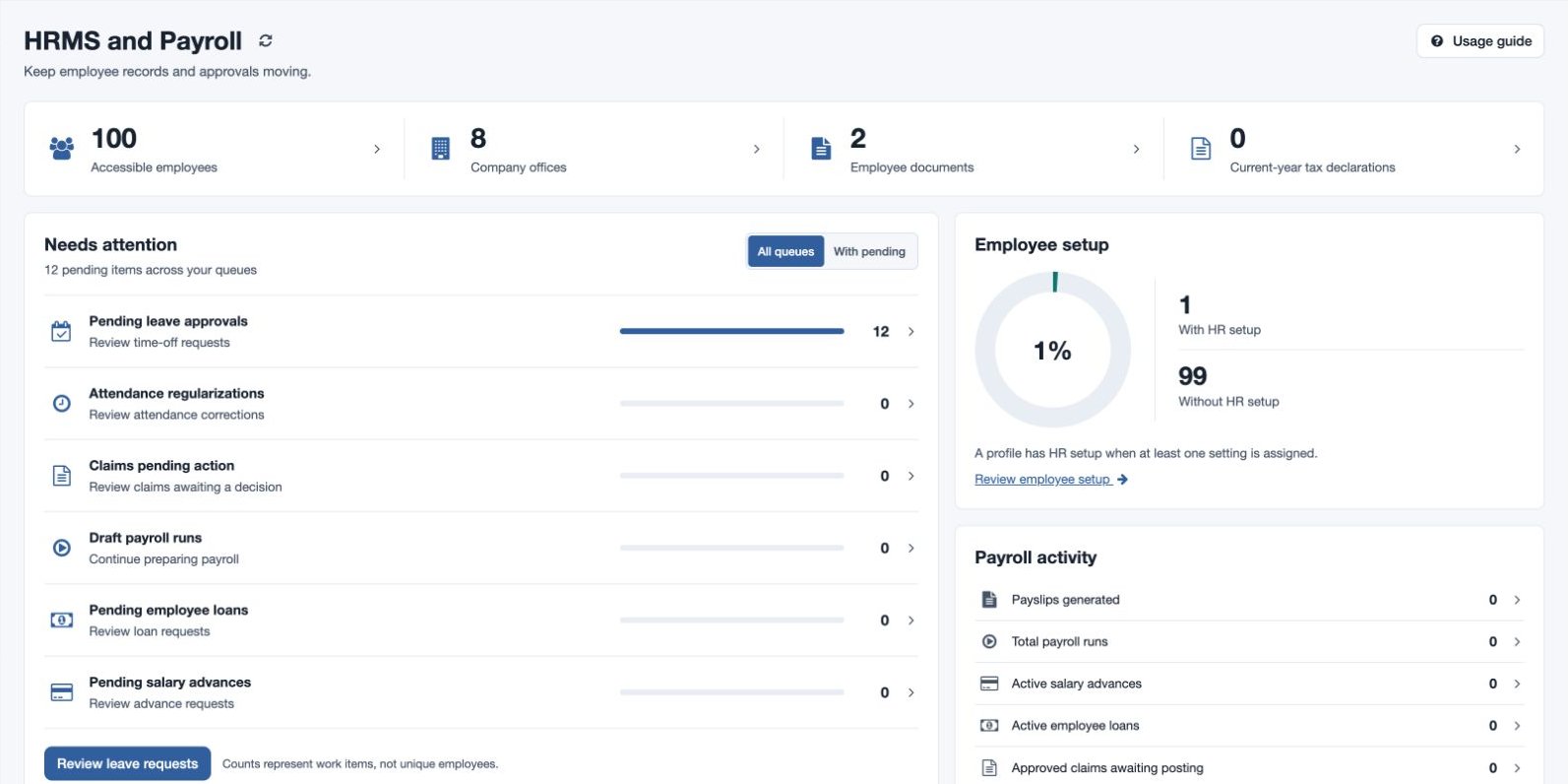
People and setup links show accessible employees, company offices and employee documents; payroll-enabled accounts may also show current-year declarations. Needs attention groups pending queues. Choose All queues or With pending, then open a queue to act. Counts represent work items, not unique employees.
Employee setup shows employees with and without HR setup. A profile counts as configured when at least one setting is assigned; this does not mean every field is complete. Open Review employee setup to inspect the assignments. The setup directory links to departments, attendance policies, leave policies, leave types and current-year holidays, subject to access. Use the refresh control to update overview data.
Find tasks and built-in guidance
From the Designations page, the Settings breadcrumb opens the HR & payroll directory. Use Find a task to search by name or choose a Category; the permitted task count updates as you filter. Open a result to work in that task. If no results match, clear the search or choose All categories. The directory only lists tasks available to your role.
Choose Usage guide on the HRMS overview or HR & attendance → Guidance → Usage Guide to open the built-in HRMS Usage Guide. Its example company illustrates organization design, employee and policy setup, monthly operations, reports and glossary terms; its links open the corresponding workflows. Use the current page controls and your configured policies when performing a task.