Payroll statutory settings
Maintain effective contribution and declaration rules.
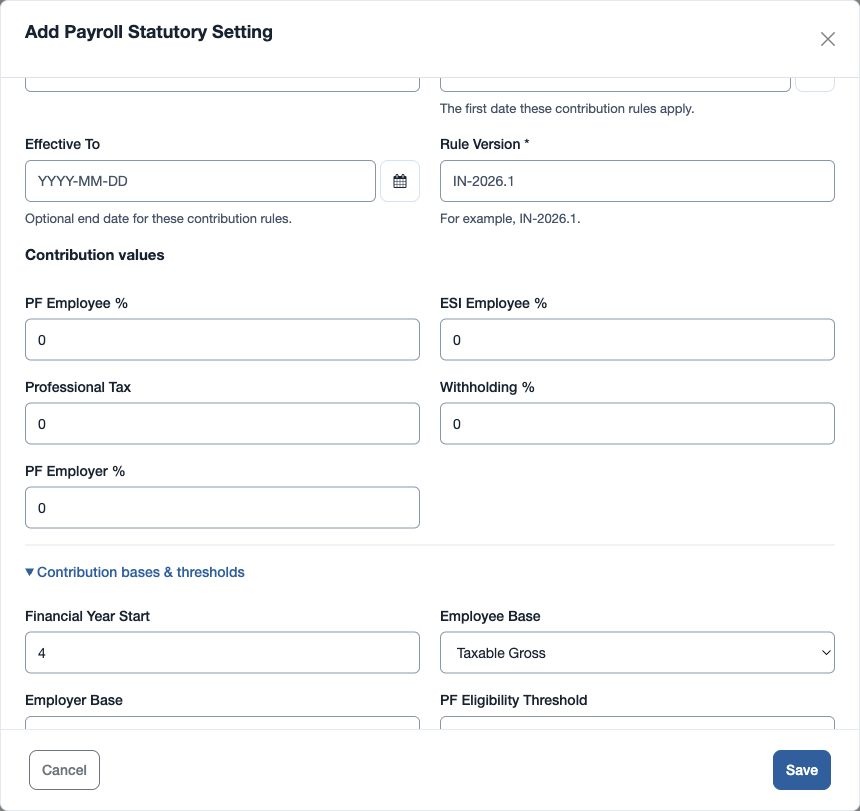
Open Payroll → Setup & policies → Payroll Statutory. Statutory-settings permission is required. Enter Setting Name and Global or Office; Country Code is shown as IN. Set PF Employee %, ESI Employee %, Professional Tax, Withholding % and PF Employer %. Rates accept 0–100 and amounts cannot be negative.
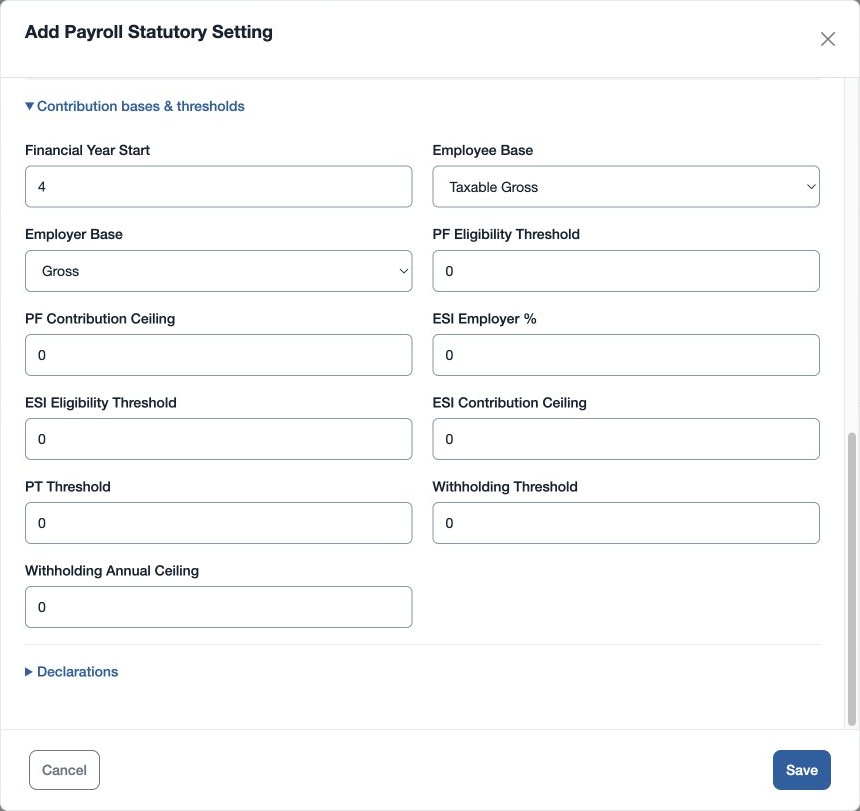
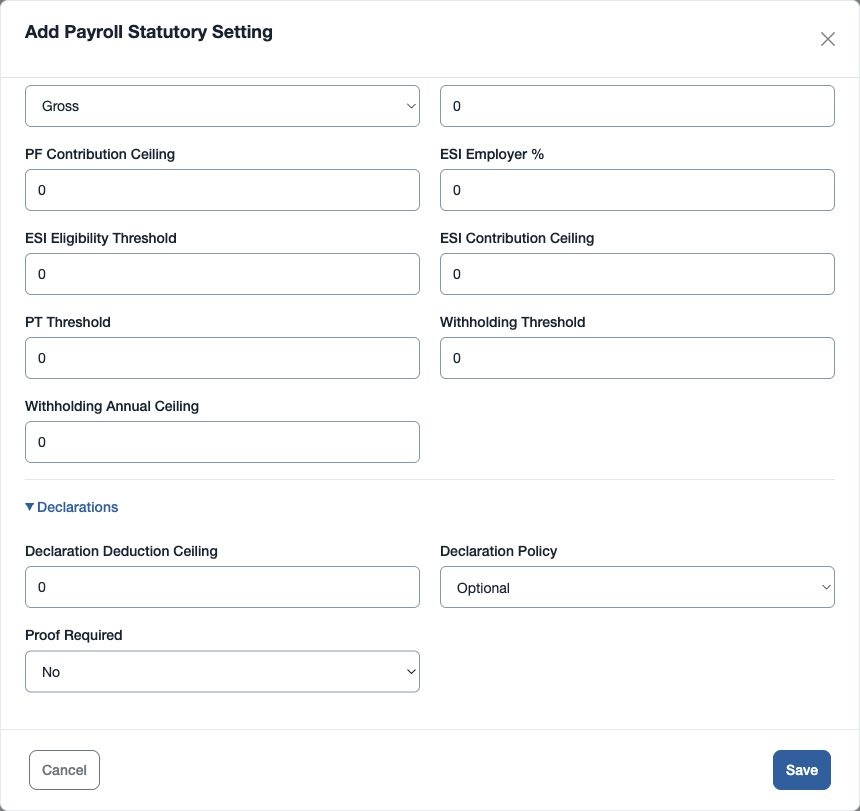
Under Effective rule and bases, enter Effective From, optional Effective To, Rule Version and Financial Year Start month. Select Employee Base and Employer Base (Gross or Taxable Gross). Configure PF eligibility threshold and contribution ceiling; ESI employer %, eligibility threshold and contribution ceiling; PT threshold; withholding threshold and annual ceiling; and declaration deduction ceiling. Choose Declaration Policy (Optional or Approved Only) and Proof Required (Yes or No).
Review the applicable rules and dates with your payroll adviser before saving. For example, use a distinct rule version when a new effective period starts, then check the resulting contributions and declaration impact in reports. These settings provide configurable calculations; review the applicable obligations for your organization.
Approval and effective periods
Save the rule as a draft and have a different authorized reviewer approve it. Use a new rule version and non-overlapping effective period for a rule change. Finalization fails if an employee lacks an approved applicable rule for the period.
For PF and ESI, a positive eligibility threshold applies the rate when the selected base is at or below that threshold; a positive contribution ceiling caps the base used for the rate. Professional Tax applies at or above a positive PT threshold. Withholding uses cumulative taxable pay less eligible declarations, applies its threshold and caps the liability base at a positive annual ceiling before subtracting year-to-date withholding. A positive declaration deduction ceiling caps eligible declarations. Zero means these thresholds and ceilings do not impose their respective limits. Review the configured rules and their applicability with your payroll owner.
How the fields affect calculation
| Field | Meaning |
|---|---|
| Effective From, Effective To, Rule Version | Identify the dated rule and its version. An empty end date leaves it open-ended. |
| Financial Year Start month | Sets the start month used for year-to-date withholding and declarations. |
| Employee Base, Employer Base | Choose Gross or Taxable Gross separately for employee and employer contributions. |
| PF and ESI employee and employer percentages | Apply the respective percentage to the applicable employee or employer contribution base. |
| PF and ESI eligibility thresholds | A positive threshold makes the contribution applicable at or below that base; zero imposes no threshold. |
| PF and ESI contribution ceilings | A positive ceiling caps the base multiplied by the rate; it is distinct from the eligibility test. |
| Professional Tax and PT threshold | The fixed Professional Tax amount applies at or above the positive threshold; zero threshold imposes no threshold. |
| Withholding %, threshold and annual ceiling | Withholding uses cumulative taxable pay after eligible declarations. The threshold controls applicability and the ceiling caps the liability base; prior year-to-date withholding is subtracted. |
| Declaration deduction ceiling, policy and proof requirement | The positive ceiling caps eligible declaration deductions. The policy records the chosen declaration treatment; Proof Required controls whether approved declarations also need verified proof. |
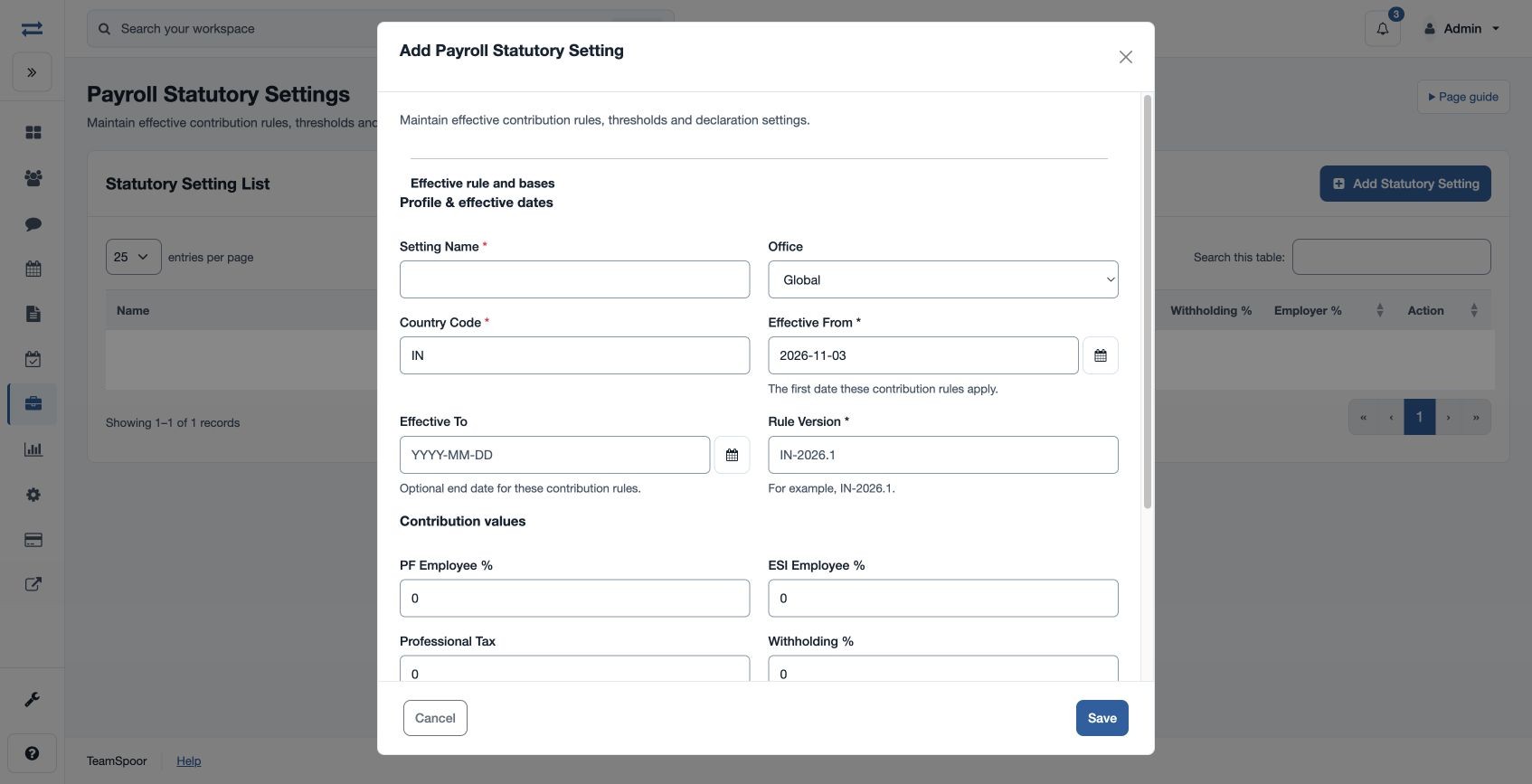
Contribution and declaration settings
Scroll within the setting form to review contribution values. Expand Contribution bases & thresholds and Declarations to see the remaining fields.