Wallet and funding
Add wallet funds, understand reserved balances and follow pending purchases.
Open your wallet
Select Billing → Add Funds, or open Wallet from Billing overview. The wallet is available to eligible directly billed accounts with billing permission. Partner-managed companies use their billing partner.
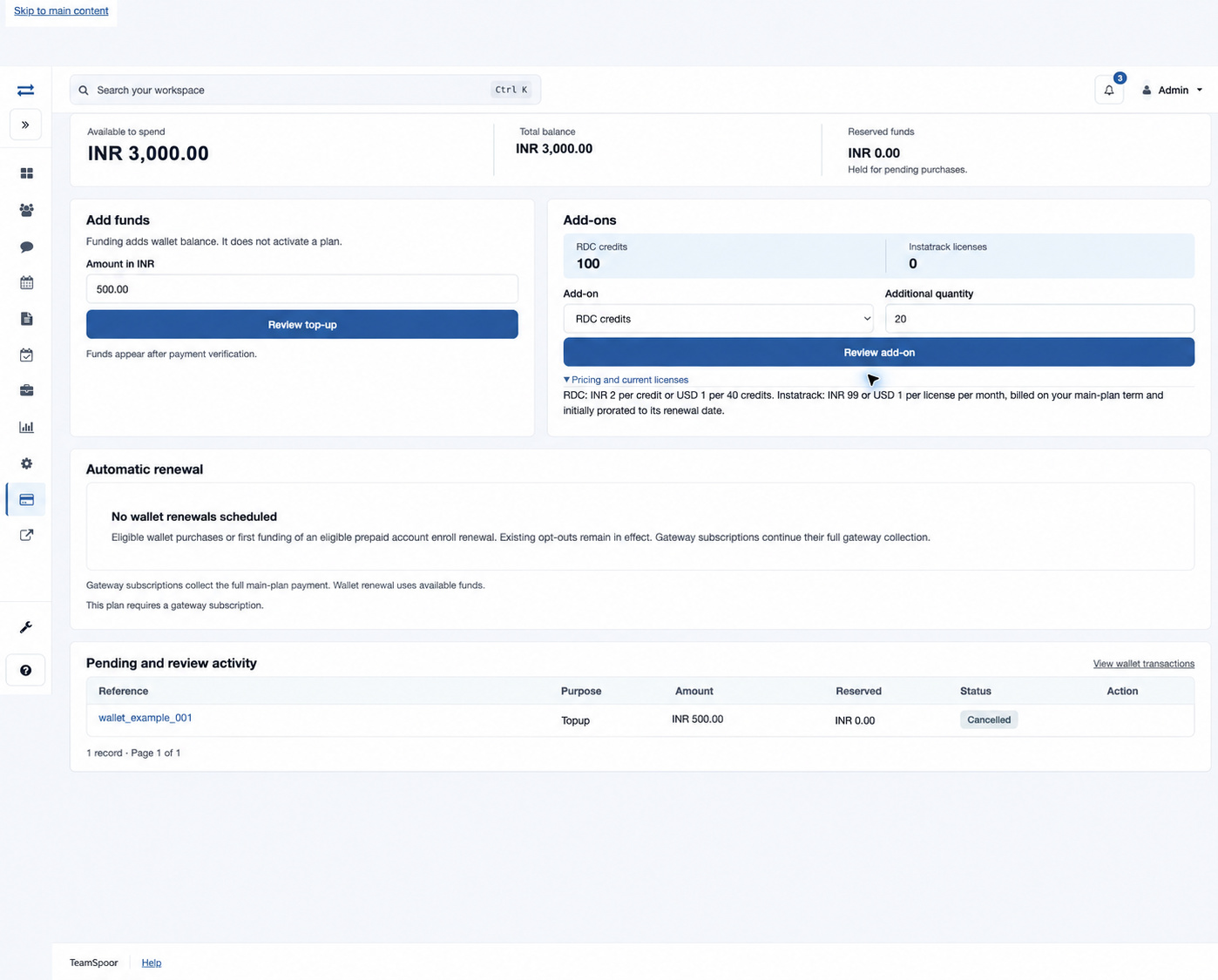
Understand the balance
| Balance | Meaning |
|---|---|
| Available to spend | Funds available for a new eligible wallet purchase. |
| Total balance | The posted wallet balance before reserved funds are excluded. |
| Reserved funds | Funds held for purchases that are still pending. Check Pending and review activity to understand the hold. |
Add funds
- In Add funds, enter Amount in the displayed account currency. Enter plain digits with a decimal point and no more than two decimal places; omit commas and currency symbols.
- Select Review top-up. This opens a review; it does not itself complete payment.
- Check the Add to wallet amount and currency. Select Back to wallet if a correction is needed.
- Select Confirm followed by the displayed currency and amount, then complete secure checkout.
- After verified payment, return to Wallet and check the available balance and Wallet transactions.
Supported funding amounts range from INR 1 to INR 1,000,000, or USD 1 to USD 100,000, in the currency assigned to the account. The account country determines the currency: INR for India and USD for other supported countries. There is no currency selector on this form. The review screen is the final check of the accepted amount.
Follow pending activity
Pending and review activity lists Reference, Purpose, Amount, Reserved, Status and Action. It includes requests that are not Applied, so cancelled and failed requests can remain in the list without requiring another payment. There are up to 25 records per page; use the page controls to continue. Select a reference for its accepted details and posted entries. Use Resume payment only on an available pending request; it continues that request rather than creating a new purchase.
Use funds for service
Follow the Add-ons guide to buy RDC credits or additional Instatrack licenses. Use Automatic renewal to review scheduled wallet renewals or renew an eligible prepaid plan. Each purchase has its own review and confirmation.
Example
A wallet with INR 1,000 total and INR 200 reserved has INR 800 available. Funding INR 2,500 adds to the balance after verification. If the existing hold is unchanged, the available balance becomes INR 3,300.
Common problems
- Review expired: return to the wallet and review the purchase again; a review expires after 30 minutes. Review and confirm while signed in to the same company and user account.
- Payment received, purchase needs review: open the operation and read the reason. Do not assume service was applied just because funds were received.
- Balance not updated: check Payment status and Wallet transactions before paying again.
- Reserved amount remains: check the related pending operation or contact billing support with its reference.