Payroll Finance
Review finance, payment and declaration views.
Choose a view
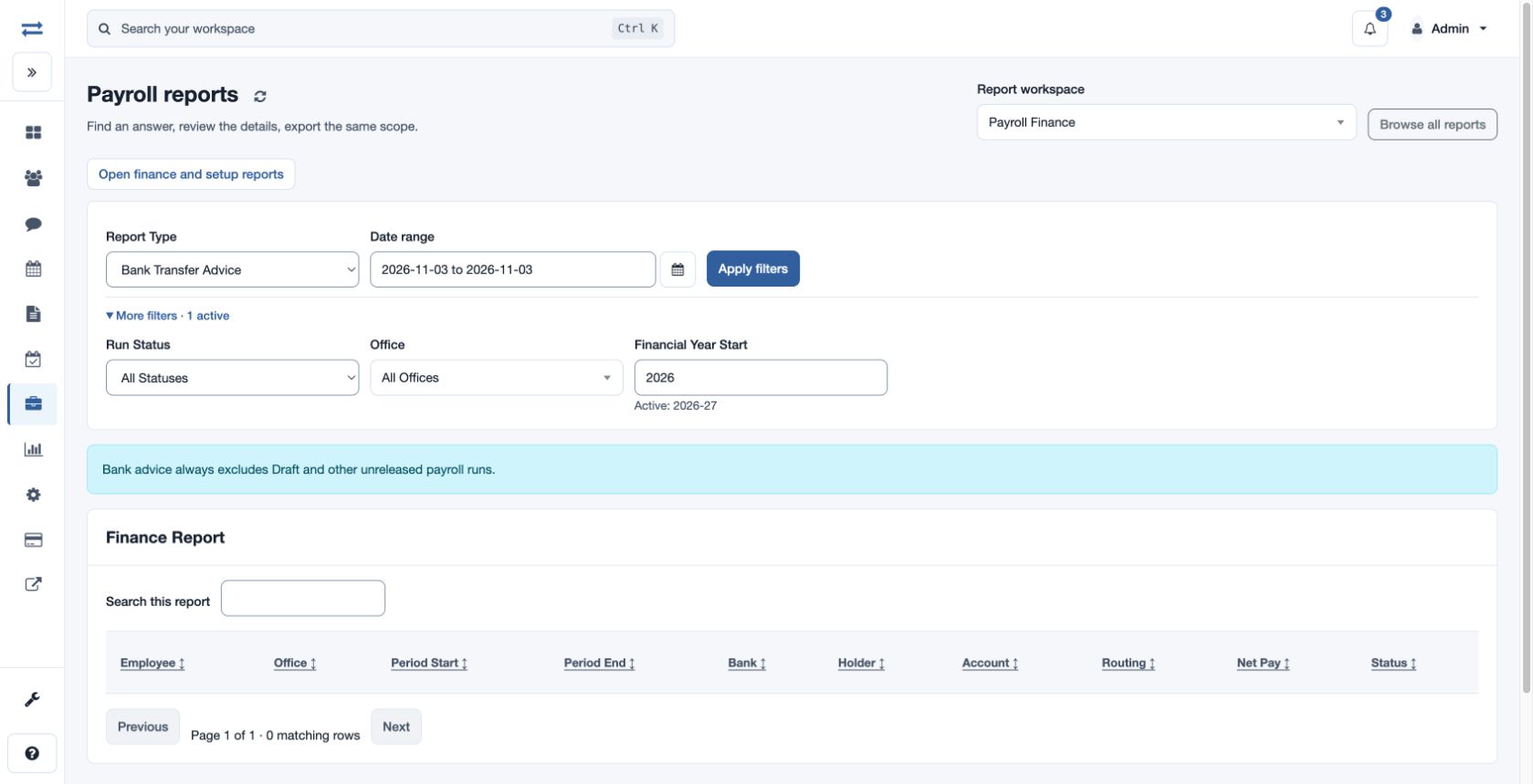
Open Payroll → Reports → Payroll Finance. Choose Report Type, date range and, under More filters, Run Status (All Statuses, Draft or Finalized / Released), Office and Financial Year Start. Apply filters. Bank Transfer Advice excludes draft and other unreleased runs even when All Statuses is selected.
- Bank Transfer Advice: employee, office, period, bank, holder, account, routing, net pay and bank status.
- Gross To Net Breakup: employee and period gross, deductions, net, earning, deduction and taxable component totals and labels.
- Draft Vs Finalized: office and period employee counts and net totals for draft and finalized runs, variance and other statuses.
- Compliance Summary: office/period employee, gross and net totals, PF, ESI, withholding, professional tax, employer contribution and setting.
- Declaration Impact: employee, office, structure, monthly and annualized CTC, declared amount and gap.
- Settlement Checklist: employee, settlement date and net, advance and loan recovery, bank, documents, tax declaration and status.
Search and sort the result; use Open finance and setup reports for related detailed views. A bank advice is evidence for review, not proof of a transfer.
Access and scope
The payroll feature and payroll finance permission are required. Results are limited to your permitted scope. If a report exceeds 2,000 entries, narrow the selected period or scope and run it again.
Choose the correct basis
The displayed report timezone applies to date-based views. Declaration Impact and Settlement Checklist use Financial Year Start and the selected office; bank advice and the payroll breakdowns use the selected period. Draft Vs Finalized groups by office and period. Its variance compares the finalized and draft net totals shown for that group.
For a fictional employee, review gross, deductions and net in Gross To Net Breakup, then compare the earning, deduction and taxable component totals and labels with the underlying run. For Bank Transfer Advice, inspect the recorded bank details and status before reconciling with actual bank results. The view requires finance access and the payroll feature.