App readiness
Review account, assignment and mobile evidence for field employees.
Filter readiness
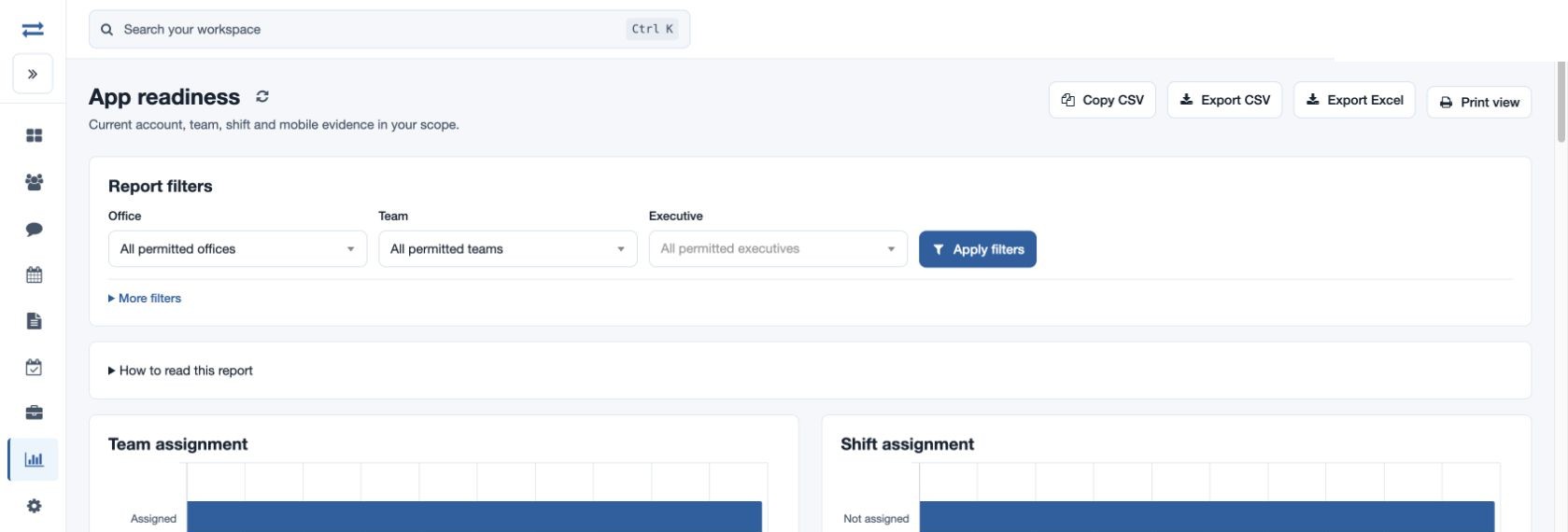
Open Reports → App readiness. Filter by Office, Team or Executive, or search by employee name or email, and select Apply filters. This is a current readiness view rather than a date-range history.
Interpret the evidence
Review assignment information alongside recorded app-version and device evidence. Follow up on missing team or shift assignments with the administrator. If a version or device field says Not observed, ask the executive to check their app; that label does not confirm the app is missing.
For example, filter a fictional North team and investigate an employee without an assigned team or shift. If the person is absent, check current scope, employee status and report permission before changing filters.
Columns and report limits
The report covers active employees. Its records show Employee ID, Employee, Email, Team, Office, Shift, Team setup, Shift setup, Last recorded app version, App version evidence and Device evidence. Last location evidence appears only with location permission. Charts summarize team assignment, shift assignment, recorded app version and device evidence. Team or shift setup can be Assigned or Not assigned; version and device evidence can be Recorded or Not observed. Narrow the filters if the report exceeds 2,000 entries. Use the refresh control to reload.
Scope and exports
This current-state report is available to non-executives with employee-report permission; it has no date filter. It covers active employees in the permitted scope. Expand More filters to search by employee name or email, and use All chart values to inspect chart categories. Copy CSV, Export CSV and Export Excel require report-download permission; Print view prints the displayed report. Location evidence is visible only when the corresponding permission is available.