Payroll cycles
Define a processing frequency and cutoff and pay days.
Before you begin
Open Payroll → Setup & policies → Payroll Cycles. A payroll-settings manager can maintain schedules. Select a cycle when starting a payroll run; its office and period must suit the employees being processed.
Create a cycle
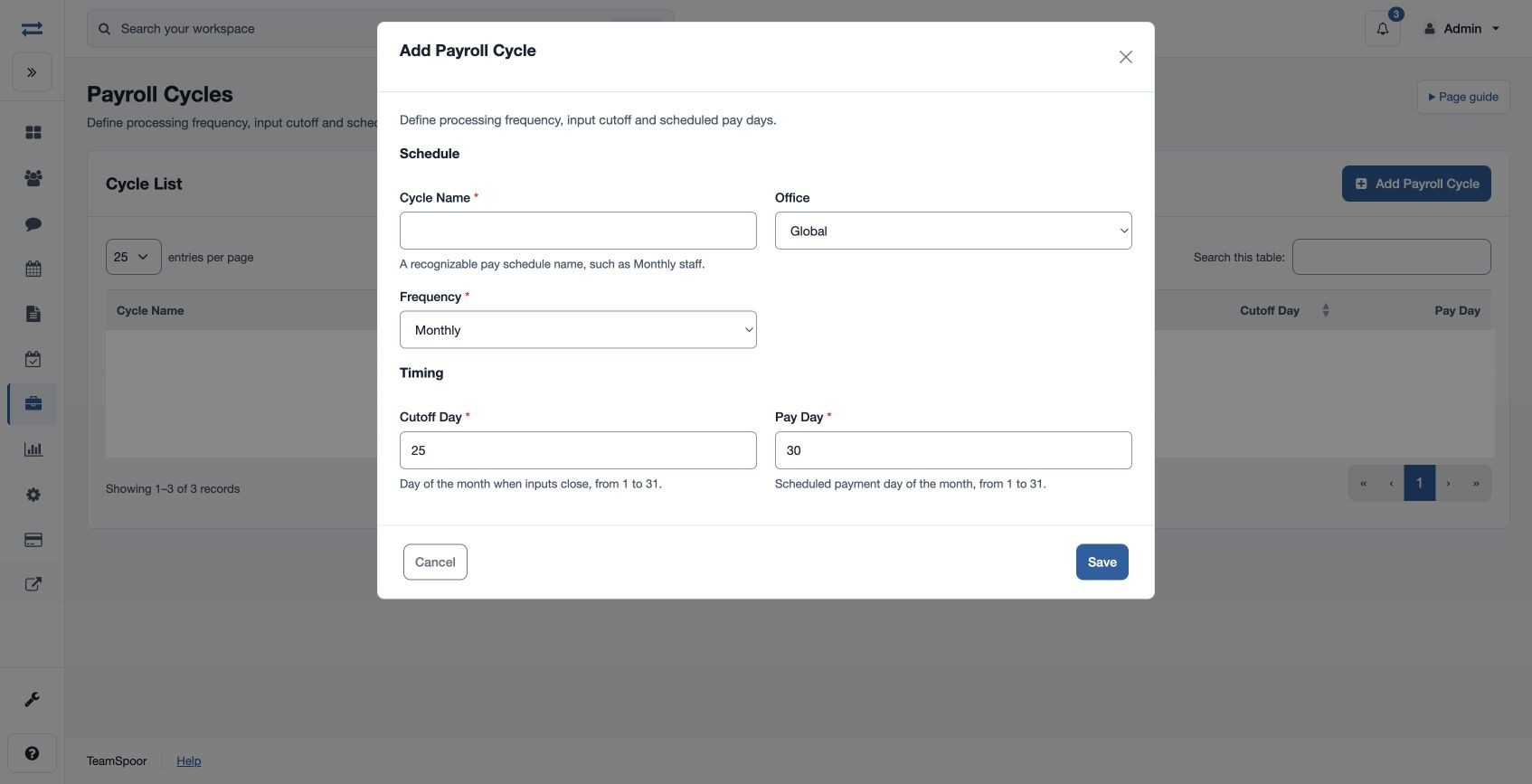
- Choose Add Payroll Cycle and enter a required Cycle Name of 3–80 characters.
- Choose Office: Global or a listed office. Choose Frequency: Monthly or Weekly.
- Enter Cutoff Day, when inputs close, and Pay Day, the scheduled payment day. Each is required and accepts a day from 1 to 31.
- Save and review Cycle List. For example, “Monthly operations” might use cutoff 25 and pay day 30.
If the cycle is missing when you start a run, check the scope and active status. A cycle’s scheduled day is not proof of a payment; payment is a separate workflow.