Leave Types
Define the leave catalog, approval authority and quota.
Create a leave type
Open HR & attendance → Leave → Leave Types as an administrator with HR management permission. Decide the approval authority, paid status and partial-day rule before creating a type.
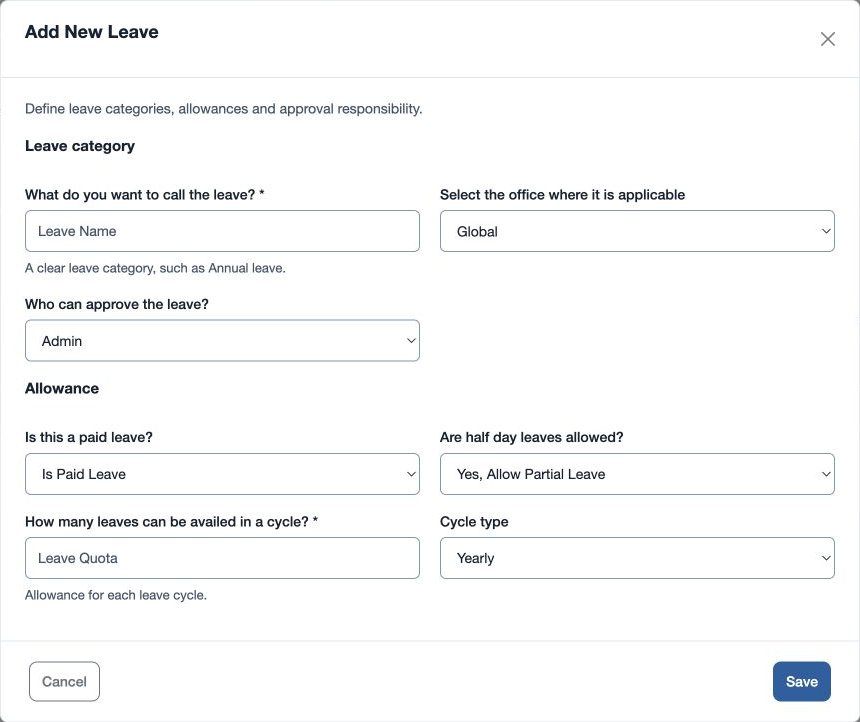
- Choose the add control. Enter What do you want to call the leave?
- For Who can approve the leave? select Admin, Manager or Admin / Manager. Choose Is Paid Leave or Not a Paid Leave, and Yes, Allow Partial Leave or Do not allow partial leave.
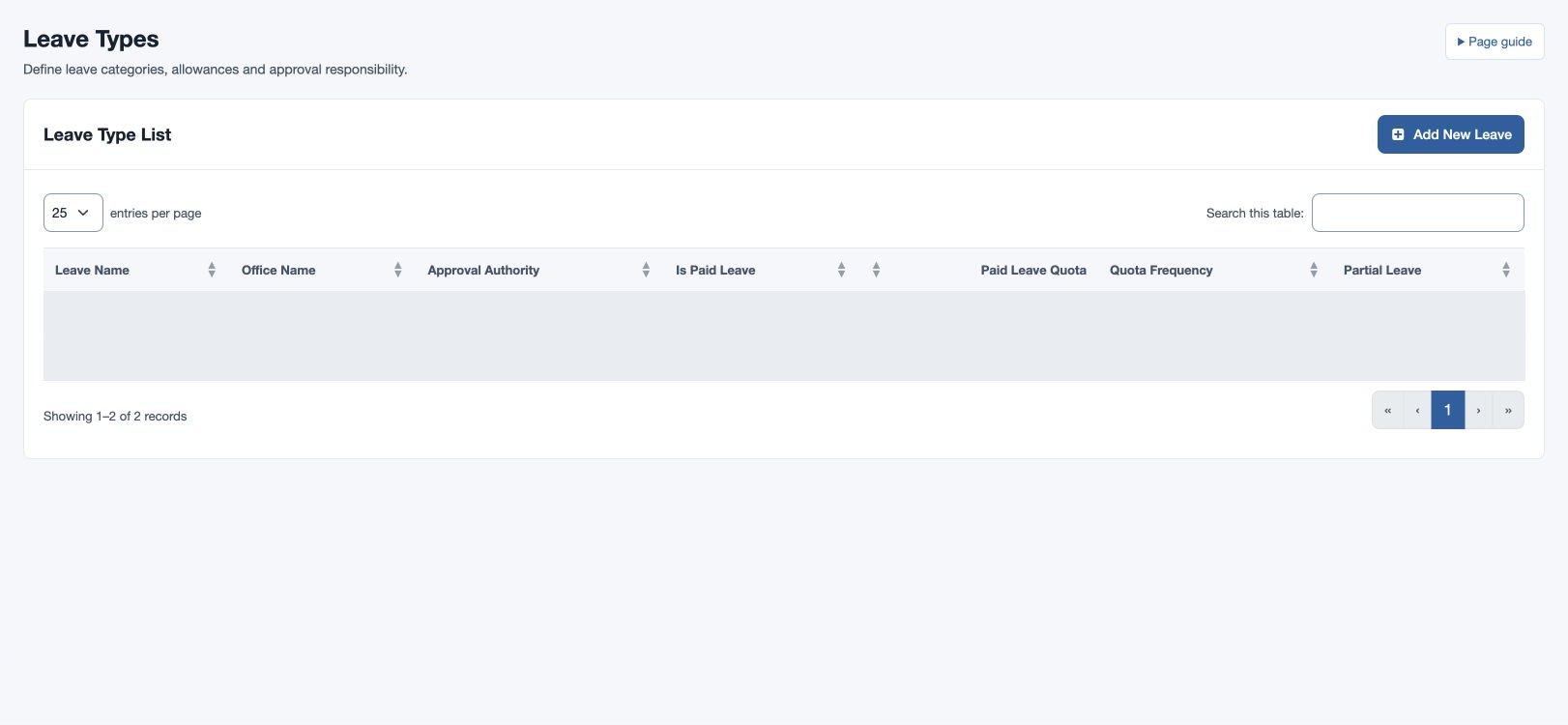
- Enter a whole-number quota from 1 to 365 for how many leaves can be availed in a cycle; choose Yearly or Monthly and an office or Global. Save and check Leave Type List.
For example, define “Casual Leave” as paid, partial leave allowed and yearly, using your own approved quota. Create the corresponding rules in Leave Policies. If a type is unavailable, check its office and policy assignment.
Leave Name must be 4–45 characters. If “Please enter a valid leave setup” appears, check the name length, quota and office. The list shows the saved approval authority, paid status, quota, frequency and partial-leave setting.