Review a wallet purchase or funding request
Trace a request from its accepted quote to its status, service period and wallet entries.
Open an operation
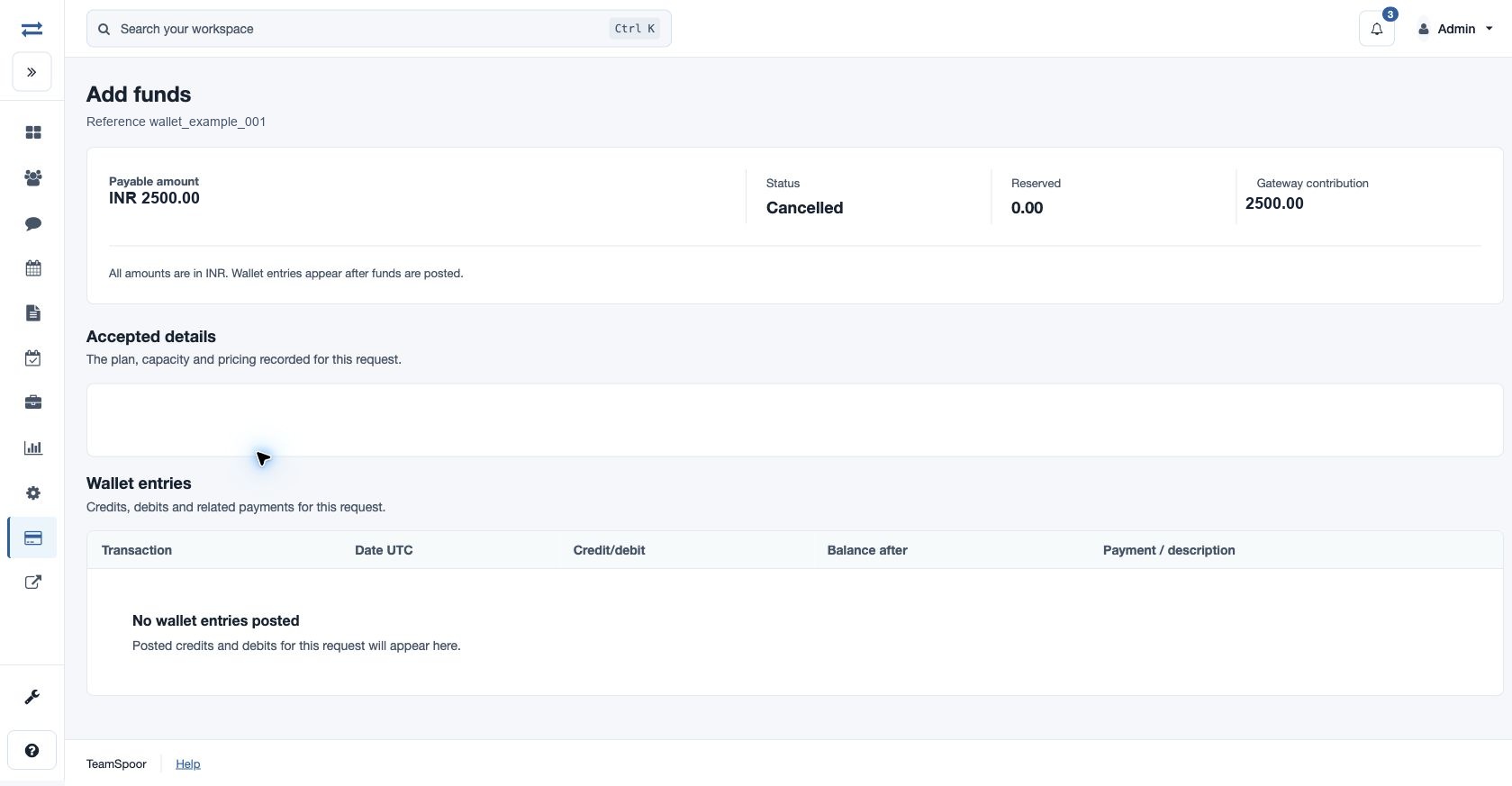
Select a reference in Wallet → Pending and review activity or in the Related operation/payment column of Wallet transactions. The page heading identifies its purpose: Add funds, Add-on purchase, Plan renewal, Plan activation or Renewal quantity change.
Check the result
- Confirm the displayed reference matches the request you want to investigate.
- Read Payable amount, Status, Reserved and Gateway contribution. All amounts use the stated currency.
- Review Accepted details: Plan, Main-plan licenses, add-on, quantity, term, main-period start and end in UTC, and activation start, when applicable. Price version identifies the pricing recorded for this request; it is read-only.
- Expand How this amount was calculated if available. It shows the quoted unit price, full-term amount and proration fraction.
- Check the applied service period or license result when present.
- Read Wallet entries: Transaction is the entry reference, Date UTC is its posting time, Credit/debit is the signed amount, Balance after is the resulting wallet balance, and Payment / description gives the linked payment and purpose. A positive amount adds funds and a negative amount spends or removes funds.
Interpret common states
| Status | Next step |
|---|---|
| Created / Payment pending | The request is unfinished. Return to Wallet and use Resume payment if available. |
| Applied | The requested purchase has been applied. Check the resulting capacity or service dates. |
| Review | The operation needs billing review. Read the displayed reason and preserve the reference for support. |
| Cancelled / Failed | The request did not complete as an applied purchase. Review its entries and Payment activity before starting another attempt. |
Example
A funding request can have no wallet entries while payment is pending or after cancellation. By contrast, a verified top-up should have a posted credit. Use both the operation state and entries rather than treating a checkout return as proof of a successful credit.
Resolve discrepancies
If received funds are recorded but service is not applied, contact billing support with the reference, displayed status, amount and relevant payment receipt. A missing or inaccessible reference may belong to a different account; return to the current company’s Wallet list and open the correct row.