Advance and loan policies
Set eligibility, limits and repayment terms for employee advances and loans.
Choose a policy type
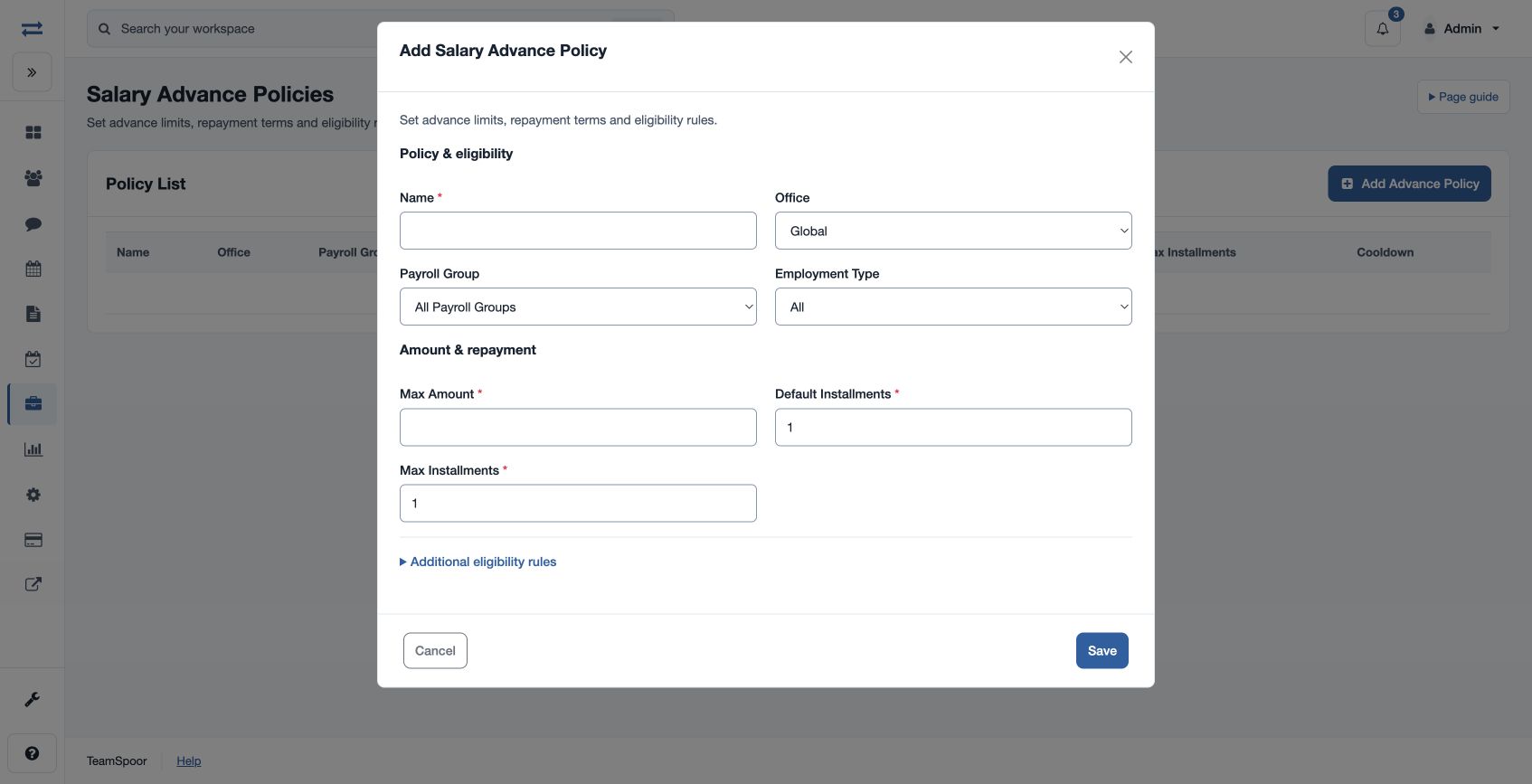
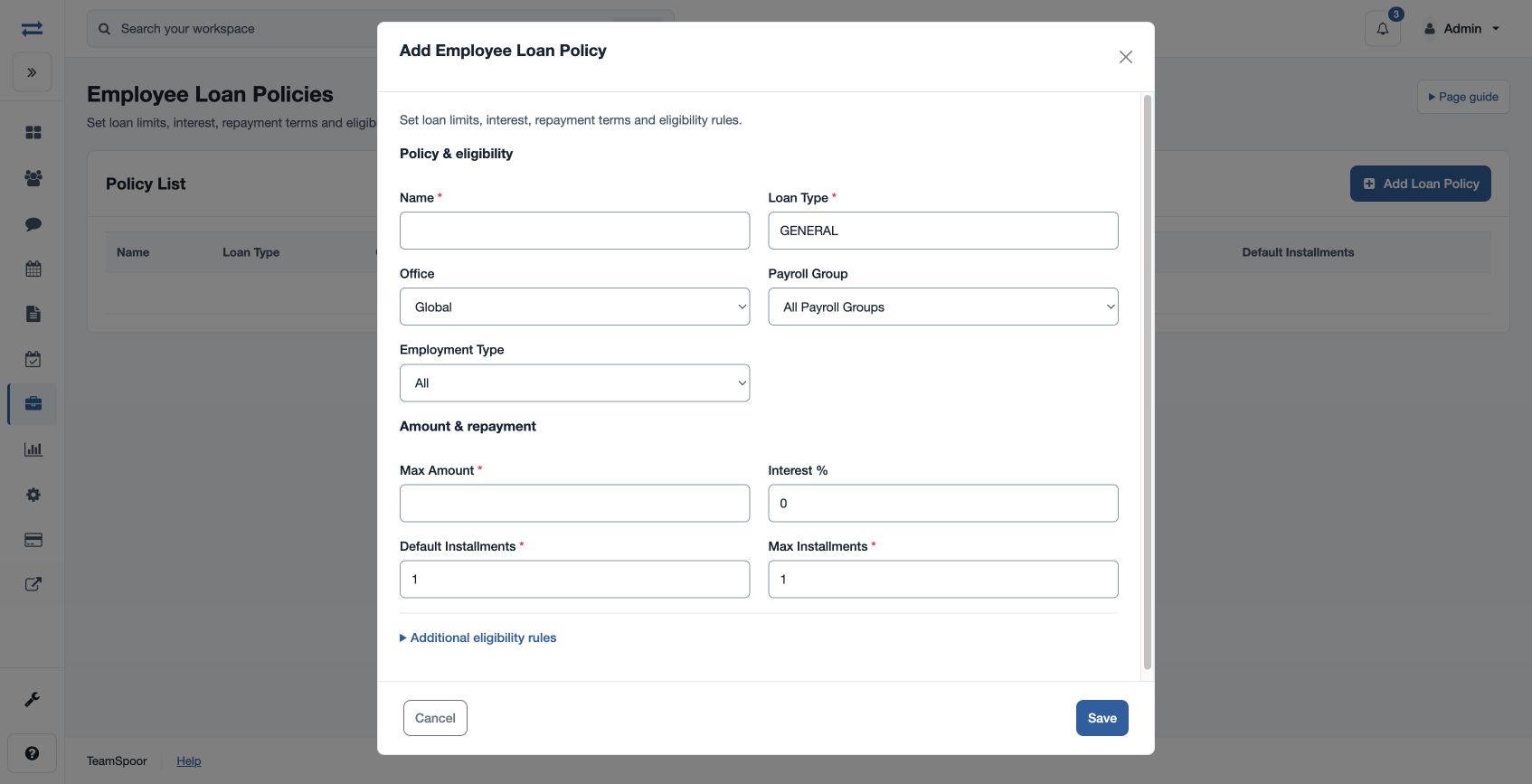
Open Payroll → Setup & policies → Advance Policies or Loan Policies. A payroll-settings manager can create a policy with Name, Office (Global or a selected office), Payroll Group (all or a group), Employment Type (All, Full Time, Part Time, Contract or Intern), Max Amount, Default Installments, Max Installments, Minimum Tenure (Months) and Cooldown (Days).
Configure eligibility and terms
Advance policies also set Parallel Advances, Only One Active and Taxable Treatment (Yes or No). Loan policies add Loan Type, Interest %, Parallel Loans and Allow Top-ups. For example, a policy may permit a maximum of three installments for eligible full-time employees in one group. Select the matching policy when creating the request; the request must meet its limits and eligibility conditions.
Policy limits
Use a positive Max Amount and a name of 3–80 characters. Loan Type accepts 3–40 characters. Default Installments is at least one, and Max Installments is saved at least as high as the default. Review each policy type’s separate field guide for its request and eligibility rules.