Variable pay and corrections
Record approved variable inputs and run-specific corrections.
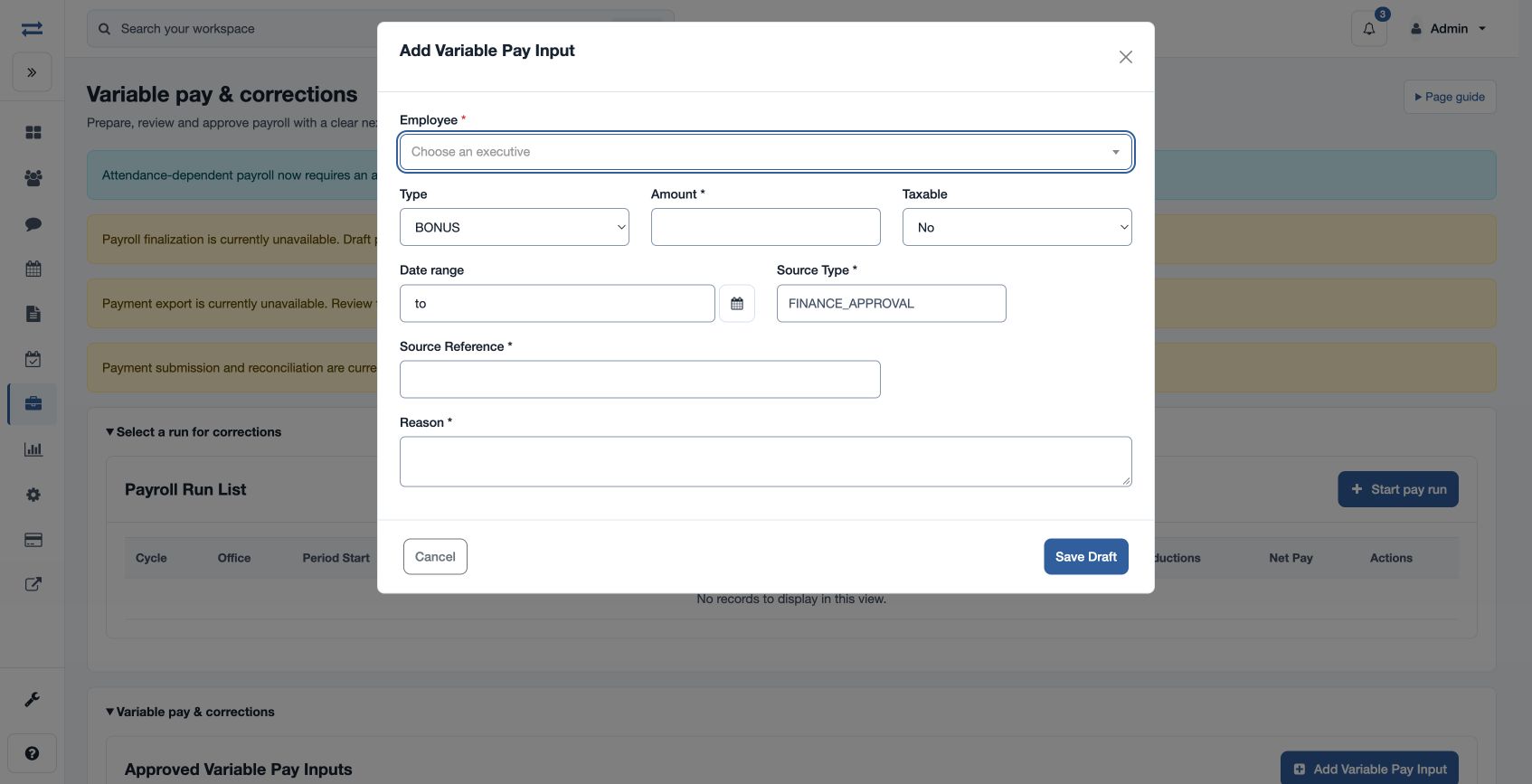
Open Payroll → Inputs & adjustments → Variable pay & corrections. Authorized payroll creators can create a variable pay input for approval: choose Employee, Type (BONUS, INCENTIVE, COMMISSION, ARREARS, MANUAL_INPUT or OTHER_VARIABLE), positive Amount, Taxable, Effective From and To, Source Type, Source Reference and Reason. Use the reference to identify the outside approval; for example, an approved bonus of 5,000 for a single month.
For a selected eligible run, Manual Overrides use Employee, Type, Amount, Taxability and a required business reason. Review and approval controls apply to these corrections. Recalculate and validate the run after eligible changes, then check the resulting employee detail and checks. An emergency stop or missing permissions can prevent adding inputs.
Approve and apply inputs
A variable input is saved as Draft. A payroll approver may approve it; the creator may cancel a draft. Only approved inputs whose effective period overlaps the run are used. After approval, recalculate the draft run and review the employee calculation.
Correct a calculated run
Open an eligible calculated, validation-failed or rejected run, then Add Override. Types are Bonus earning, Incentive earning, Commission earning, Arrears earning, Manual earning, Other earning, Loss-of-pay deduction and Other deduction. Amount must be from 0.01 to 999999999.99; select Taxable or Non-taxable and enter a business reason of at least three characters. Deductions cannot be taxable. Save Draft, obtain approval from a different reviewer, then recalculate before validation or submission. An authorized reviewer may reject a draft, and a creator may cancel one.
Review each override’s status, version, reason and decision in the run. If it does not affect the calculation, verify approval, taxability and the new calculation version.