Claims and reimbursements
Record and review employee expense claims and travel advances.
Submit a claim
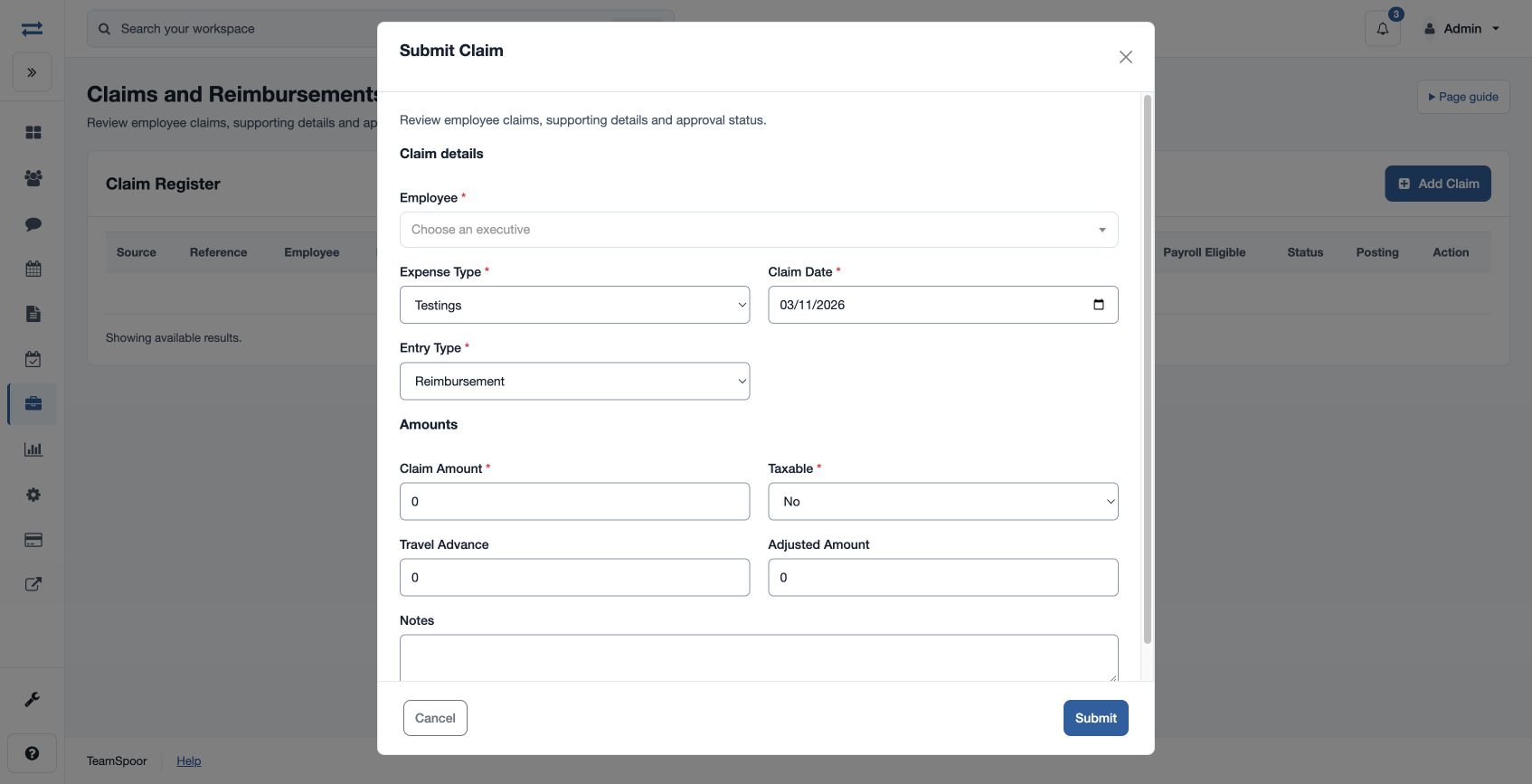
Open Payroll → Inputs & adjustments → Claims. Choose the plus button if your role can create a claim. Select Employee and Expense Type, enter Claim Date, choose Entry Type (Reimbursement or Travel Advance), Taxable and a positive Claim Amount. Travel Advance, Adjusted Amount and Notes are available for the relevant details.
Review and pay a claim
In the register, an authorized reviewer can choose Approve, Reject or Mark Paid, select a Payroll Cycle or Unassigned and enter Approval Notes. For a legacy expense needing enrichment, the update form also requests Taxable, Travel Advance, Adjusted Amount and Claim Notes. Check the claim’s status and applicable cycle before including it in payroll; marking a claim paid is a distinct action. For example, record a 2,500 travel expense with its advance and adjustment amounts as applicable, then review the resulting payable amount.
If an expense type or action is missing, check the configured expense types, employee scope and permissions.
Amounts and posting
Adjusted Amount cannot exceed either Claim Amount or Travel Advance. Net payable is Claim Amount less Adjusted Amount. For example, a 2,500 claim with a 1,000 advance adjustment has a net payable of 1,500. Notes can contain up to 1,000 characters. A new claim starts Pending; approval and the expense type determine its payroll posting eligibility. A claim already reserved or posted cannot be changed through the usual update action.