Travel dashboard
In the Travel sidebar, select Overview.
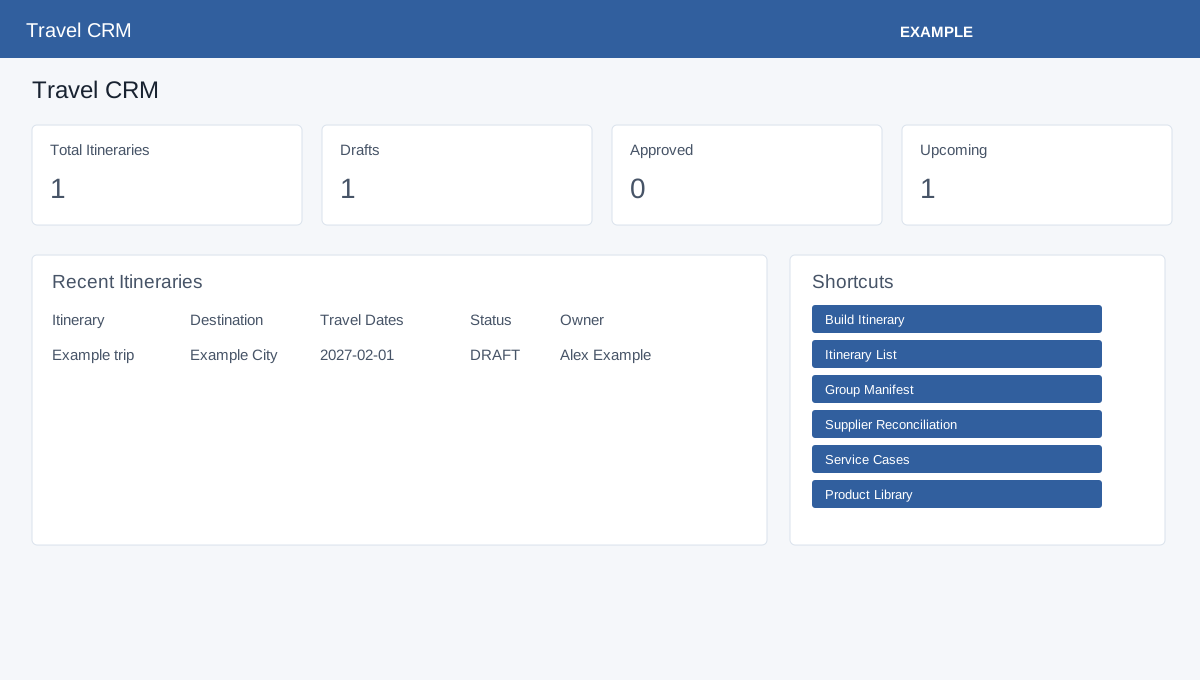
Open Travel CRM. Travel access and foundation storage are required. Review Total Itineraries, Drafts, Approved and Upcoming. If advanced storage is ready, review Manifest Travelers, Readiness Risks, Open Service Cases, Pending Supplier Payments, Pending Commissions and Post Trip Due. Upcoming counts itineraries with a start date today or later regardless of status. The advanced payment count includes every reconciliation status except Paid; pending commissions include Pending, Expected and Invoiced. Post Trip Due includes Pending or Scheduled follow-ups with no scheduled time or a time already reached. Recent Itineraries loads up to eight records and links to them. Shortcuts open Build Itinerary, Itinerary List, Group Manifest, Supplier Reconciliation, Service Cases and Product Library. Follow the relevant record to investigate a count. Ask an administrator about any storage readiness warning.
Itinerary builder · Itinerary list · Product library · Contact Travel dashboard · Customer travel pack
If loading or saving fails, ask an administrator to check the deployment; do not assume a blank result establishes that no records exist.
Detailed procedures
- Build and share an itinerary
- Customer itinerary response
- Group manifest and rooming
- In-trip service cases
- Itinerary operations tasks
- Itinerary preview and sharing
- Itinerary templates and playbook tasks
- Post-trip follow-ups
- Supplier reconciliation
- Travel AI planner
- Travel departure calendar
- Travel document registry
- Traveler readiness
- Travelers, readiness and documents
- Travel operations tasks
- Travel reports
- Travel reports
- Travel service cases and follow-ups
- Travel supplier directory
- Travel suppliers, reconciliation and reporting