Itinerary list
Itinerary list
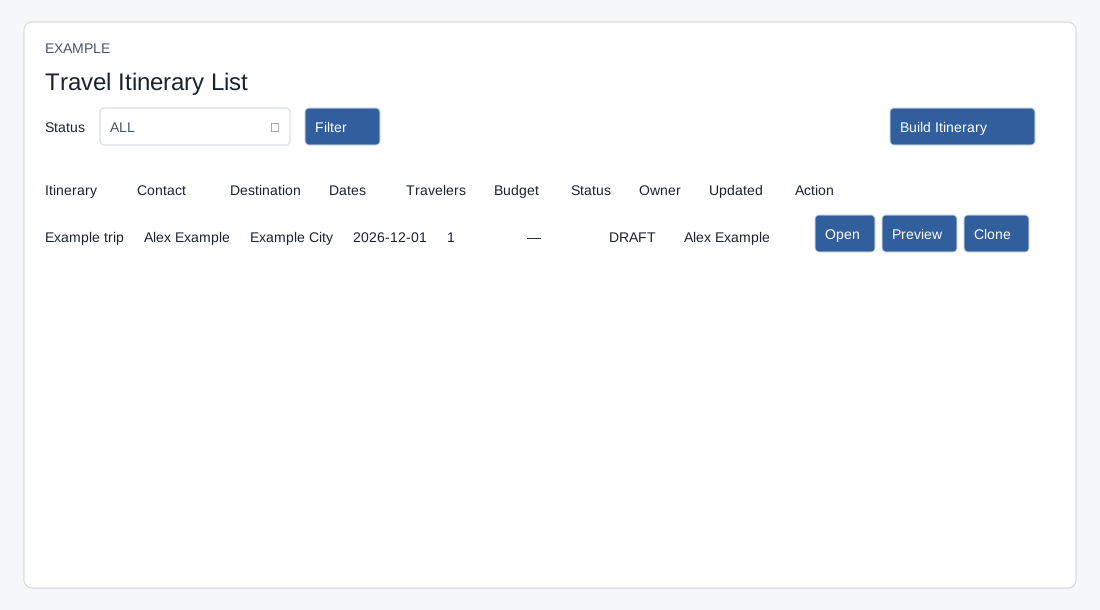
Open Travel → Itineraries. Choose Status: ALL, DRAFT, PUBLISHED, APPROVED, CHANGE_REQUESTED, BOOKED, COMPLETED or CANCELLED, then Filter. The list shows at most 100 company itineraries, most recently updated first. Columns are Itinerary, Contact, Destination, Dates, Travelers, Budget, Status, Owner, Updated and Action. No itineraries found may mean the filter has no matches; try ALL. Ask an administrator to resolve any setup warning.
Open goes to the builder; Preview opens the customer preview. With write access, Build Itinerary starts a new plan and Clone creates a separate DRAFT titled “Copy of …”, copies the header, days and items, and opens the copy; the current user becomes owner. Check the copy before using it. An error toast can indicate missing source, storage or permission; verify before retrying to avoid extra copies. The list has no delete or quote button; use the builder for itinerary editing and quote handoff.