Deals
Review opportunities on the pipeline board and open a deal’s contact to manage it.
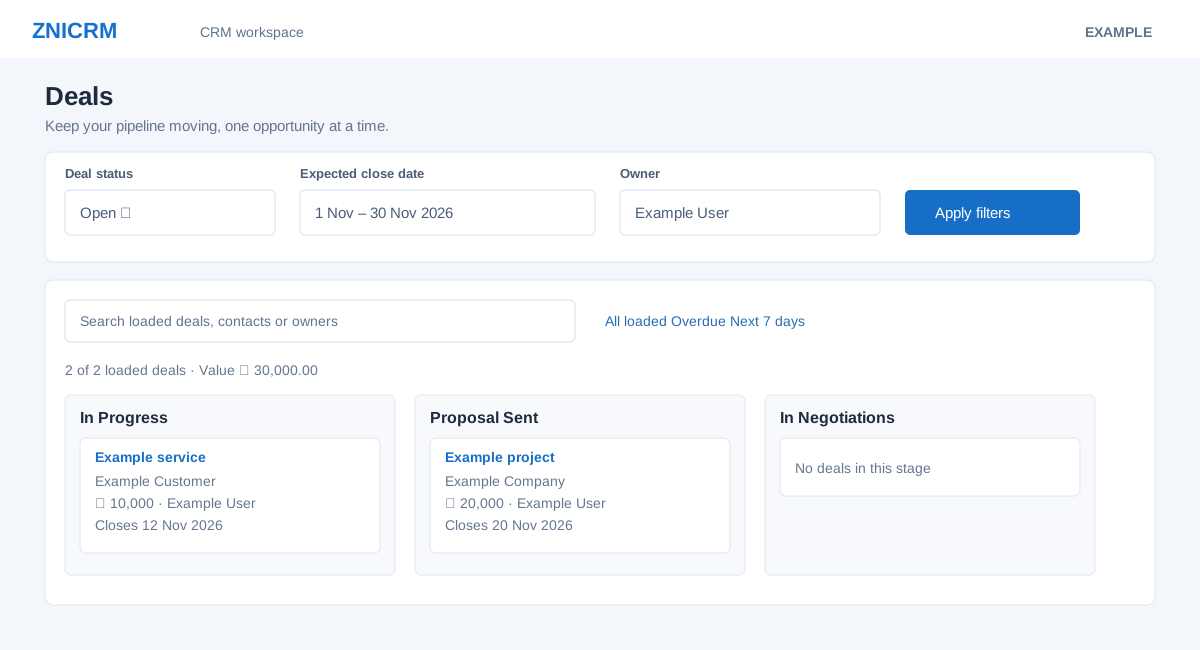
Review the pipeline
- Open CRM → Deals.
- Choose deal status (the page immediately reloads), then set expected close date and owner and select Apply filters. Use Refresh to reload.
- Search loaded deals, contacts or owners. Narrow the loaded results to overdue or the next seven days, and sort by newest, closing soonest, highest value or deal name.
- Use Hide empty stages, Compact cards, Jump to stage or the previous/next stage controls to navigate the board. Select the preview control or open a deal’s contact for details.
Counts, values, search and sorting cover loaded deals only; the live page states a limit of up to 200 deals per stage. For deal creation, stages and linked documents, see the deals management reference.
Detailed procedures
- Agent Monthly Sales
- Average Deal Value
- Contact Method
- Conversion Rate
- Country/State Sales
- Deal Health
- Deal Revival
- Deals
- Invoice Sales
- Lead Response Time
- Lead Status Wise Report
- Loss Analysis
- Opportunity Win Rate
- Payment Gateway Orders
- Product Sales
- Quota Attainment
- Report chart index
- Reporting workspace
- Report tables and charts
- Revenue
- Sales Cycle Length
- Sales Growth YoY
- Sales Productivity
- Submitted Forms
- Subscriptions
- Tasks
- Tasks list
- Team Sales