Dialer queues and workspace
Navigation
The shared Dialer navigation shows Overview and My Queues. Workspace appears when the workspace permission allows it; Import CSV requires both batch creation and file import permissions, and Reports requires the reports permission. Page settings opens the shared settings panel.
Open the page
Switch app > Dialer. Dialer access and the relevant action permissions are required.
Choose the next activity
- Overview summarizes recent queues. My Queues finds assigned and visible queues; Create Queue defines a queue; Import CSV stages and queues an import; Workspace is where an agent claims prospects, makes calls and records outcomes.
- Permissions, queue visibility and telephony configuration determine available controls. Claims, calls, imports, saves and CRM promotion affect live data.
Example workflow
- Create a follow-up queue for Example Co., review its audience and access, then an authorized agent claims an item, calls the prospect and saves a disposition or callback. Review queue counts and follow-up work.
Dialer topics
- Find dialer queues
- Create or manage a queue
- Import a CSV
- Work a queue
- Dialer telephony and Power mode
- Outcomes, callbacks and CRM promotion
- Disposition sets and scripts
- Telephony workspace
Overview and access
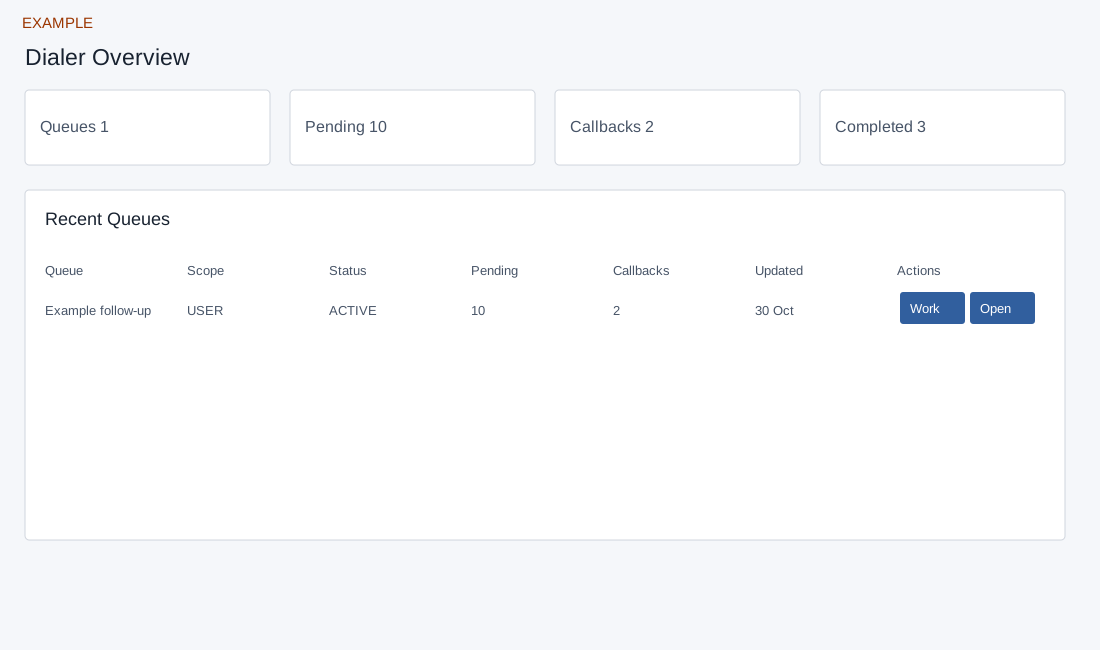
Dialer app access is required; navigation and actions vary by specific permissions. Overview requests up to 50 visible queue headers, shows the first eight in Recent Queues, and summarizes the loaded result rather than the entire company history. Work opens Workspace and Open opens queue management; access is checked by the destination. My Queues searches queues visible to you. Create Queue needs batch-create permission; Import CSV additionally needs import permission; Workspace needs workspace and work-queue access. Reports and admin settings have separate access. Select a queue before claiming or working an item.