Customer travel pack
Customer travel pack
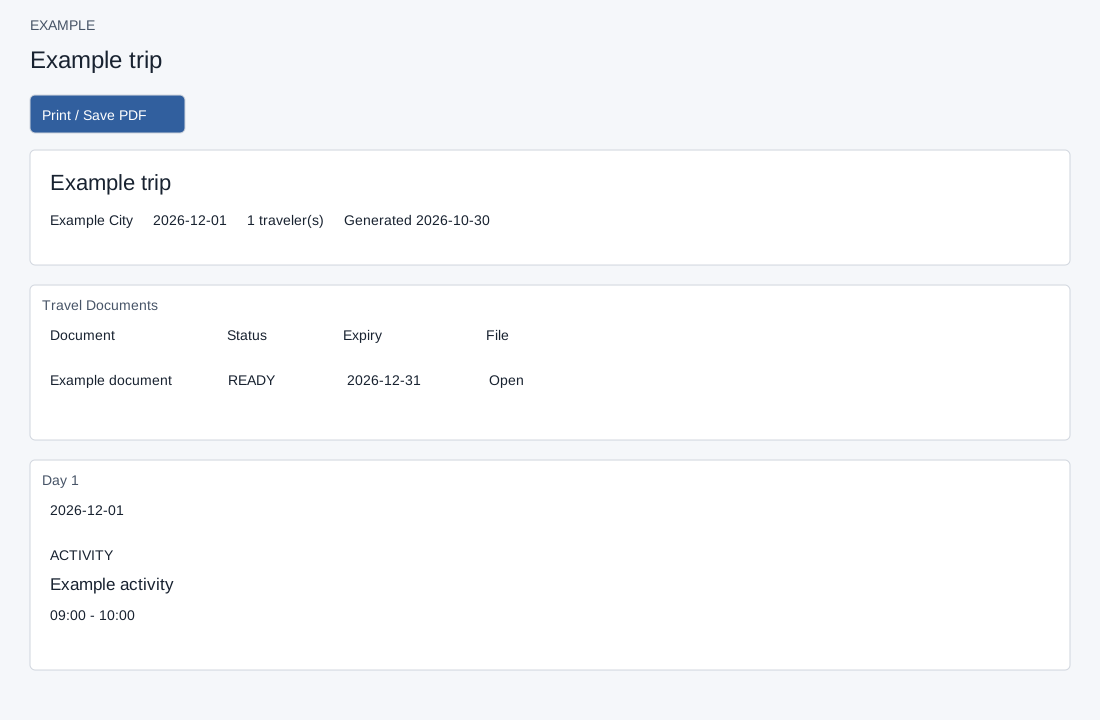
A published pack link opens a saved snapshot using its token without the normal CRM login page; anyone holding a valid link can view its displayed content. Protect the link as sensitive. The token lookup requires an active unexpired pack; a missing, invalid, inactive or expired token shows an error. Request a fresh link from the travel team. Opening a valid link updates its view count and last-viewed time. Print / Save PDF invokes the browser print dialog; choose the browser’s PDF destination if available.
The cover shows title, destination, dates, travelers and generated time. Available documents include status, expiry and file links. Days show date, summary and client-visible items with image, type, title, times, description and client notes. The pack includes client-visible documents (up to 200), and, when advanced features are ready, up to 200 rooming rows and 300 active travelers automatically. Rooming shows traveler names, room details and supplier confirmation; Traveler Preferences shows meal preference, special assistance and emergency contact name and phone. These are sensitive details visible to a link holder. The snapshot also stores traveler email and phone, although this page does not render them. Review these details before sharing; a later edit does not itself change an already saved snapshot. Publish or replace the pack from the builder; share only with intended recipients. Publishing expires previous active packs before inserting the replacement; if publishing fails, check whether the old link is still active and publish a new one as needed.