Recycle bin
Review deleted contacts and select contacts for restoration or permanent removal.
- Open Account Settings → CRM Data → Recycle Bin.
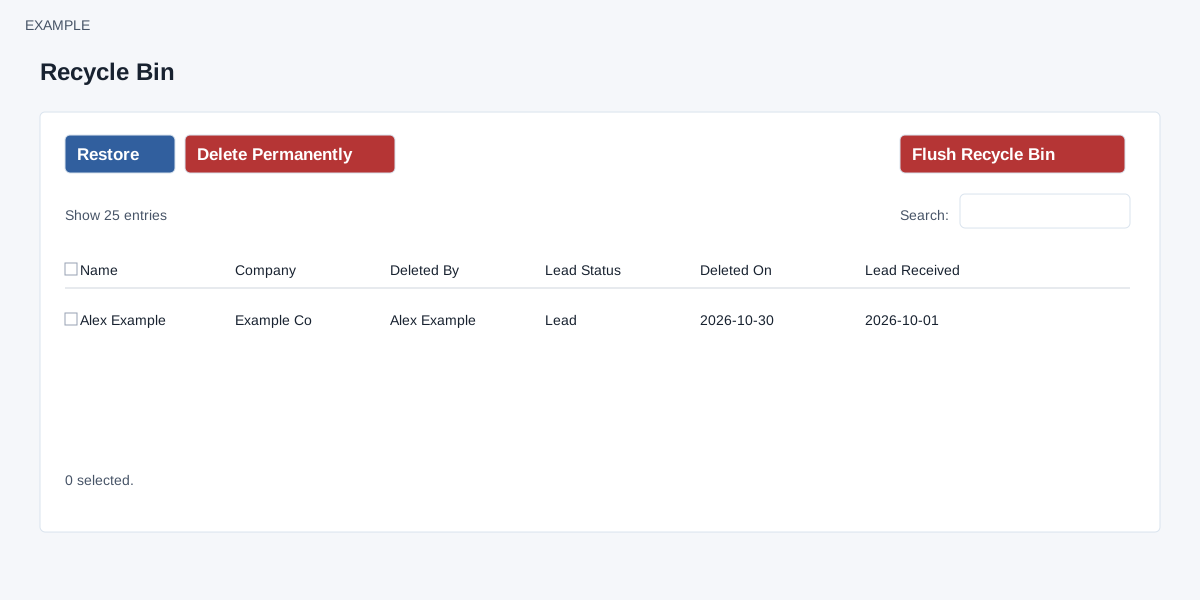
- Use search, sorting and the entries-per-page selector to find records. The table includes name, company, deleted by, lead status, deleted on and lead received.
- Select the contacts on the current page and choose Restore to request restoration.
- For permanent removal, review the selection before choosing Delete Permanently. Flush Recycle Bin is a separate bulk action; review its confirmation and scope before proceeding.
Permanent deletion cannot be assumed reversible.
Selection, confirmations and processing
ADMIN access is required. The table starts at 25 rows per page. Select row checkboxes or the header checkbox for the current page; the selected count reflects current-page selections. Restore and Delete Permanently require at least one selected contact on that page, and each asks for confirmation. Flush Recycle Bin asks for confirmation and targets all marked-deleted contacts in the company, not only selected or visible rows.
These actions queue work. Restore clears the deleted mark on valid company contacts; Delete Permanently invokes permanent deletion for selected valid contacts; Flush invokes it for all marked-deleted company contacts. Completion notifications are separate. A confirmation does not guarantee that every selected contact was restored. Check the recycle bin and contact list after processing. Check notifications and the resulting records before retrying. Permanently deleted data may not be recoverable; review selections and scope before confirming. The deletion routine removes the contact and attempts related tags, profiles, products, conversations, anniversaries, deals and pending tasks, with a 100-row limit on each of several related-table deletes. Do not assume it removed every related record; the page warning is not an inventory of guaranteed effects.