Travel document registry
In the Travel sidebar, select Documents.
Open this workspace from Travel CRM. Create an itinerary first. Travel access and the appropriate action permissions are required; advanced storage enables manifest and readiness.
Document permission is needed to make changes.
Document registry
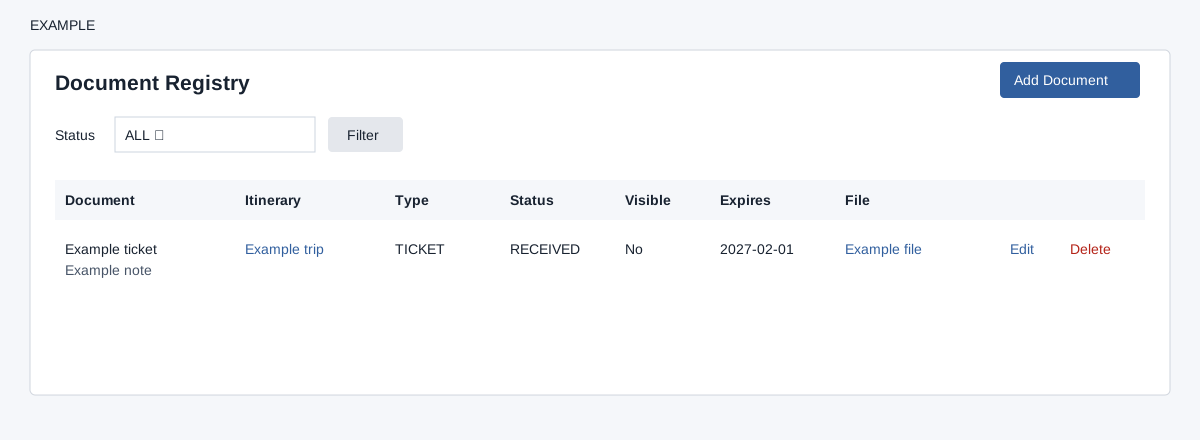
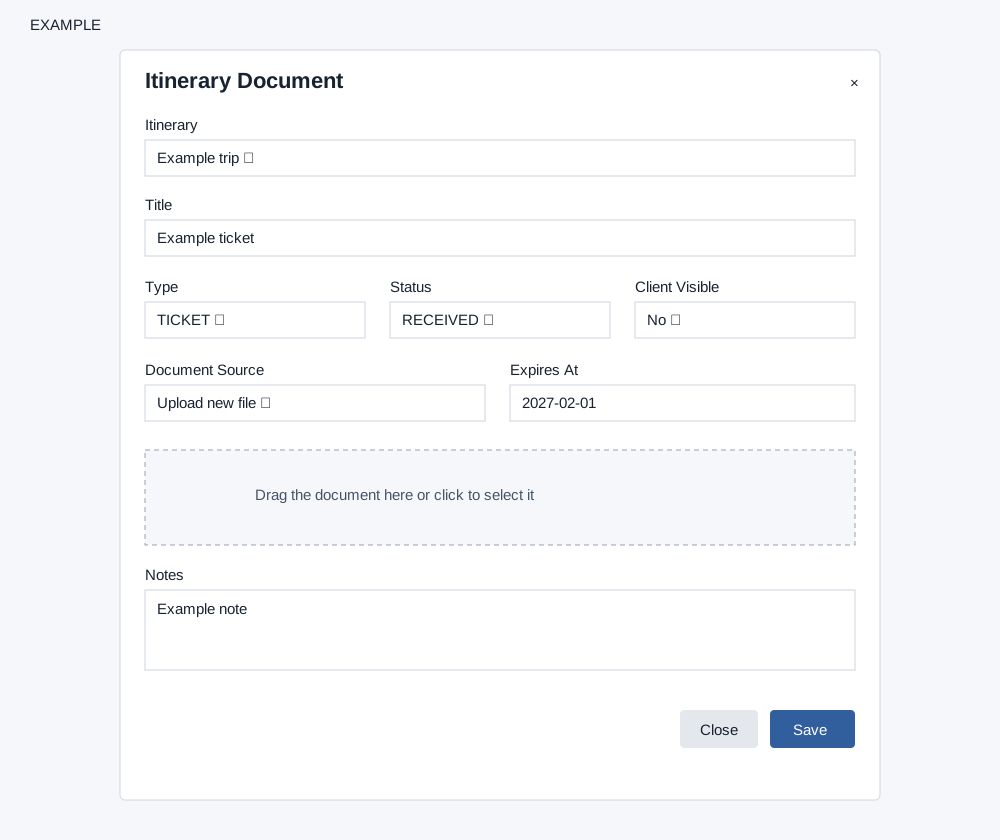
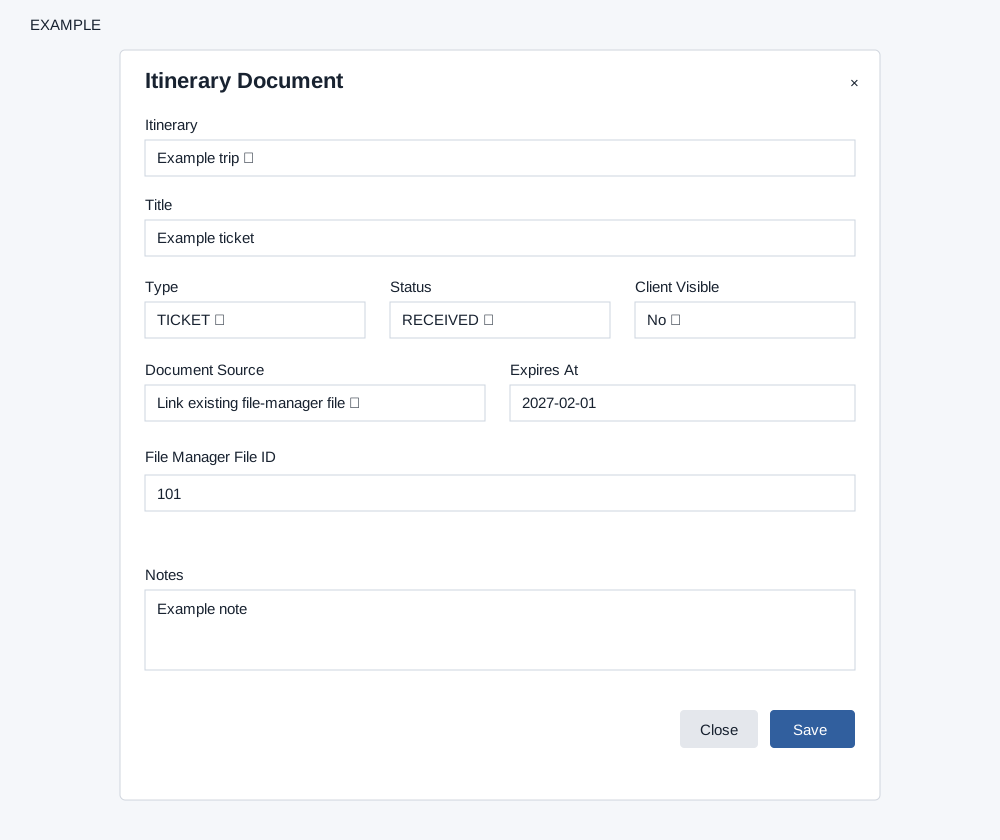
Open Travel CRM → Documents. Document permission permits changes. Filter by Status (All, Pending, Received, Verified, Expired or Rejected) and select Filter. The page loads up to 300 document records and 200 itineraries. Select Add Document. Select the required Itinerary and enter Title (an upload can supply the title). Choose Type (General, Voucher, Confirmation, Ticket, Visa, Passport, Insurance, Payment, Supplier or Other), Status (Pending, Received, Verified, Expired or Rejected) and Client Visible (No or Yes); optionally set Expires At and Notes. Document Source can be Reference only, Link existing file-manager file (enter its File Manager File ID), or Upload new file (select a file). Upload accepts one PDF, DOC, DOCX, XLS, XLSX, CSV, JPG, JPEG, PNG, GIF, ODT or ZIP file. Selecting Upload changes Pending to Received in the form; Save starts the queued upload to file manager and links the result. Reference or link mode saves the record directly. Delete confirms removal of the document record; do not assume it deletes the underlying file. The file is uploaded before the document record is saved; if the record save fails, check the file manager and registry before retrying to avoid duplicate files. Reload and check the registry, visibility, status and file link after saving. The row displays title and notes, itinerary link, type, status, visibility, expiry and either an openable file link or a file ID. Edit or Delete is available with document permission. The itinerary link opens the builder; an available file link opens a new tab. A missing itinerary, title or upload selection produces a message; check file access and the displayed error if upload fails. A linked file ID must belong to the company; document titles are stored with a maximum of 180 characters. Existing file links can be replaced by another file or reference; changing the record does not remove the old file.
Itinerary builder · Contact travel dashboard
Setup check limitation: If loading or saving fails despite no setup warning, ask an administrator to check the deployment and permissions.