Post-trip follow-ups
In the Travel sidebar, select Service.
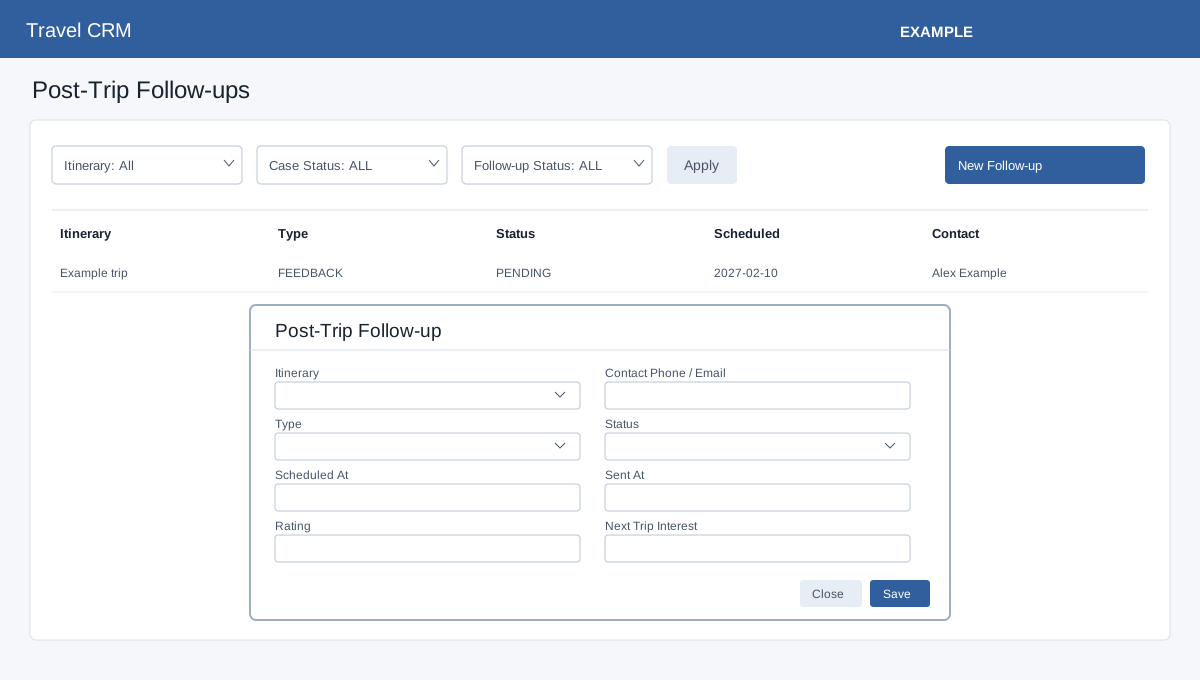
Open Travel Service. Travel access and operations permission are required; service permission also exposes the editing controls. Advanced storage and an itinerary are prerequisites. Filter by Itinerary and Follow-up Status and Apply. Select New Follow-up and search for the required itinerary. Optionally find a contact by phone or email. Choose Type (Feedback, Review, Referral, Repeat Travel, Thank You or Issue Recovery) and Status (Pending, Scheduled, Sent, Completed or Skipped). Optionally enter Scheduled At, Sent At, Rating from 0 to 5, Next Trip Interest, Feedback and Notes. Save reloads the list; inspect the row. Edit, Complete or Delete is available on the row. The form records follow-up information; it does not itself promise to send a message. If saving fails, check the itinerary, permissions and displayed message.