Helpdesk workspace
Availability depends on your access and configuration.
Open the page
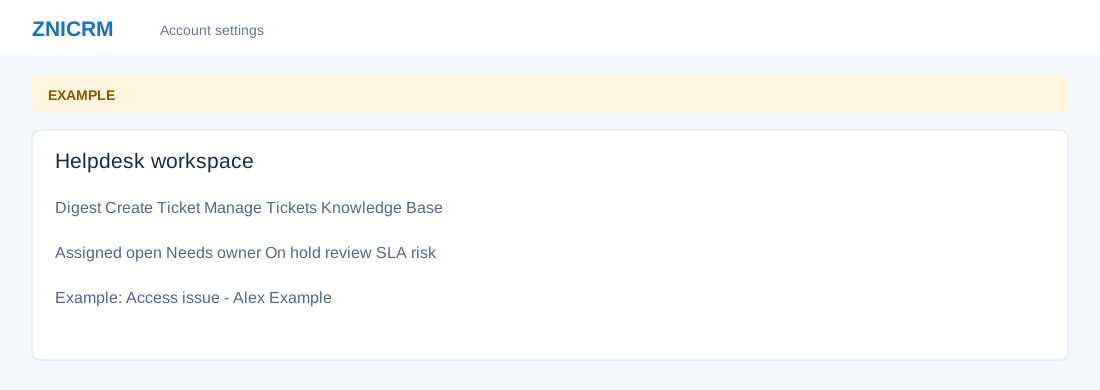
Switch app → Helpdesk. HELPDESK access and an authorized report scope are required. See Helpdesk Digest for search, queue scope and indicators.
Navigate support work
- The Helpdesk Digest is a support-ticket inbox separate from the CRM Daily Digest. Its assigned, unassigned, overdue and on-hold links open corresponding queues. Quick actions lead to SLA risk, first-response and unassigned work.
- Open Create Ticket for a new request, Manage Tickets for the report and bulk actions, Knowledge Base for support articles, and Dashboard for workload and performance summaries. Availability depends on role and configuration.
Work a request
- Identify the customer, choose the right category and agent, and describe the issue. Open the ticket, review its conversation and SLA, reply or add an internal note, and close it once resolved.
- Example: customer Alex Example reports an access problem. An agent routes it to a Technical Support category, checks the answer and follows up.
Helpdesk topics
- Dashboard
- Feedback survey
- Create a support ticket
- Find and manage tickets
- Ticket workspace
- Conversation and replies
- Internal notes, watchers and attachments
- Status, approvals and ownership
- Link, merge, split and clone
- Record ticket time
- Knowledge base
- Helpdesk preferences
- SLA settings
Detailed procedures
- Agent performance
- Category performance
- Channel performance
- Customer satisfaction report
- Helpdesk billable time report
- Helpdesk operational queues
- Knowledge base categories and search
- Knowledge base category articles
- Knowledge base deflection
- Read and rate a knowledge base article
- SLA performance
- SLA queue
- Write and edit a knowledge base article