Accounts
Find the organizations associated with your CRM contacts.
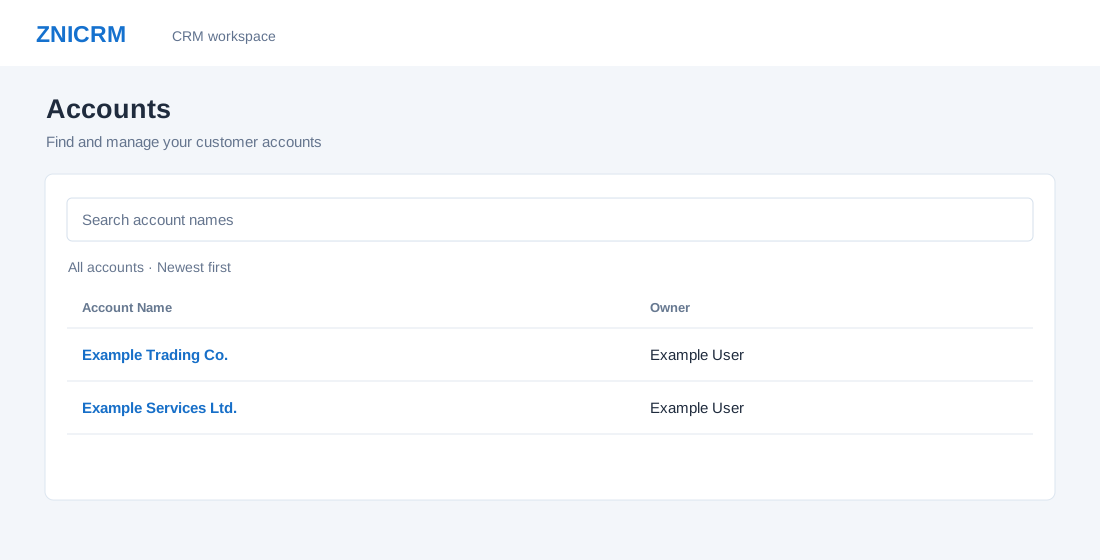
Find an account
- Open CRM → Accounts. CRM and Accounts list access are required; some roles must enter from Daily Digest. If the grant expires, reopen Accounts from Digest.
- Enter an account name in Search account names. Search applies as you type or when you press Enter. Clear search restores the list; Reload accounts retries and refreshes the current search.
- Results show Account Name and Owner, newest first. Select the name to open the account. Previous and Next browse 50 rows per page; column sorting and page-size changes are unavailable. A plus sign on the count means the count is capped. If loading fails, use Reload; if access is denied, return to Digest.
The page has no list filters beyond name search, bulk action, or Kanban view. Administrators see the company-wide list; other users see accounts within their access scope. For the account workspace see Account details and Account addresses.