Knowledge base deflection
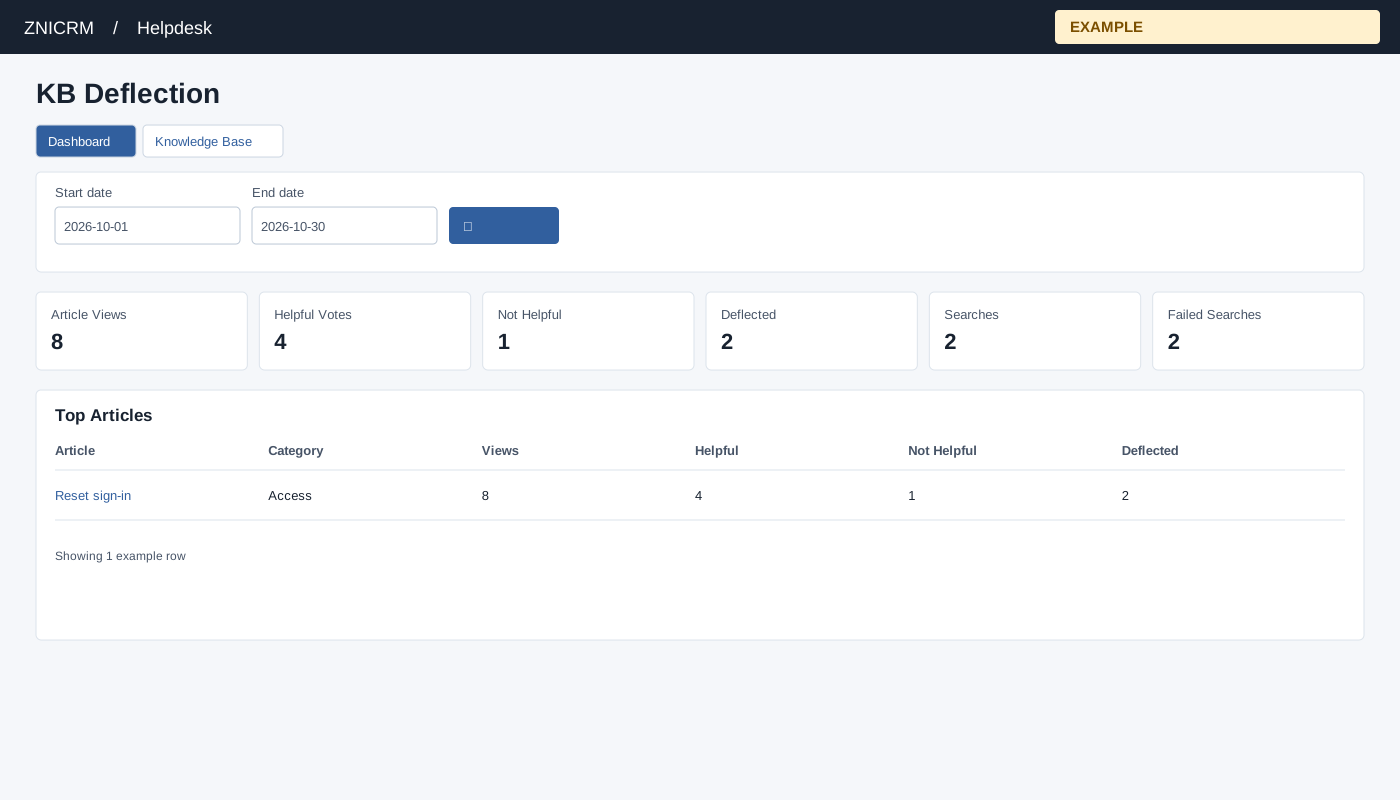
Open and filter
Open KB Deflection from Helpdesk reporting. Helpdesk access and the ADMIN role are required. Set Start and End dates and select search; the default is month-to-date. Dashboard and Knowledge Base links provide related navigation.
Cards show Article Views, Helpful Votes, Not Helpful, Deflected, Searches and Failed Searches. Top Articles lists Article, Category, Views, Helpful, Not Helpful and Deflected (up to 25). Failed Searches lists Search Term, Count and Last Search (up to 25). Recent Article Feedback lists Date, Article, Category, Feedback, User and Source (up to 50). Article links open the article.
Understand the recorded activity
| Metric | Interpretation |
|---|---|
| Article Views | Recorded VIEW events in the whole-day range. Opening an article can add another view; this is not a unique-reader count. |
| Helpful / Not Helpful | Counts of the corresponding recorded feedback events. Repeated activity is not a count of distinct people. |
| Deflected | Explicit DEFLECTED events recorded by a supported reader workflow. It is not inferred from every view or helpful vote, and it does not prove that a particular ticket was avoided. |
| Searches | Recorded searches in the range. A search requires a sufficiently long query and analytics setup. |
| Failed Searches | Recorded searches returning zero results. This means no result for the submitted query, not a network or service error. |
All counts depend on event recording. If analytics setup is unavailable, zero or empty results do not establish that nobody read an article. Inspect the warning and ask the administrator to check analytics availability. Top Articles and Recent Article Feedback link to an article; opening it may itself record a view.
Example and verification
If “reset access” appears repeatedly in Failed Searches, review or create an article using that language and later compare recorded search and feedback counts. Check the analytics setup and date range if no events appear.