Helpdesk operational queues
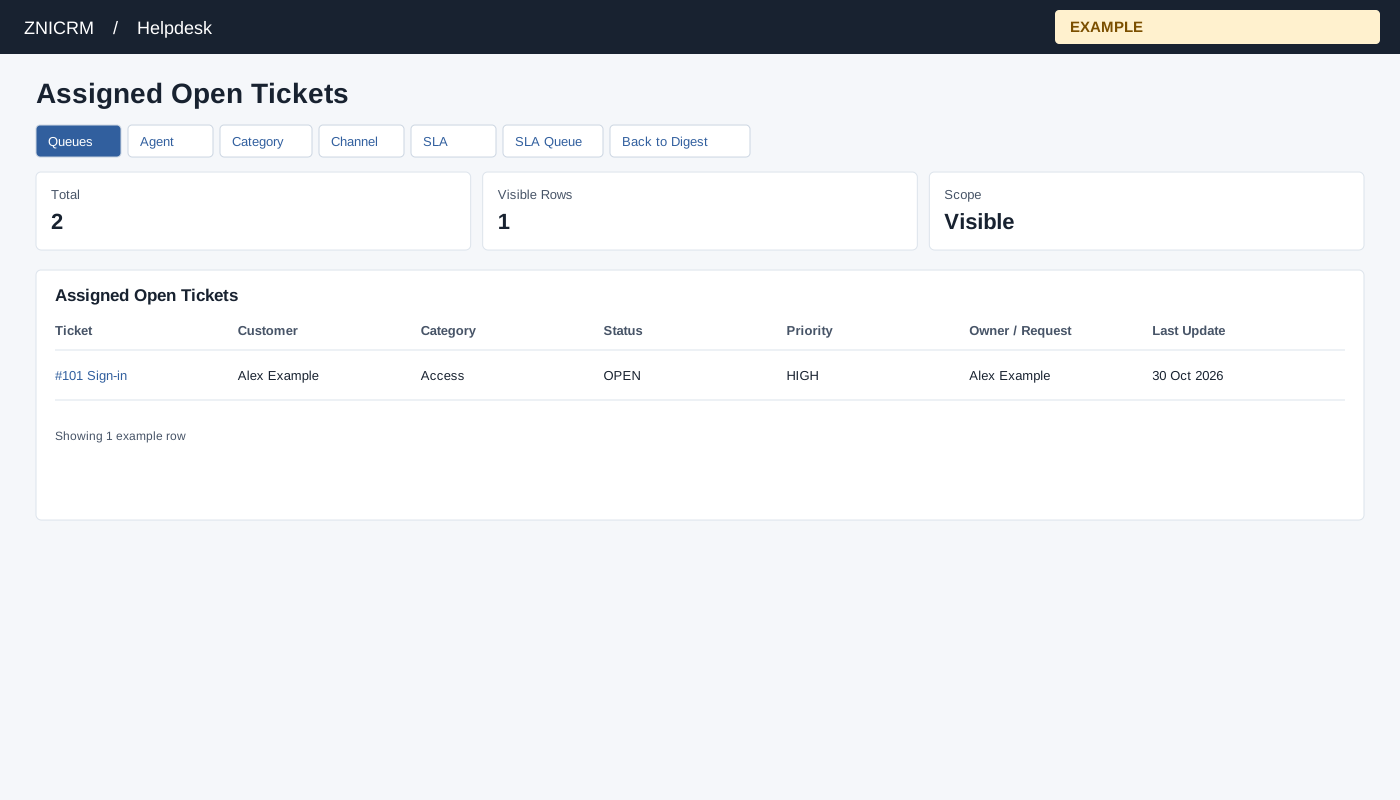
Open and choose a queue
From the Helpdesk digest open a queue, or choose Queues in the report navigation. Helpdesk access and report scope are required. Non-administrators are limited to their permitted support scope; an administrator can review broader scope. If access is denied, ask an administrator to review access and support membership.
Tabs include My Queue, Assigned Open Tickets, Unassigned Tickets, Overdue Tickets, Critical Tickets, Waiting Customer, Waiting Agent, First Response Due, On-Hold Tickets, Closed Tickets, Pending Approvals, Pending Escalations, Pending CSAT and Low CSAT Recovery. Some tabs depend on digest preferences.
The queue lists Ticket, Customer, Category, Status, Priority, Owner / Request and Last Update. Select a ticket title to open its workspace; opening a ticket records viewing activity. Back to Digest returns to the digest. The full queue report retrieves up to 1,000 rows; the digest queue uses the configured limit, bounded to 100. A count can therefore exceed the displayed rows.
Choose the queue for the next action
| Queue | What qualifies and how to use it |
|---|---|
| My Queue | OPEN tickets assigned to the selected/current user. Start here for owned work. |
| Assigned Open Tickets | OPEN tickets with an owner; use the permitted scope to review team workload. |
| Unassigned Tickets | OPEN tickets without an owner. Review the category and assignment policy before assigning. |
| Overdue Tickets | OPEN tickets beyond the company resolution-hours calculation. This is distinct from the per-ticket deadline logic in SLA Queue. |
| Critical Tickets | OPEN tickets with HIGH, URGENT or CRITICAL priority. |
| Waiting Customer | OPEN tickets assigned to the selected/current user whose latest conversation is recorded as USER. Review the last message before deciding a reminder is appropriate. |
| Waiting Agent | OPEN tickets whose latest conversation is from the customer or whose latest-conversation origin is empty. |
| First Response Due | OPEN tickets with no USER conversation. The name does not mean a timed first-response deadline has already been breached. |
| On-Hold Tickets / Closed Tickets | Pending and on-hold status variants, or CLOSE/CLOSED status respectively. Open a ticket to review why its lifecycle changed. |
| Pending Approvals / Pending Escalations | Outstanding approval or escalation records within the permitted scope. A row may represent a request, so inspect Owner / Request and the ticket workspace. |
| Pending CSAT | Feedback requests with current PENDING or SENT status. |
| Low CSAT Recovery | Low-score feedback with recovery status PENDING or ESCALATED. Review the feedback and recovery action on the ticket. |
These lists describe current records. There is no date-range selector or bulk-action control on these queue views. Scope and preferences affect which queues and records appear.
Example and verification
Open First Response Due to prioritize unanswered work, inspect owner and last update, then open the relevant ticket. If a queue is missing, check digest preferences and report scope. A queue is a view of current records, not a bulk action.