Category performance
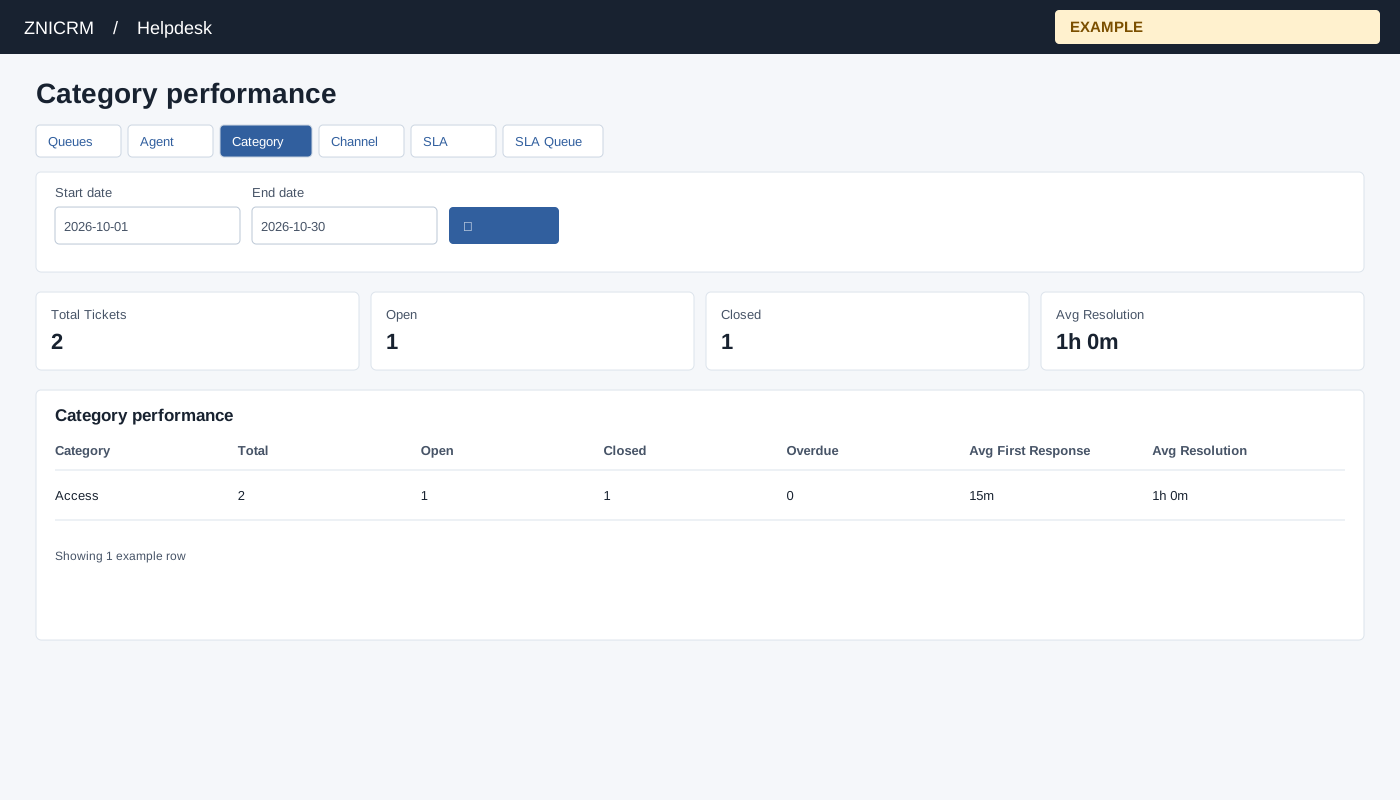
Open and filter
From Helpdesk reports choose Category performance. Helpdesk access and report scope are required. Non-administrators are limited to their permitted support scope; an administrator can review broader scope. If access is denied, ask an administrator to review access and support membership. The corresponding report must be enabled in Helpdesk report preferences.
- Set Start date and End date, then select the search button. The initial range is the first day of the current month through today.
- Review Total Tickets, Open, Closed, Avg Resolution. Identify categories with high volume or long resolution. The breakdown columns are Category, Total, Open, Closed, Overdue, Avg First Response, Avg Resolution. A missing duration appears as NA; the header average is an average of available row averages, so it need not equal a ticket-weighted average.
- Use the report tabs to move between Queues, Agent, Category, Channel, SLA and, when enabled, SLA Queue. The performance tabs retain the date range.
Interpret the dates and measures
The selected range includes whole start and end days and selects tickets by creation date. Status, owner and category values describe the stored ticket when you run the report, not a historical snapshot at the end of that period. The report covers at most 90 days from the start date, even if the date field shows a later end. Use shorter ranges when reconciling totals. Each breakdown returns at most 500 groups.
| Measure | Meaning |
|---|---|
| Total Tickets | Tickets created in the effective range and permitted support scope. Open plus Closed need not equal Total because other statuses can exist. |
| Open / Closed | Current OPEN tickets and tickets with CLOSE or CLOSED status. On-hold tickets are not counted as Open by this calculation. |
| Overdue / Resolution Breaches | Currently OPEN tickets older than the company’s configured resolution-hours threshold, using creation time or a stored closure time if present. This calculation does not use each ticket’s SLA deadline and stored SLA state; use SLA Queue for that operational view. |
| Avg First Response | Elapsed minutes from ticket creation to its first conversation recorded as USER, averaged over tickets with such a conversation. It does not prove email or message delivery and is not restricted to the current owner’s replies. |
| Avg Resolution | Elapsed minutes from creation to a stored closure timestamp, averaged only over tickets with that timestamp. It is not a working-hours or paused-SLA duration. |
| Header average | Average of the available breakdown-row averages, rounded for display. A group of one ticket contributes a row average just as a group of many tickets does. NA means no applicable duration was returned. |
Rows group by the stored category, with Uncategorized for missing values. Reclassification can move a ticket to another group on a later report run.
Example and verification
Compare the Access category’s volume and average resolution with another category to identify where guidance may help. If absent, check the range, category assignment and support scope.