Helpdesk dashboard
Review current support workload and reporting trends.
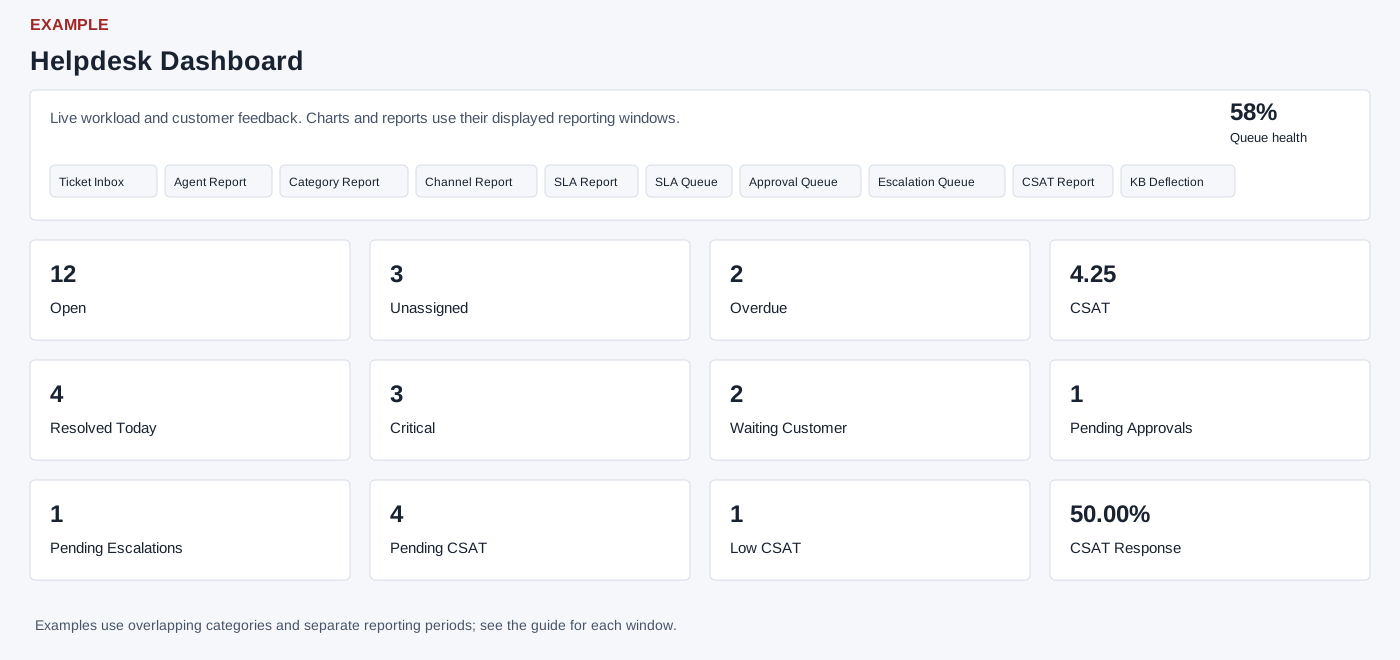
Read the dashboard
Helpdesk → Dashboard requires administrator access. Cards show Open, Unassigned, Overdue, CSAT, Resolved Today, Critical, Waiting Customer, Pending Approvals, Pending Escalations, Pending CSAT, Low CSAT and CSAT Response. Critical means open tickets marked high, urgent or critical; Waiting Customer means the last reply was from support; Pending CSAT covers pending or sent requests not completed. These categories overlap. CSAT Response is the response rate for the report period, not a count of all tickets.
Ticketing Trends compares created and resolved; User Wise Ticket Assignment lists Name, Open, Closed and On Hold. Backlog Aging lists Assignee, Total, Open, On Hold, age buckets 0–1, 2–3, 4–7, 8–14 and 15+ days, and Overdue; it shows at most 25 rows. Category charts show last-30-day categories and open-ticket categories; other charts show status, SLA breach trend, CSAT trend, priority mix, agent workload and average resolution minutes by category. Empty charts can indicate no matching data or a loading problem. The screen warns about 90 days and delayed data, but individual widgets have different windows: see the breakdown below.
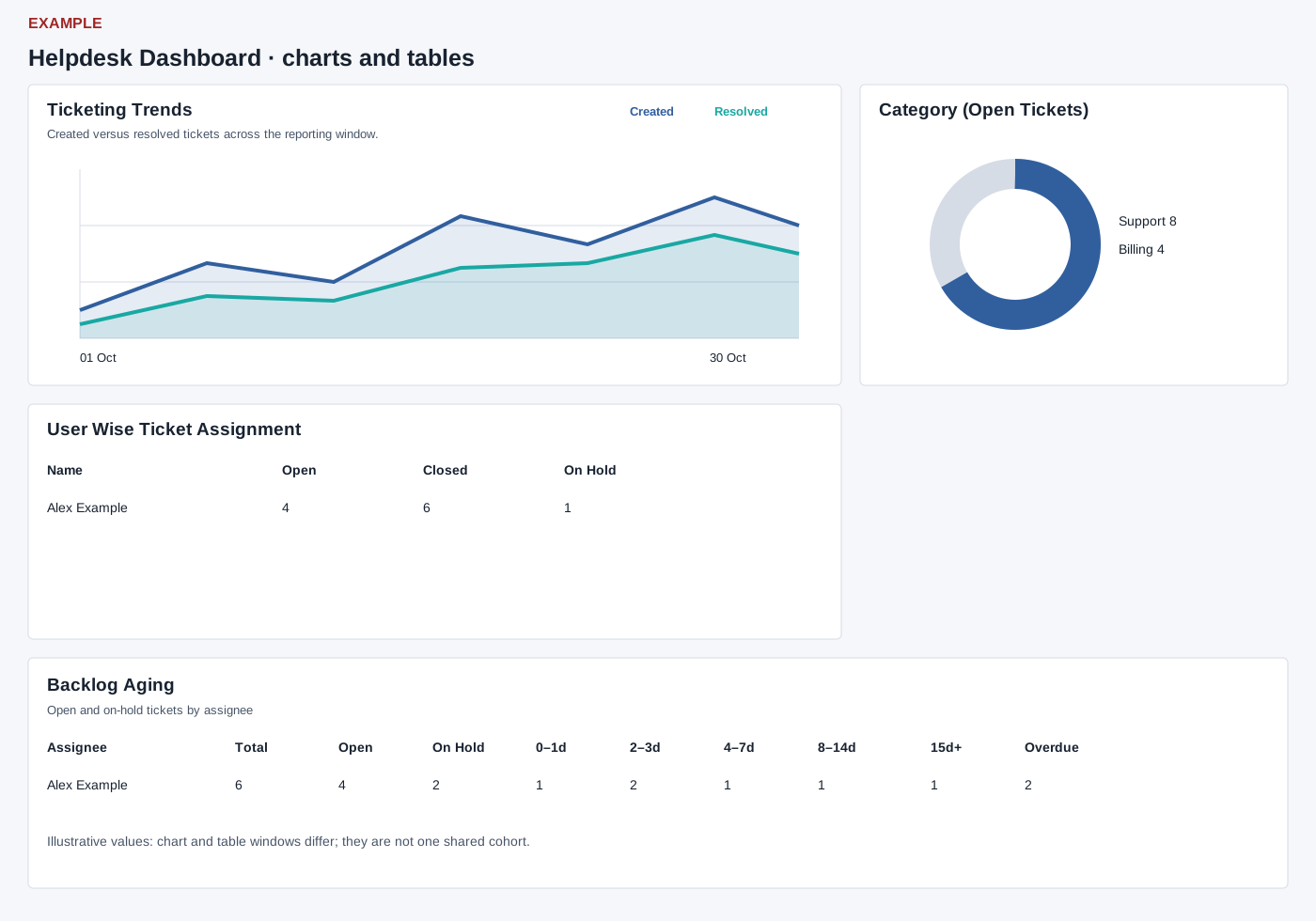
Date windows and limits
The summary’s Open, Unassigned, Overdue, Resolved Today, Critical and Waiting Customer use tickets created from 90 days before today through the end of today. Resolved Today therefore excludes older tickets even if closed today. Pending approvals and escalations are separate current counts; feedback cards use their feedback report’s period. Overdue uses the configured resolve-time threshold and current open status, not necessarily the separate SLA-breach flag.
Ticketing Trends uses 30 calendar days including today: Created is grouped by creation date and Resolved by closure date for currently closed tickets. SLA Breach Trend uses the same 30-day creation cohort grouped by ticket creation date, with current first-response and resolution breach flags; if the required SLA feature setup is unavailable, dates are filled with zeros; this does not prove that no breaches occurred. CSAT Trend uses 30 days by feedback submission date; zero response days are zero-filled.
Category (last 30 days) uses ticket creation date from 30 days ago to today; Open Category, Status and User Wise Assignment default to a 90-day creation window. These older queries use date-only upper bounds, which can omit most of today’s timestamped rows. Priority Mix and Agent Workload are current active-ticket distributions without a creation-date restriction; workload shows up to 12 assignees. Backlog Aging is also current active backlog without that date restriction and displays at most 25 assignees; its buckets derive from elapsed hours since creation. Resolution Time By Category uses closed tickets with closure dates in the default 90-day window, averages creation-to-closure minutes and displays up to 20 categories. Different cohorts cannot be added or compared as if they were one total.
Ticket Inbox and available Agent, Category, Channel, SLA, SLA Queue, Approval Queue, Escalation Queue, CSAT and KB Deflection links open their respective reports; some depend on feature settings and required setup. Example: compare a high overdue count with Backlog Aging, then open the SLA Queue to prioritize follow-up. Verify current ticket state before taking action.