Read and rate a knowledge base article
Read the article
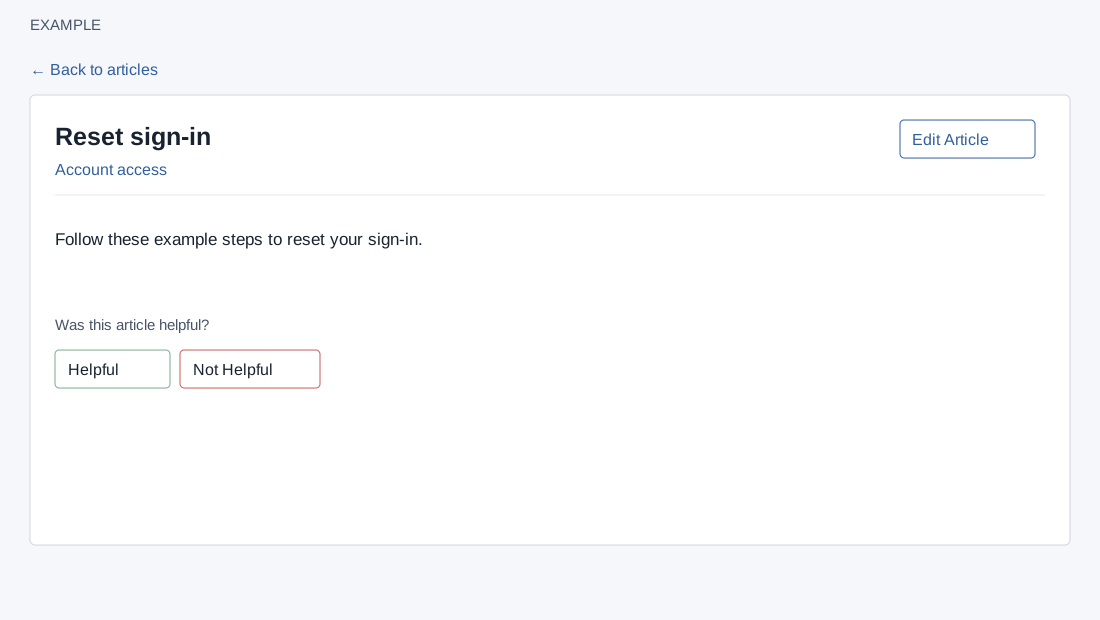
Open an article from a category or search result. Helpdesk access and a valid company article are required. Opening the article can record a view event when analytics storage is ready. The page shows the title, category link and article content. Back to articles or the category link returns to the category. ADMIN users see Edit Article.
Give feedback
When feedback buttons are shown, choose Helpful or Not Helpful. This records an event; on success the page thanks you and disables both buttons for the current view. If the request fails, an error is shown. The administrator can review aggregate activity and recent feedback in KB Deflection.
For example, after using a reset guide, select Helpful if it solved the issue. If the content is outdated, ask an administrator to edit it and verify the updated article after saving.