Customer satisfaction report
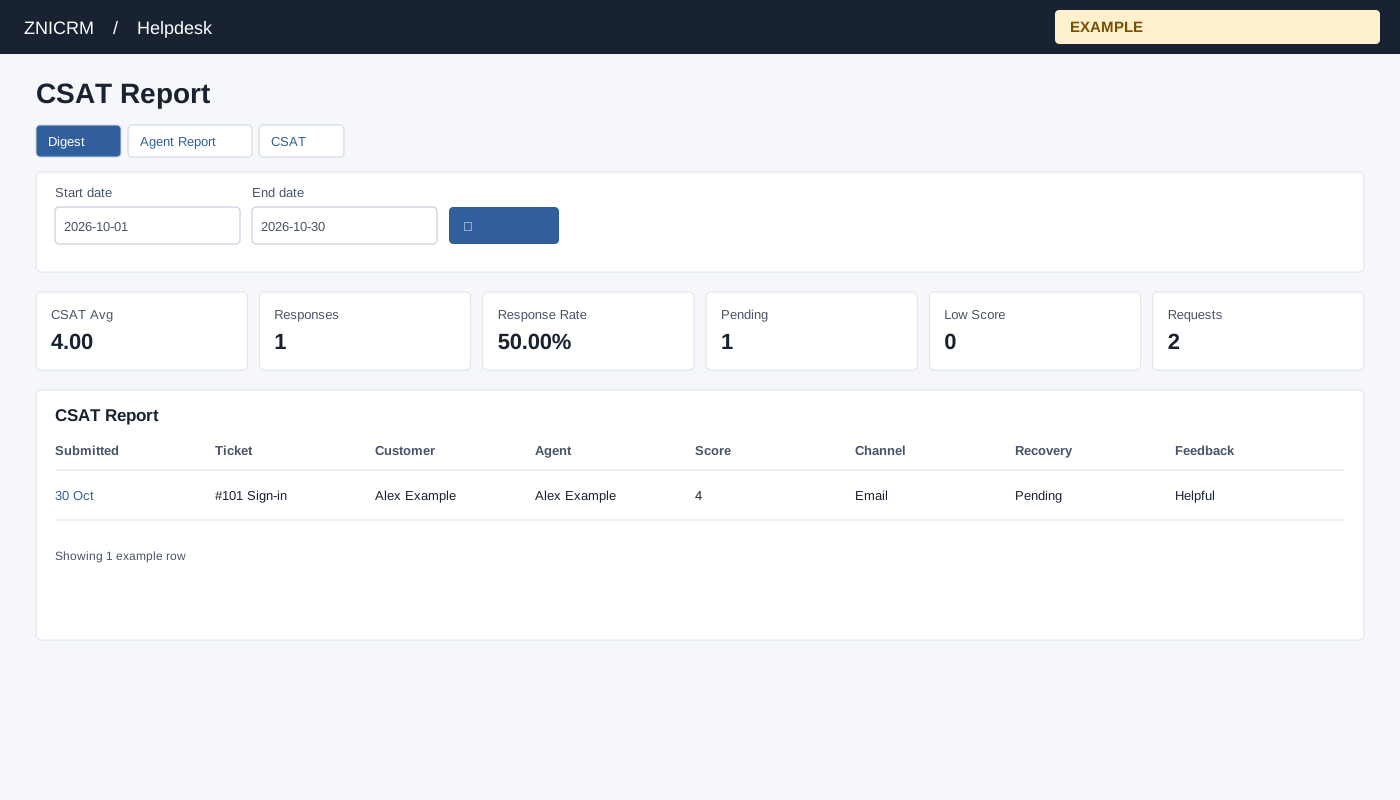
Open and filter
Open CSAT from the Helpdesk digest or report links. Helpdesk access and report scope are required. Non-administrators are limited to their permitted support scope; an administrator can review broader scope. If access is denied, ask an administrator to review access and support membership.
Set Start and End dates and select search; the default is month-to-date. Summary cards show CSAT Avg, Responses, Response Rate, Pending, Low Score and Requests. Feedback rows show Submitted, Ticket, Customer, Agent, Score, Channel, Recovery and Feedback. The ticket link opens its workspace and records viewing activity. The report lists at most 200 feedback rows.
Read each metric correctly
| Metric | Date basis and meaning |
|---|---|
| CSAT Avg | Mean stored rating score for feedback submitted in the selected range, rounded to two decimals. Check Responses: a zero with no responses is not a zero-rated customer. |
| Responses | Feedback score records submitted during the selected whole-day range, within permitted ticket scope. |
| Requests | Survey requests created during the selected range, including requests that have not produced a response. |
| Response Rate | Responses submitted in the range divided by requests created in the range, multiplied by 100. The two sets need not refer to the same requests, so this is not a matched-request completion rate and can exceed 100%. With no requests the displayed calculation remains zero. |
| Pending | Requests created in the range whose current request status is PENDING or SENT. |
| Low Score | Submitted feedback carrying the stored low-score flag. This need not equal the current Low CSAT Recovery queue, which also checks recovery status. |
For example, 12 replies submitted this month and 10 requests created this month produce 120%, because some replies can belong to older requests. Inspect feedback dates, request timing and ticket history before drawing a service-quality conclusion.
Example and verification
If a response has a low score and Recovery is pending, open the linked ticket to investigate and follow up. Check date range and scope if the response is absent; the feedback list is capped at 200.