Internal notes, watchers and attachments
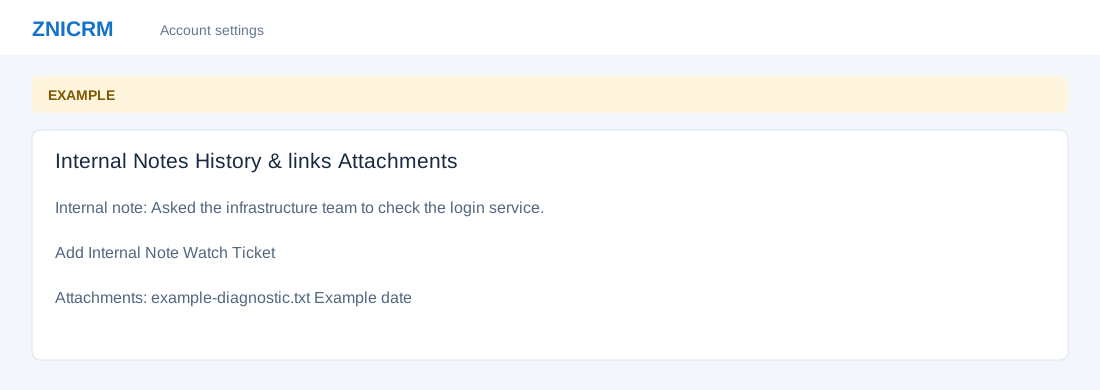
Open the page
Helpdesk → open a ticket → Internal Notes / History & links / Attachments. Helpdesk access and access to the ticket are required; notes and watchers additionally require their enabled preferences and feature setup.
Add a private team note
- If enabled, open Internal Notes and enter at least two characters in the internal note field, then choose Add Internal Note. The service sanitizes the note to 5,000 characters and checks ticket access; success reloads the ticket and shows the note. Up to 50 recent notes are listed. This creates a ticket record intended for the support team; use Conversation → Reply for customer-facing messages.
- Example: “Asked the infrastructure team to check the login service.” Confirm the note belongs to the correct ticket before adding it.
Follow work and inspect files
- In History & links, Watch Ticket subscribes the current user where enabled; Stop Watching removes that watch. Review the watcher list and related ticket context.
- Open Attachments to see listed file names and dates; opening a file accesses its contents. The Attachments panel is a list of file links and dates; it does not offer an upload control. Clicking an image in a conversation opens its source in a new tab. Previous Tickets lists other tickets for the same contact. Treat ticket content and attachments as private.
- Availability of notes, watchers or other panels depends on settings, feature setup and permissions.
CSAT feedback
History & links shows CSAT Feedback when a feedback record exists: status and channel, with sent or completed time, score, recovery status and feedback text when present. If a request token exists, Open survey link opens the customer survey in a new tab. The link grants access to that request; handle it as customer-specific. See Feedback survey for its behavior.
Watch and Stop Watching change only the current user’s watch, require ticket access, and reload on success; each change is logged. If disabled, unavailable or denied, check Helpdesk preferences, required feature setup and ticket access with an administrator.